Clickfree C2N Home Backup Drive User Guide Restoring My Content (HD)
RESTORING CONTENT
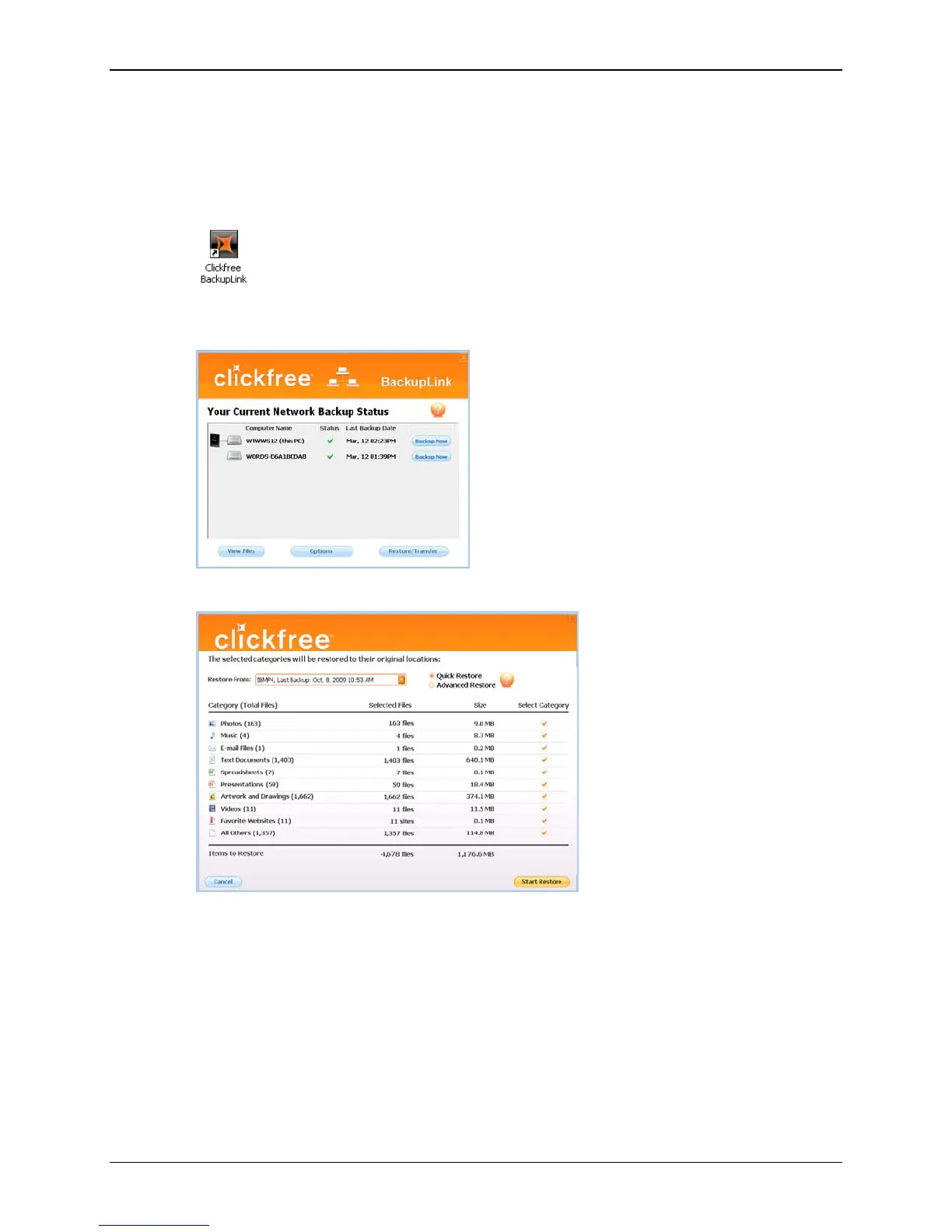
♦ To change how Clickfree restores content:
1. Double-click the icon on the desktop to open the BackupLink Status screen (or click
once on the icon in the system tray).
2. In the BackupLink status screen, make sure that the Clickfree C2N Home Backup
Drive is available, then click
Restore/Transfer.
The
Restore screen appears:
If your C2N Home Backup Drive contains backed-up content from the computer that
you are using, the
Restore From box by default contains the name of this computer,
and, unless you change it, the content that will be restored will be from this
computer.
Copyright © 2010 Storage Appliance Corporation. 38



 To Next Page