Clickfree C2N Home Backup Drive User Guide Advanced Topics (DVD)
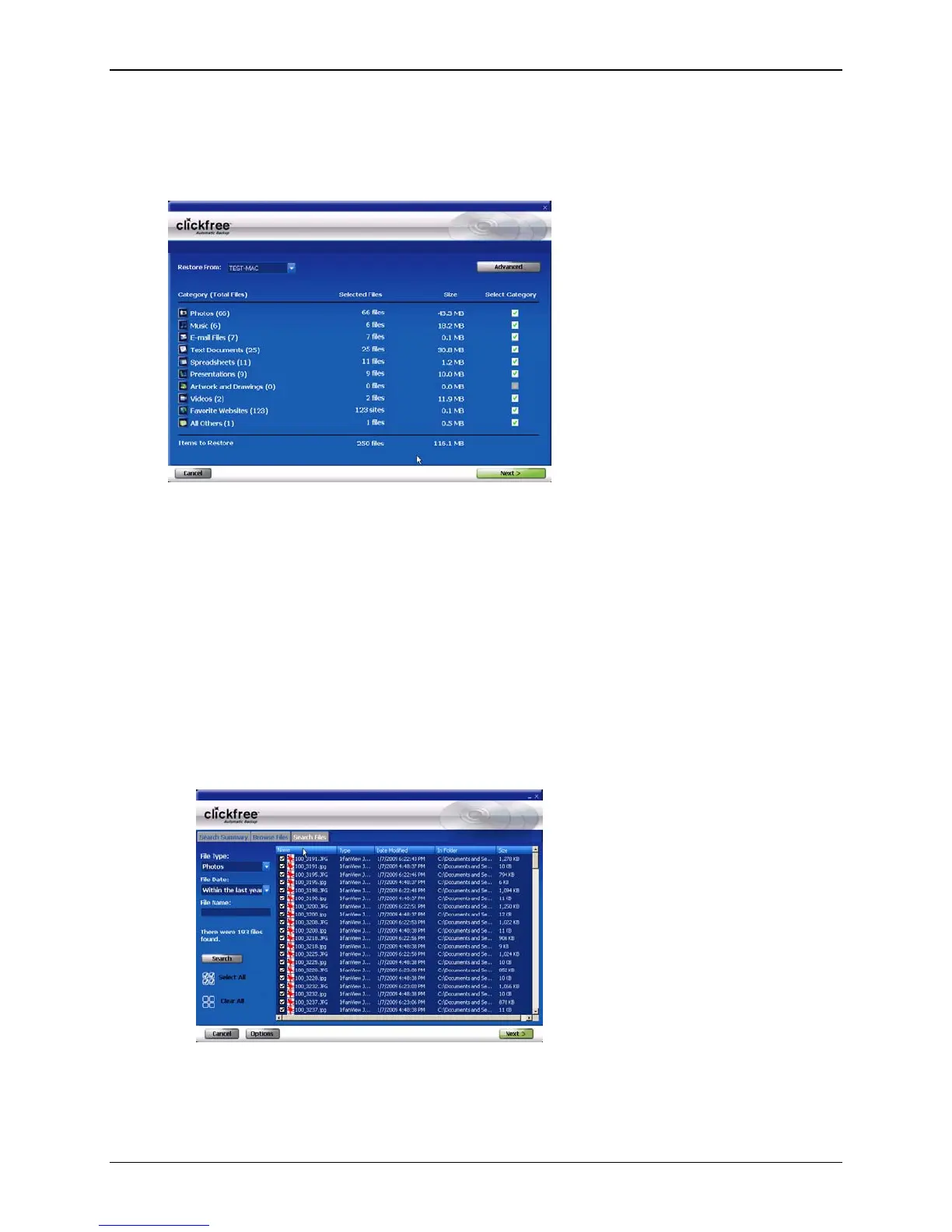
HOW DO I CHOOSE INDIVIDUAL FILES FOR RESTORE?
On the Restore Summary screen you can click checkboxes to select the category whose
files you want to restore.
You can also:
• Select backed-up files within a category
• Browse through folders that contain backup files
• Search for backed-up files by file type, file date, and file name
Files selected by each of these means are included in the restore.
♦ To select files within a category:
1. Click Advanced, to display the Browse Files, Search Files and View Photos tabs.
2. Select the date and time of the backup whose files you want to work with.
3. Click the category name.
All files in that category are shown in the
Search Files screen.
4. Select the files to be restored, and click
Next >.
Copyright © 2010 Storage Appliance Corporation. 130



 To Next Page