Clickfree C2N Home Backup Drive User Guide Browsing, Searching & Viewing My Files (DVD)
HOW DO I SEARCH FOR MY BACKED-UP FILES?
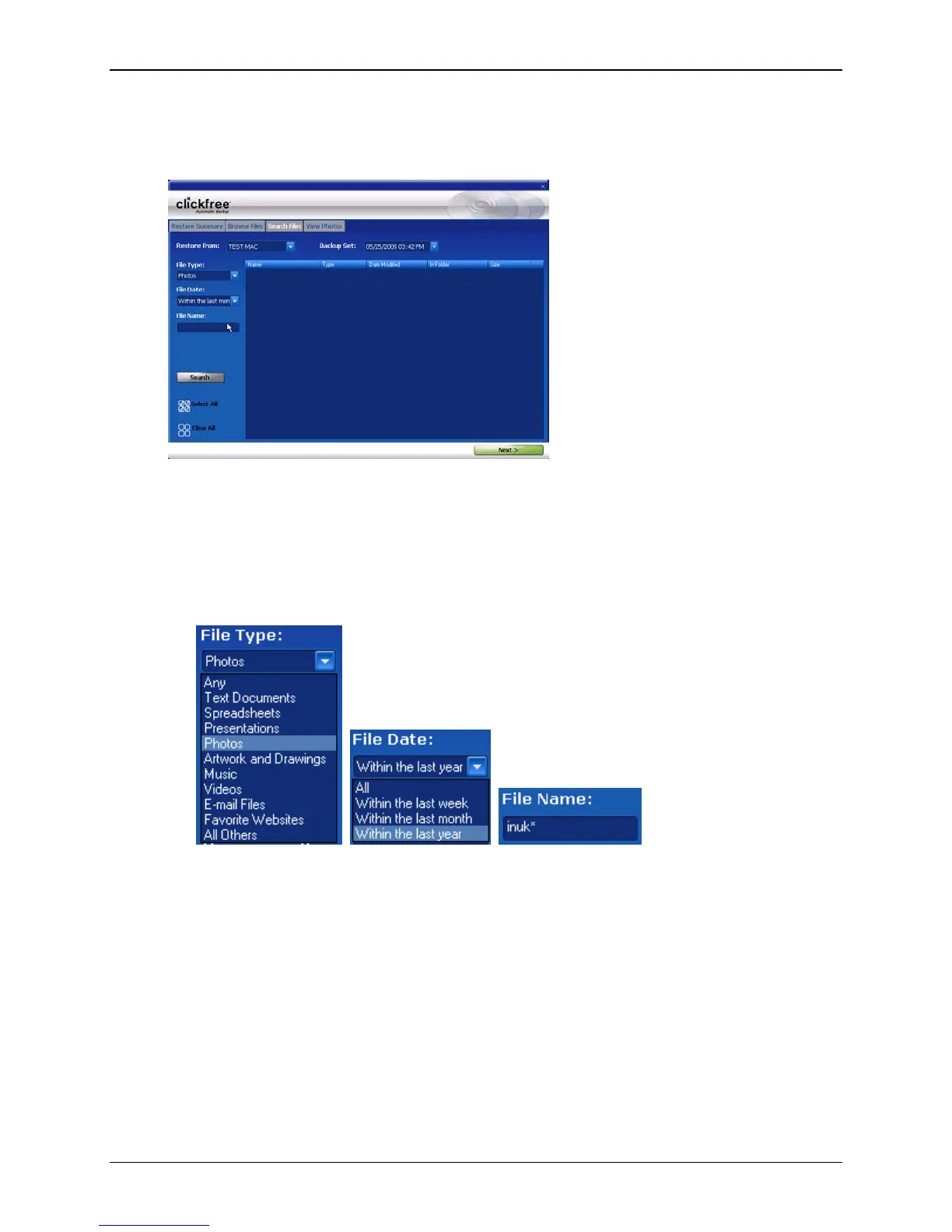
If you clicked the Search Files tab, the Search screen looks like this:
You can enter search factors to find the files you want.
If you clicked a category name, the
File Type is already filled in, and all files of that
category, regardless of
File Date or File Name, are displayed.
♦ To search for files:
1. Use the combination of File Type, File Date, and File Name that you think should
match the file(s) you want to find:
These selections are combined so that only files that match all of them are found – in
this case only files in the category Photos, and created/last changed within the last
year, and with names starting with ‘inuk’.
•
File Type – select a category, or ‘Any’ if you want all categories to be searched
•
File Date – select the time period within which the files were created or changed,
or ‘All’ if you want the date to be ignored
•
File Name – type a “mask” to select files. A blank file name matches all files.
Type whatever you can remember of the file names you want to find, and substitute:
? for one character, meaning that character can be anything at all
* for any number of characters, meaning these characters can be anything
Copyright © 2010 Storage Appliance Corporation. 118



 To Next Page