Clickfree C2N Home Backup Drive User Guide Advanced Topics (HD)
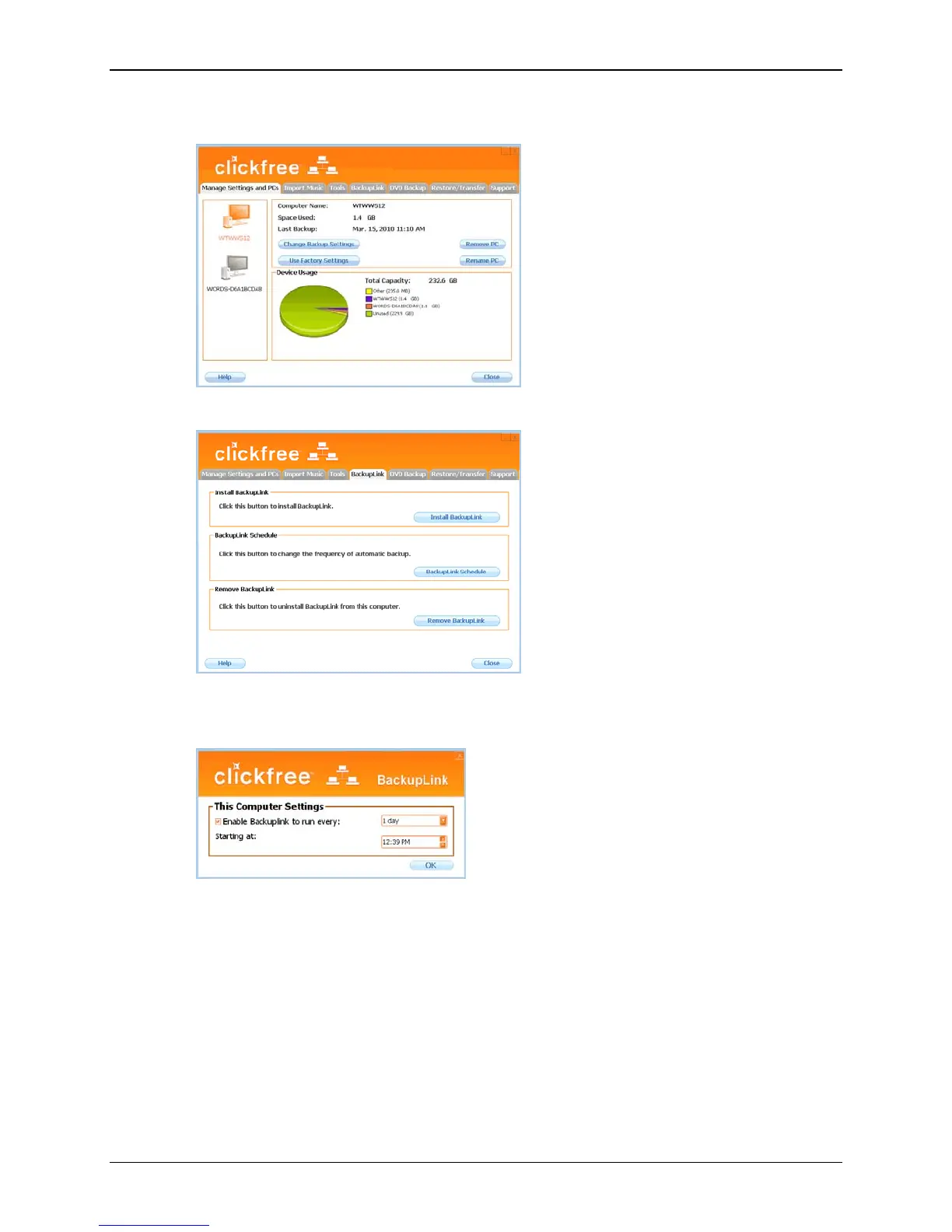
The Manage Settings and PCs screen is displayed:
3. Click the
BackupLink tab.
4. Click
Install Backup Scheduler.
5. The backup schedule for this computer is shown.
6. Make sure
Enable BackupLink to run every: is selected, then choose the appropriate
interval and time to start the backup, then click
OK.
If you have configured the backup schedule for your computer, and the C2N Home
Backup Drive is ready, a backup is started automatically, with no intervention from you,
at the set time interval.
However:
• Although a scheduled backup will wake your computer from sleep mode, it will
not run if the computer is hibernating.
Copyright © 2010 Storage Appliance Corporation. 70



 To Next Page