Clickfree C2N Home Backup Drive User Guide Backing up my content (DVD)
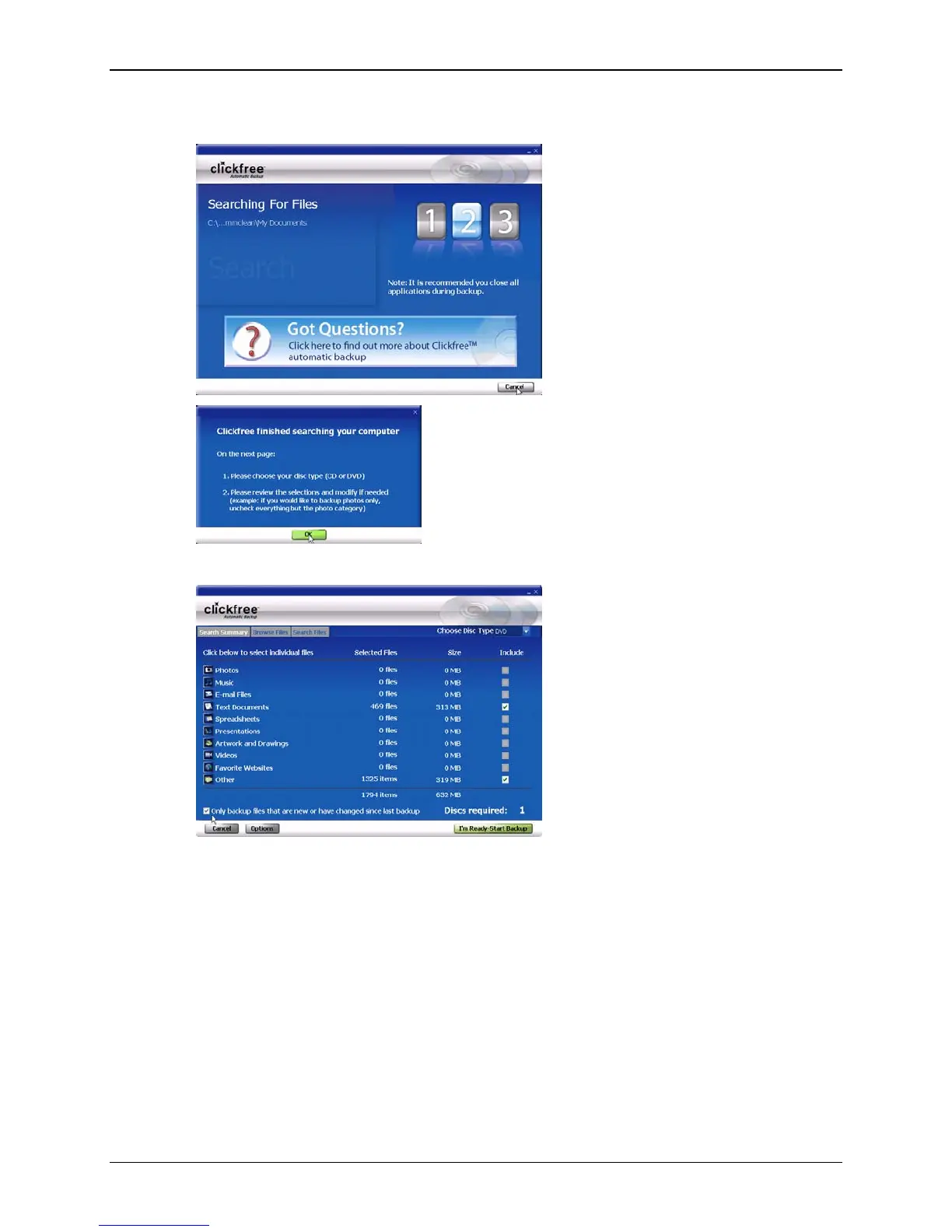
Clickfree displays some screens to show progress:
• Click
OK.
• Choose whether you are backing up onto CD or DVD.
Clickfree tells you how many disks are needed.
If you previously backed up this computer, you can choose whether to backup only
files that are new or have changed since the last backup.
• Click
I’m Ready-Start Backup.
Copyright © 2010 Storage Appliance Corporation. 87



 To Next Page