CNC 6040 Router / Engraver System
CNCDIY CNC Routing Machines System User’s Manual
35
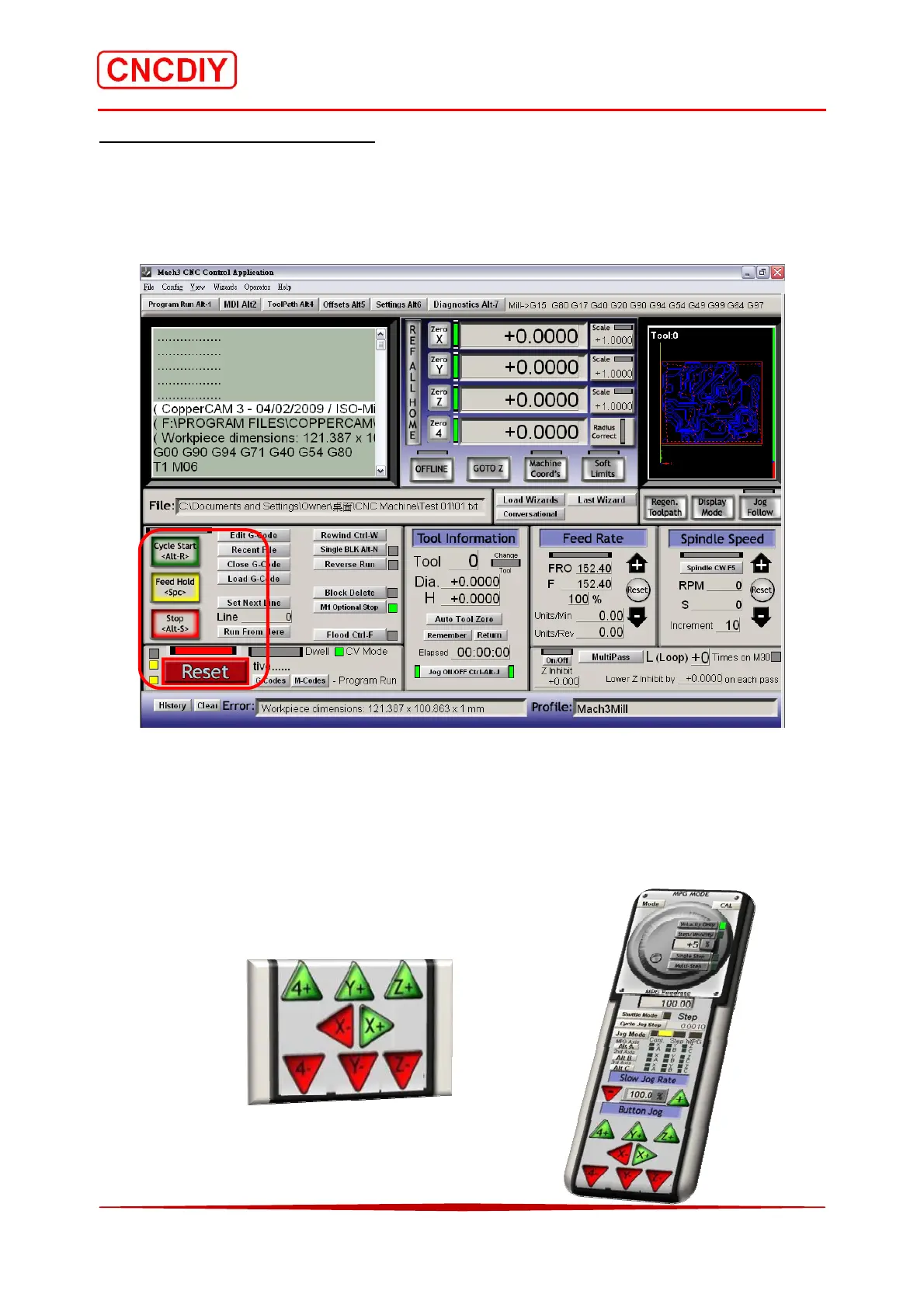
Step 3 Start running the G code
You can see the red flashing “RESET” button, and click it to stop the flashing, after that please
select the “Cycle Start” button or press <Alt> and <R> keys on your key board to run the G
code.
If you want to stop running, select “Stop” button or press <Alt> and <S> keys on your keyboard.
4-5 Testing with CNC machine
Press “TAB” functional key on your keyboard, the Mach 3 will show a manual control panel on
the right side of your screen, you can test each axis setting of direction by pressing the particular
buttons.



 To Next Page