Chapter 4: Setup and verification
24 System app
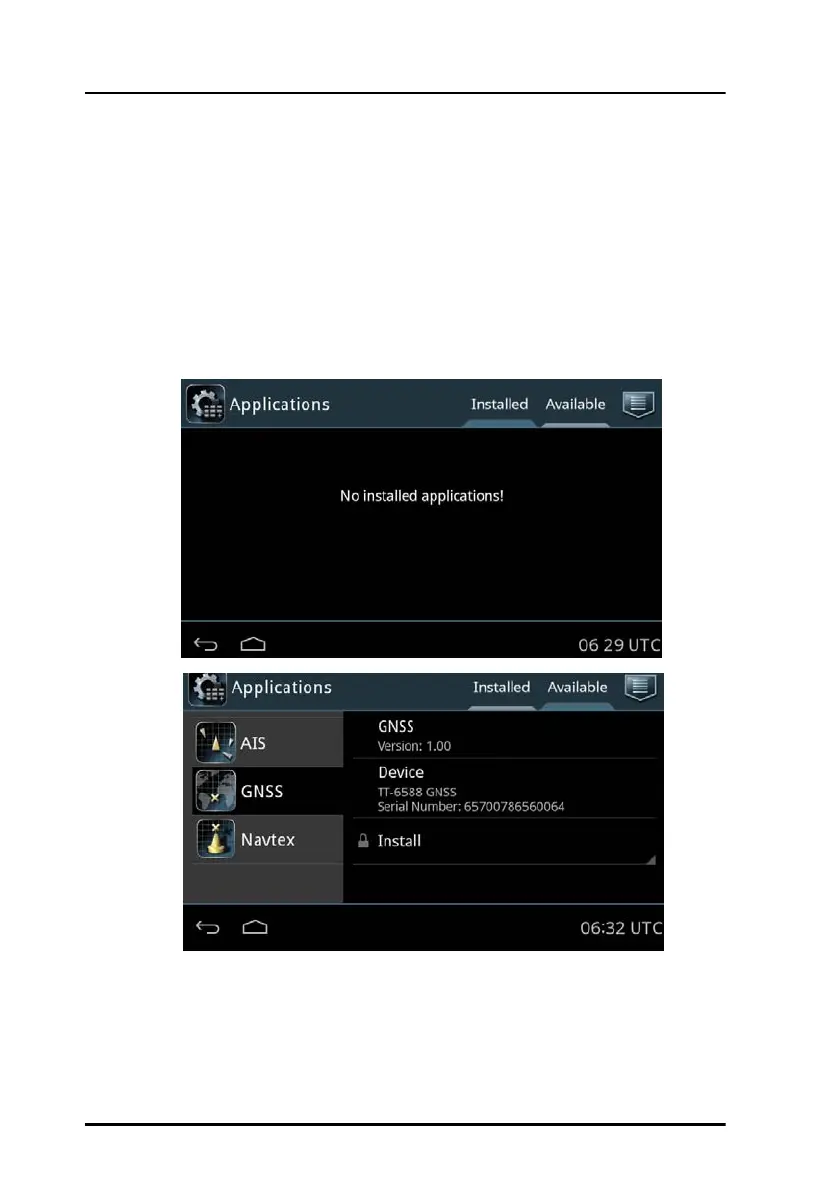
2. Tap the app you want to manage.
For each app following items are shown:
• App name and version, e.g. GNSS Version 1.0.
• Update (if available, else grayed out) – tap here to update this app.
Enter the password for Admin level and tap OK.
Uninstall – tap here to uninstall this app from the SAILOR 6004 Control
Panel. Enter the password for Admin level and tap OK.


 To Next Page