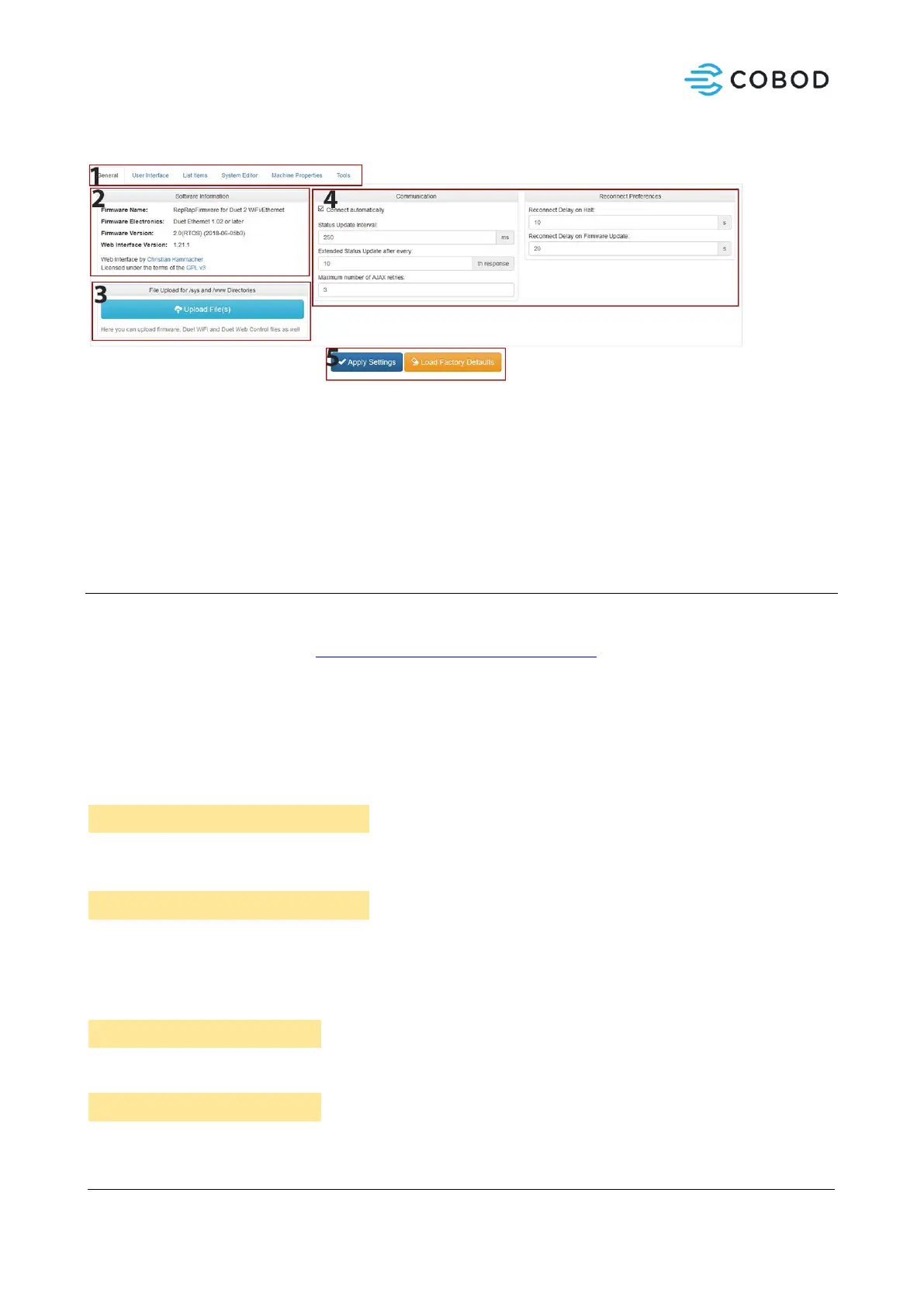
6.1.4.2.3 Settings
1. Subsetting tabs – User interface, System Editor, tools, Machine properties, List items
2. Software and firmware information
3. Button to upload firmware, control files, etc.
4. Settings related to communication and reconnecting rules.
5. Apply made changes or reset to factory Defaults.
6.1.4.3 G-code commands
G-code is the industry standard for CNC equipment, and the specific flavor of G-code for BOD2 is similar,
with some special additions. Below is a shortlist of usable G-code commands. A full G-code reference
documentation can be found at: https://duet3d.dozuki.com/Wiki/G-code.
6.1.4.3.1 Move and positioning commands
G1 Xnnn Ynnn Znnn Ennn Fnnn: Move to position Xnnx,Ynnn,Znnn while extruding Ennn amount of
material at Fnnn speed. Can be used partly or with all parameters. G0 can be used for move commands
without extrusion.
Go to Position X=400mm, Y=600mm, Z=1200mm, Extrude 150ml of material, at speed 15000 mm/min
Go to position X=400, Y=600 at default speed without extruding.
G92 Xnnn Ynnn Znnn: Set current position to Xnnn, Ynnn, Znnn. Defines the current position of the axes.
Defines current position as Origo (X=0mm, Y=0mm, Z=0mm, U=0mm)
Defines current X/Y position to be X=200 Y=200



 To Next Page