C001537_04_CR2 User Manual - 26
Save Settings
4.4 - Codablock F Symbology
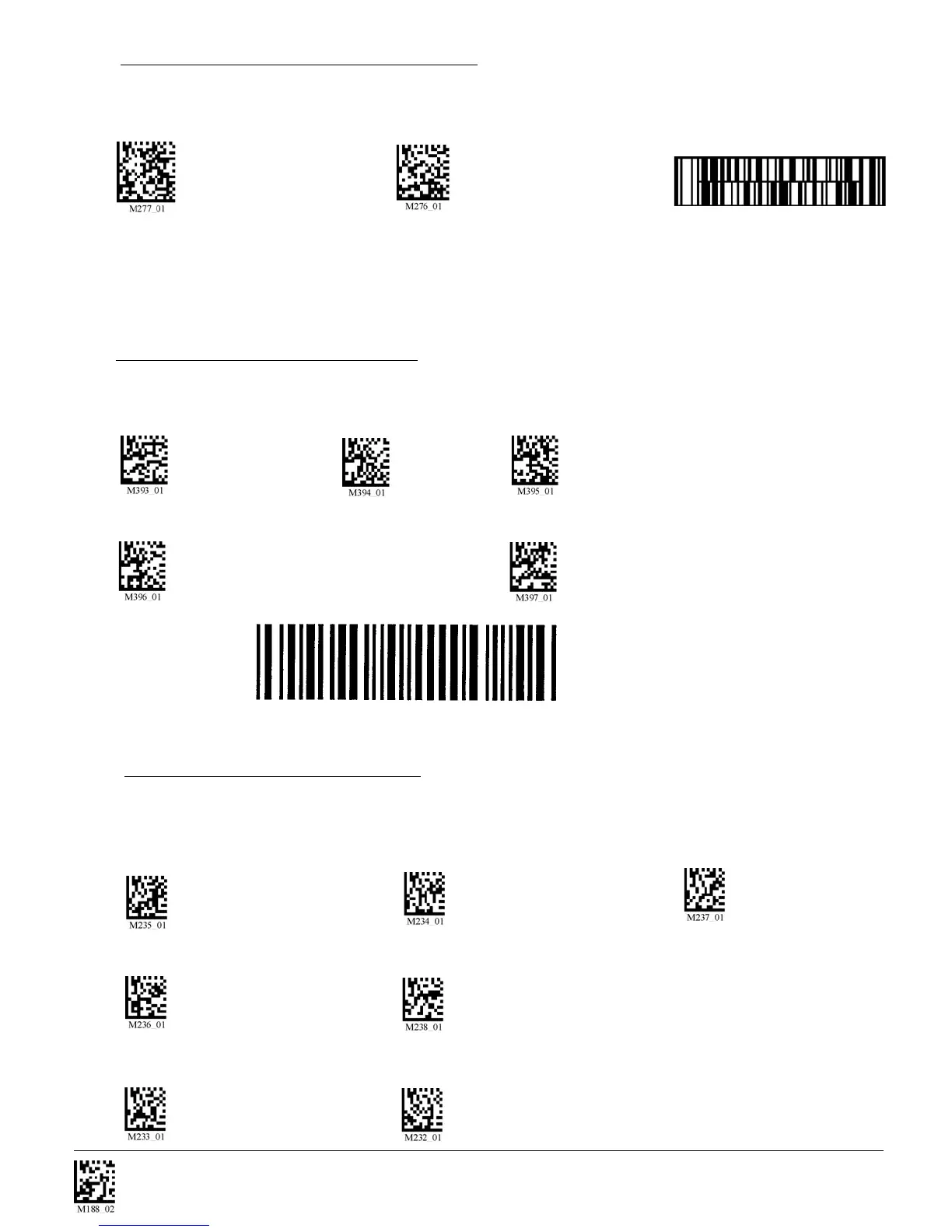
Scan the following codes to enable/disable Codablock F symbology settings:
Codablock F On Codablock F Off (Default) Sample Codablock F Code
Note: When Codablock F and Code 128 decoding are enabled, there is some danger of mistakenly
decoding a damaged Codablock F symbol as a Code 128 symbol. Therefore, Code 128 decoding
should be disabled when Codablock F decoding is enabled.
Disable Checksum (Default) Enable Checksum and Strip From Result
Code 39 Extended Full ASCII On Code 39 Extended Full ASCII Off (Default)
4.6 - Code 39 Symbology
Scan the following codes to enable/disable Code 39 symbology settings:
Code 39 On (Default) Code 39 Off Enable Checksum
4.5 - Code 11 Symbology
Scan the following codes to enable/disable Code 11 symbology settings:
Code 11 On (Default) Code 11 Off Code 11 Checksum 1 digit
Code 11 Checksum 1 Digit & Stripped from Result Code 11 Checksum 2 Digit & Stripped from Result
Code 11 Sample



 To Next Page