14 DataMan 100 Quick Reference Guide DataMan 100 Quick Reference Guide 15
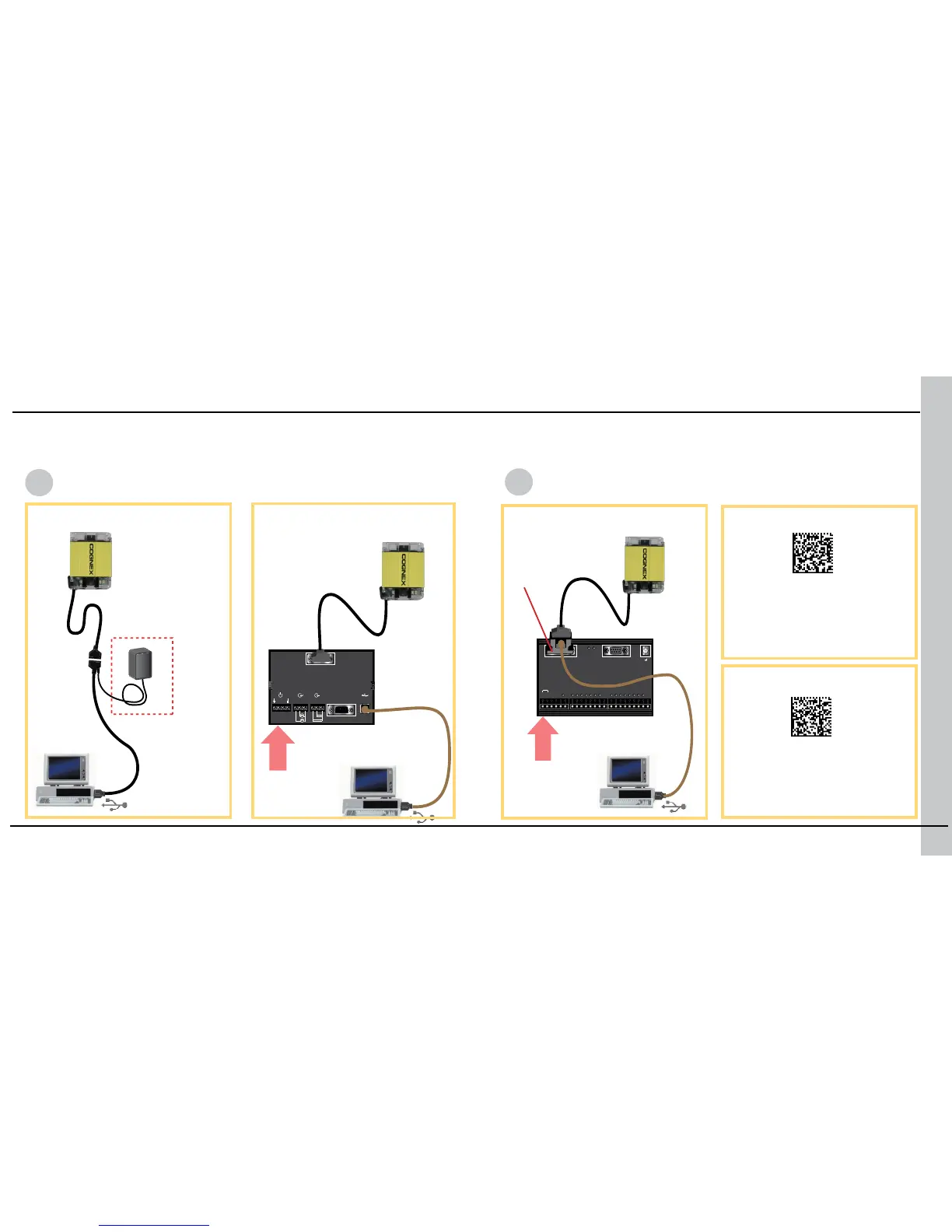
When connected to a PC over USB, the DataMan 100 appears as either a COM
port or as a standard USB keyboard. You control the connection type by scan-
ning the appropriate connection code.
NOTE: DataMan PC software
must be installed for this
connection type!
...connecting directly to the
PC:
USB Serial
USB Keyboard
NOTE: You cannot use
the Setup Tool with this
connection type.
...connecting to the PC
through basic I/O module:
...connecting to the PC through
expanded I/O module:
Make the connection by...
Scan the connection code
24 VDC
24 VDC
USB Connections












 To Next Page