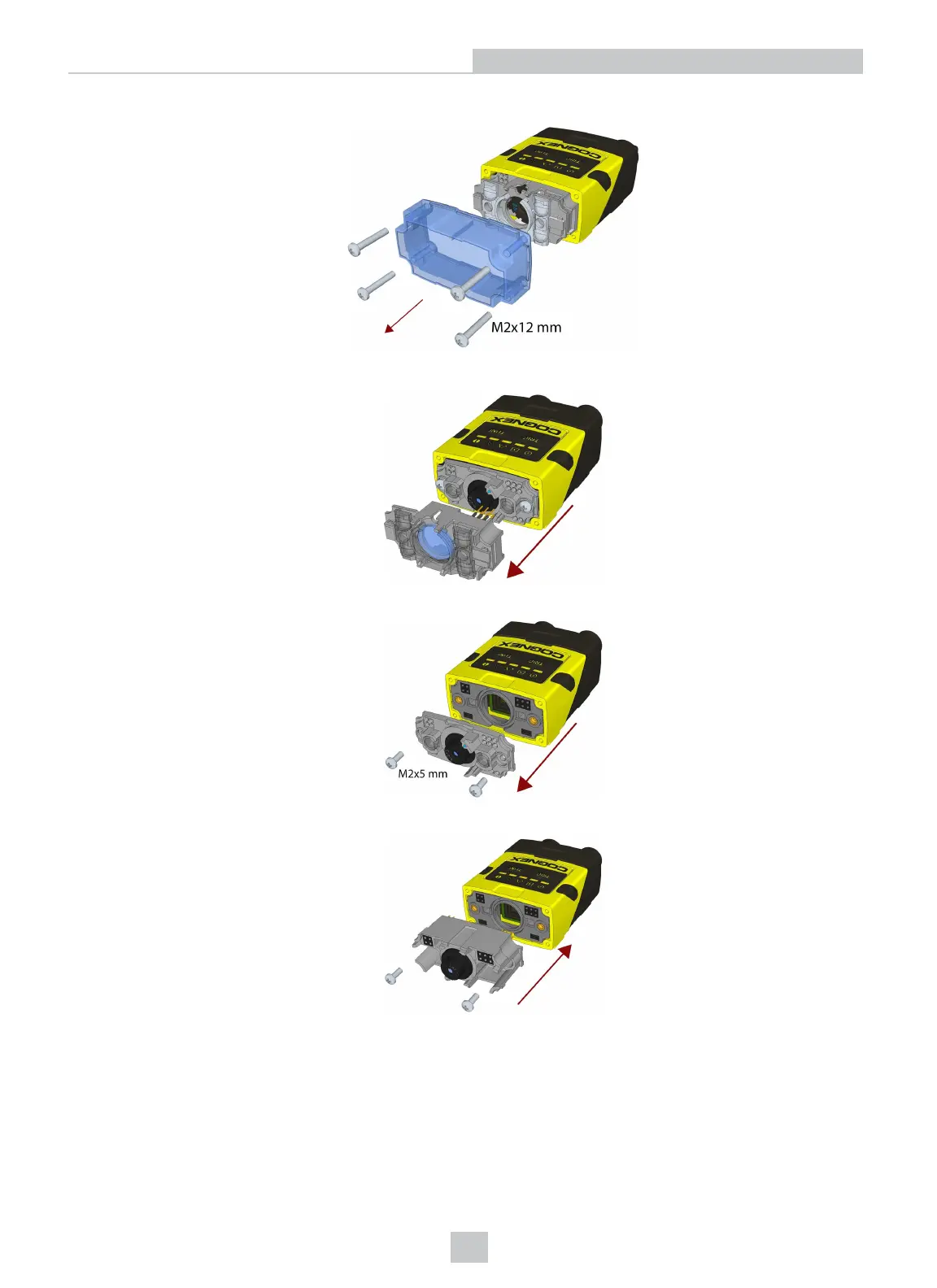
1. Remove the front cover: unscrew the four M2x12mm Phillips Pan head screws and take off the LEDcover.
2. Remove the illumination module.
3. Unscrew the two M2x5mm Phillips head screws and remove the 6.2 mm lens mount.
4. Attach the 16 mm lens mount.
5. Fasten the two M2x5mm Phillips head screws to 0.06 Nm using a torque wrench.
24
Setting Up Your DataMan 260









 To Next Page