73
Chapter 11: Cleaning and Preventive Maintenance
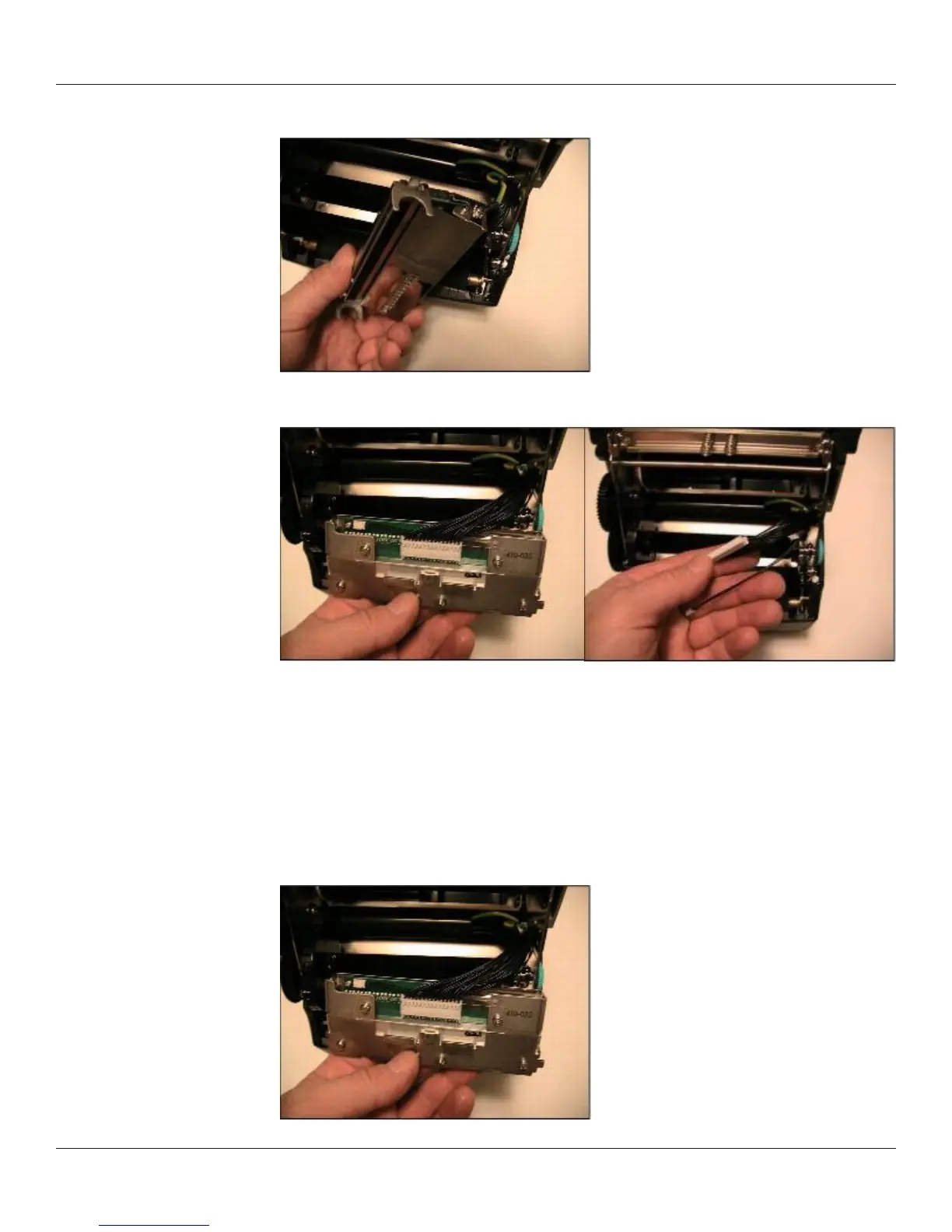
3) Remove the screw holding the green ground wire to the bracket.
4) Remove the printhead cable harness from the printhead, and remove the two-wire
LED harness from the LED connector.
Printhead Assembly Replacement
NOTE: IF THE C SERIES PRINTER IS WITHIN THE WARRANTY PERIOD, THE USER MUST
SEND THE PRINTER IN TO AN AUTHORIZED REPAIR CENTER. ALL USERS MUST NOT
REPLACE THE PRINTHEAD ASSEMBLY OR PLATEN ASSEMBLY IF THE PRINTER IN UNDER
WARRANTY.
1) Attach the new printhead assembly to the printhead harness, and attach the LED
harness to the LED connector.



 To Next Page