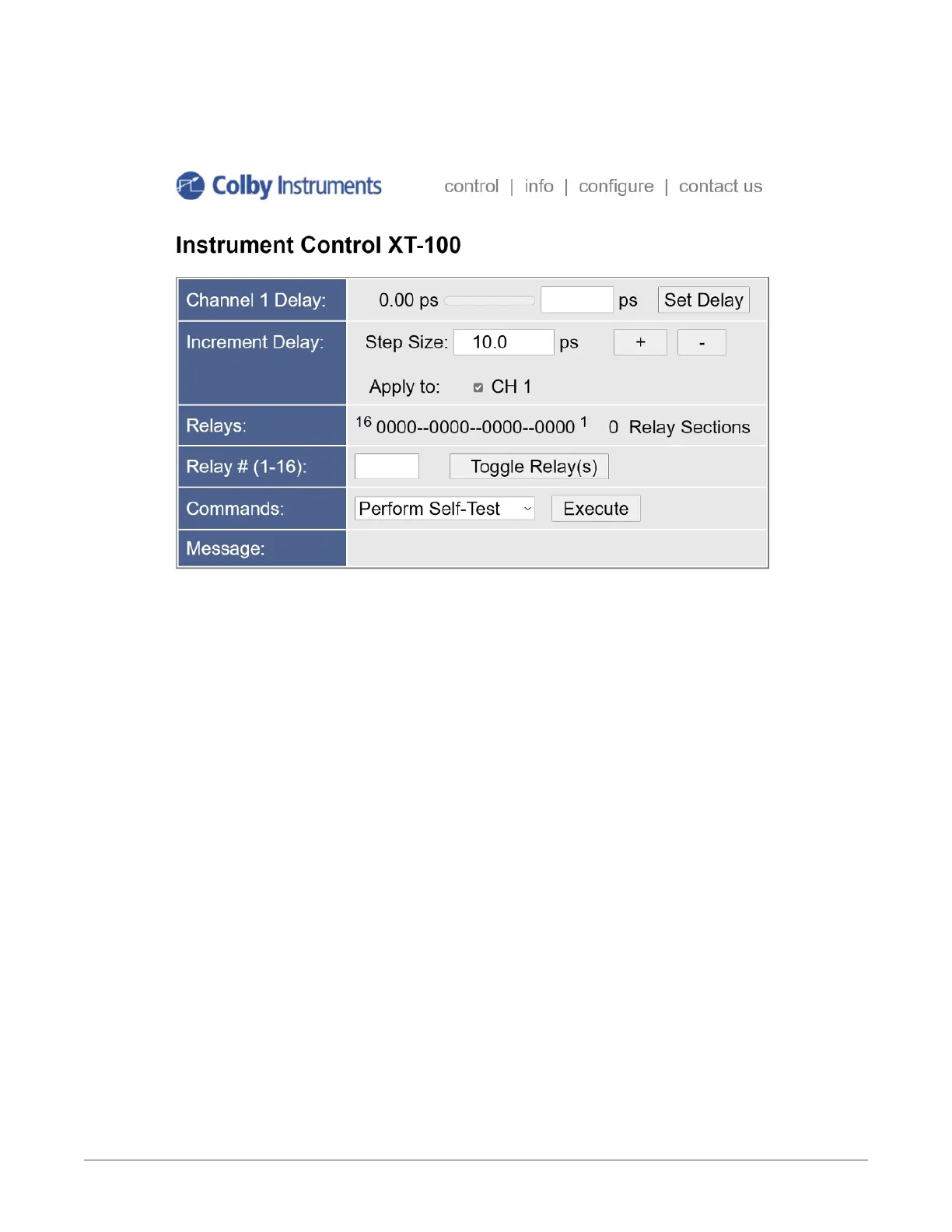
44 About the XT-100 Web Server Control Page
Instrument control is located on this home page. You can set the delay in each channel by entering the desired delay and selecting the
Set Delay button.
A step size value can be specied, and a delay channel selected to apply the change to. Select the + or – button to increment or
decrement the step size amount of delay.
In the Commands section, a Self-Test or Reset can be performed after selecting the desired item and applying the Execute button.
6
COLBY INSTRUMENTS XT-100 VERSION 1.0 OPERATING AND PROGRAMMING MANUAL



 To Next Page