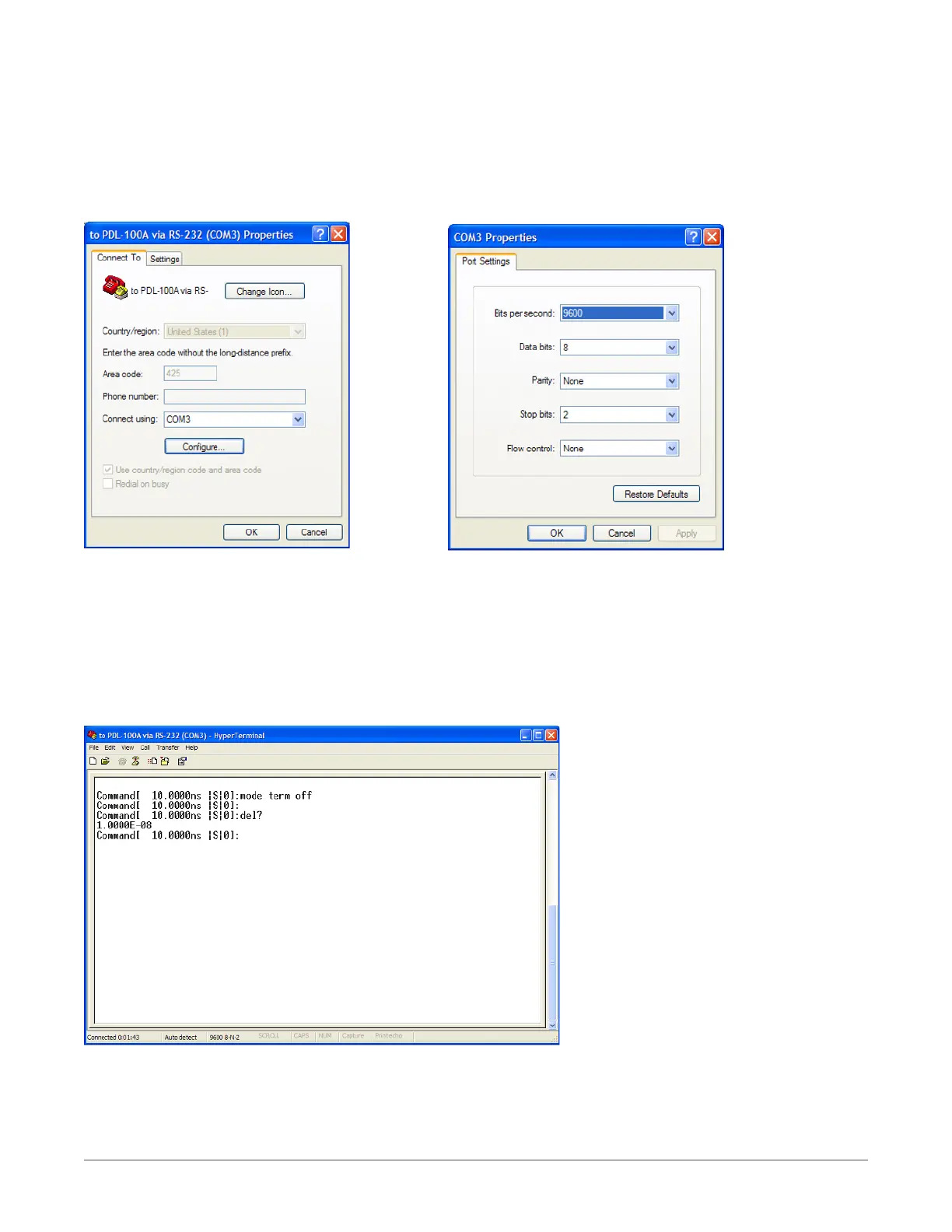
415 Using HyperTerminal and RS-232 connection
From Windows Desktop, click on the Windows Start button, click on All Programs, click on Accessories, click on Communications, and
click on HyperTerminal to start the HyperTerminal application.
Click on File, and click on Properties:
1. Click on the Settings Tab to set the Port Settings. Press OK button to continue.
2. Select 9600 bits per second to connect to the XT-100.
3. Select 2 Stop bits.
4. Select None for Flow Control
HyperTerminal Session
12
COLBY INSTRUMENTS XT-100 VERSION 1.0 OPERATING AND PROGRAMMING MANUAL



 To Next Page