In order to set the HOM board, you must first coniigure the
DIP
SWITCHES according to the type of machine.
See the table below.
1) Check the Dip switch position (see table
1).
2)
Fill the cylinder with liquid mix and
turn
the main selector switch to the PRODUCTION mode.
3)
Connect a clamp tester on a phase of the beater motor to read the current.
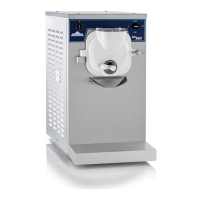
MACHINE
LAB
lOO/B
4)
Set the machine in Production.
DIP
Voltage
&
Phase
115/60/1
1
2
3
4
5
6 7
8
-
PT1 Setting
:
Don't move it. Its position has no effect.
-
PT3
set tin^
:
Turn
20 turns clockwise
-
PT2 Setting
:
It's the main setting of the HOM board; turning clockwise increases the current when the compressor
cuts off.
When the current of the beater motor reaches a value near the name
plate value, turn the
PT2
trimmer'anticlockwise until the red led
shuts off and the green led lights on.
Turn
PT2
slowlv anticlockwise until the compressor stops once vou
reached the 100% of the Beater motor name plate current.
OFF OFF
P.S.:
If the compressor motor never stops it's necessary to make
2
turns through the current transformer
OFF
OFF
PAGE 16.
OFF
OFF
ON
OFF


 To Next Page