User Manual
5
2 Installation and Connection
To correctly install and connect the CoLibrì e-DaVinci book covering machine, it is necessary to
perform the operations referred to below (in the order indicated), working as set out in this chapter:
9 Choosing the installation site
9 Unpacking and checking the components
9 Preparing and positioning the unit
9 Connecting the cycle start pedal cable
9 Connecting the power cable
2.1 Choosing the Installation Site
To ensure the best operation of the unit, the installation site must have the following characteristics:
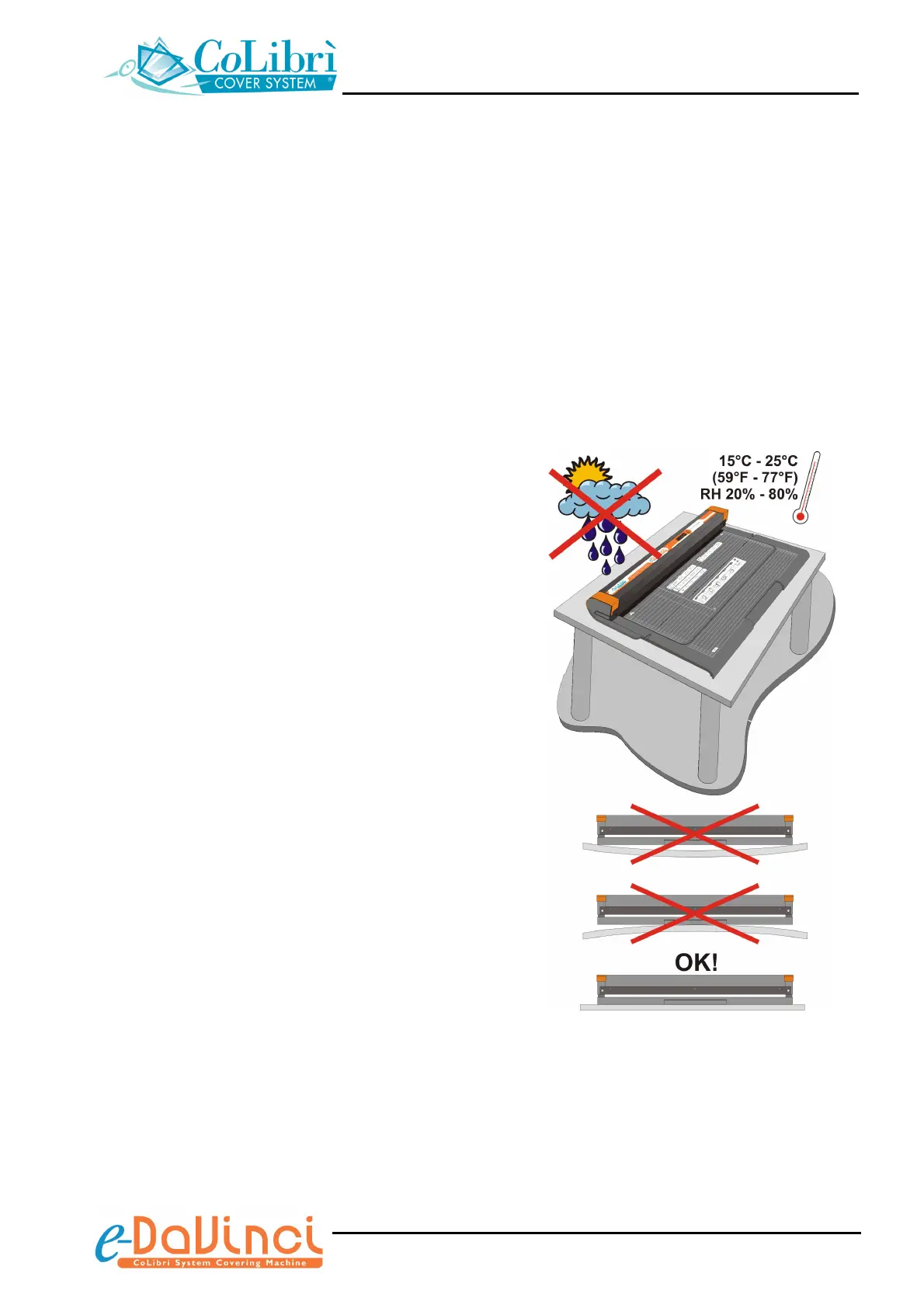
♦ The support surface must be sturdy and perfectly
level, failing which the unit might not work properly.
Moreover, it must be easily accessible, not subject to
excessive vibrations.
♦ Install the unit in a place that is not exposed to direct
sunlight or atmospheric agents.
♦ Leave sufficient space around the unit so that you
can work comfortably and position it far from other
electronic equipment, to avoid interferences.
♦ The installation site must have a temperature ranging
between 15 °C and 25 °C (59 °F to 77 °F) and
relative humidity (RH) between 20% and 80%. The
unit might not work properly at a temperature of less
than 15 °C (59 °F).
♦ The installation site must be adequately ventilated,
free from dust and/or condensation. Do not install the
unit near a humidifier.
♦ To prevent damage to the unit do not install it in a
place where it will get splashed by water.
♦ To avoid sudden temperature changes do not install
the unit near air conditioners, heaters or other heat
sources.
♦ The unit must be installed near a wall socket. This
one has to be easily accessible in order to allow a
prompt disconnection of the plug, in case of emergency.


 To Next Page