28
User Manual
6 Troubleshooting
To avoid creating potentially dangerous situations and/or damaging the equipment do
not carry out any work other than those described below.
6.1 The book covering unit does not
work
1) Make sure that the machine is correctly
powered; this is indicated by the manual
operation instruction icons shown on LCD
display.
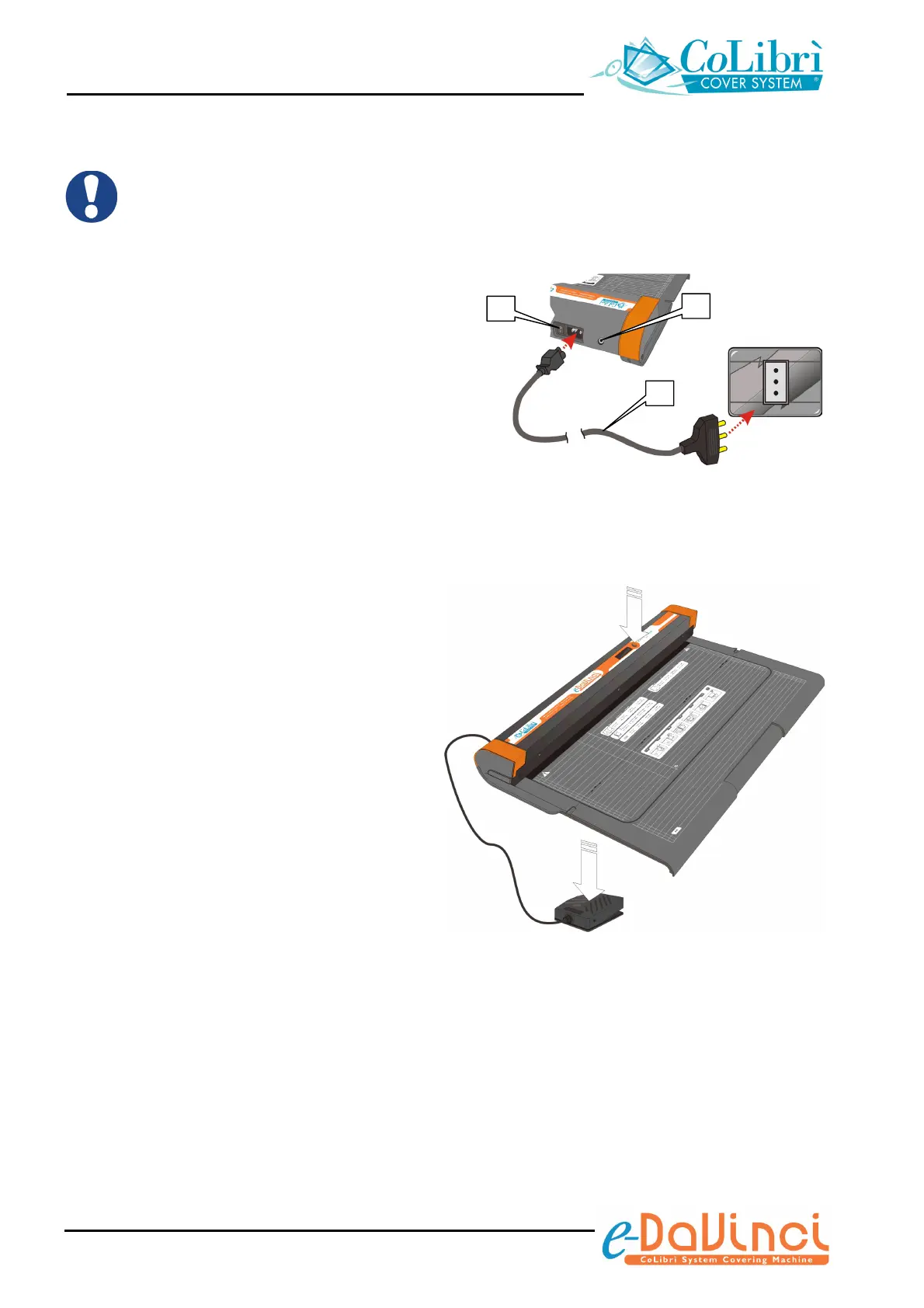
If the LCD is off, check that the power cable
(a) is correctly plugged in and that the main
switch (b) is turned to the “I” (ON) position.
Make also sure that the pedal is connected
to the relevant socket (c)
2) If the unit is correctly powered but it
does not trim, make sure you are
correctly pressing the cycle start push-
button or pedal.
a
b
c


 To Next Page