User Manual
31
To exit the menu, move the cursor to the End item and keep the cycle start push-button
pressed for a few seconds.
Move the cursor to the Run item on the initial menu and keep the cycle start push-button
pressed to go back to the normal machine operation.
Notes about the Setting Parameter function(Cut Adjust)
¾ If, after the trimming/welding process the cover / envelope shows an excessive amount of
blur, plastic filament or curling, then DECREASE the value of “Cut Adjust” parameter.
¾ If the book covering machine does not correctly trim/weld the cover/envelope (i.e. the scrap
is not correctly cut or the welding is poor), then INCREASE the value of “Cut Adjust”
parameter.
The setting parameter adjustment should be carried out step-by-step, checking
each time whether the obtained result is satisfactory.
WARNING!! Setting the maximum value (10) may cause a premature burning of the
welding bar.
6.4 The Book Covering Machine Signals an Error Condition
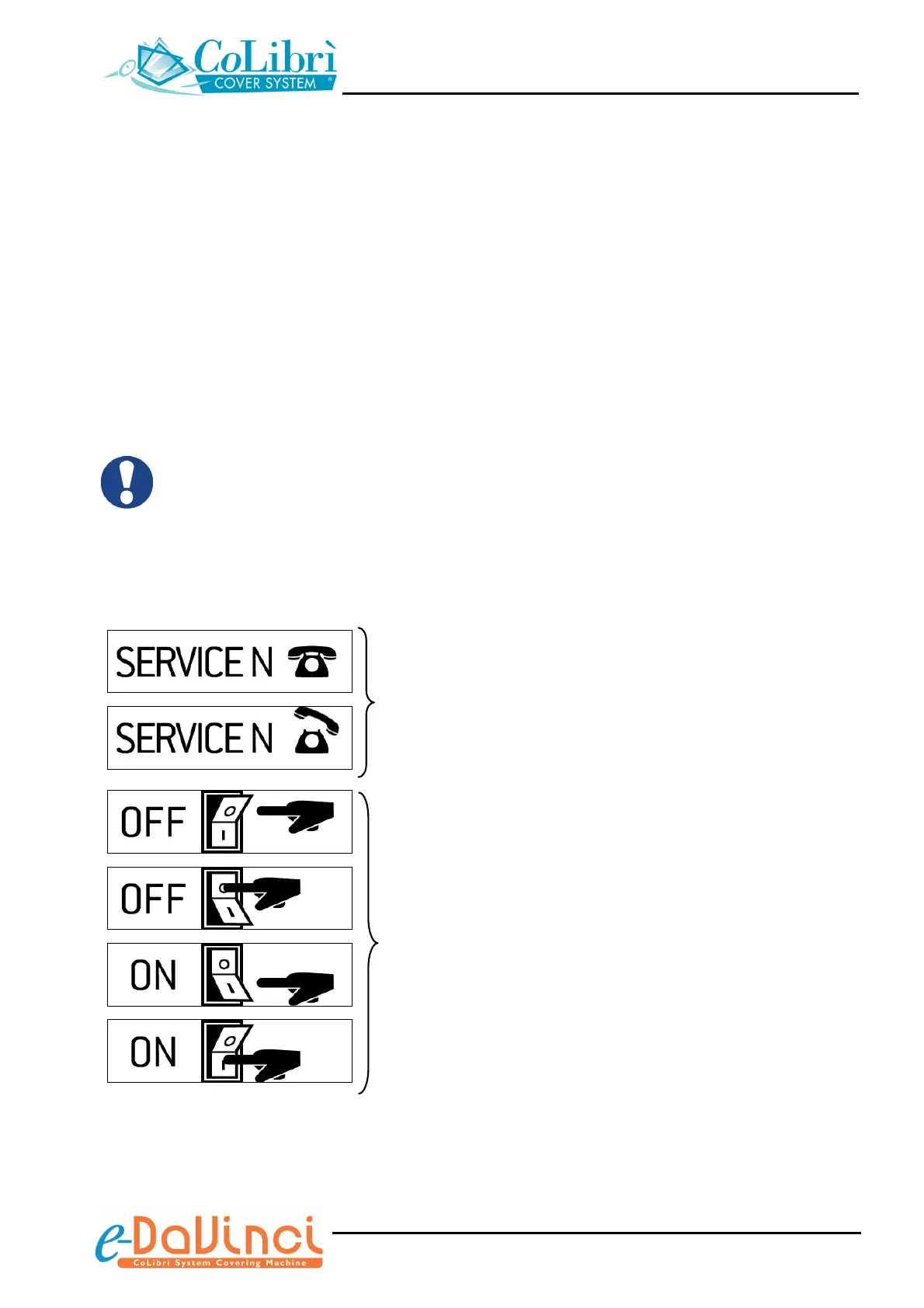
The 2 possible error conditions are signalled by the following icons:
If the display shows this icon sequence, try to
power off and then power on the unit after a
few seconds. Repeat this sequence two or
three times. if the icons do not disappear,
please contact the CoLibrì Service centre
If the display shows this icon sequence, power
off and then power on the unit after a few
seconds, acting on the main switch.


 To Next Page