User Manual
13
4 How to Cover/Wrap
4.1 Choosing the Size of the Cover/Document Pocket
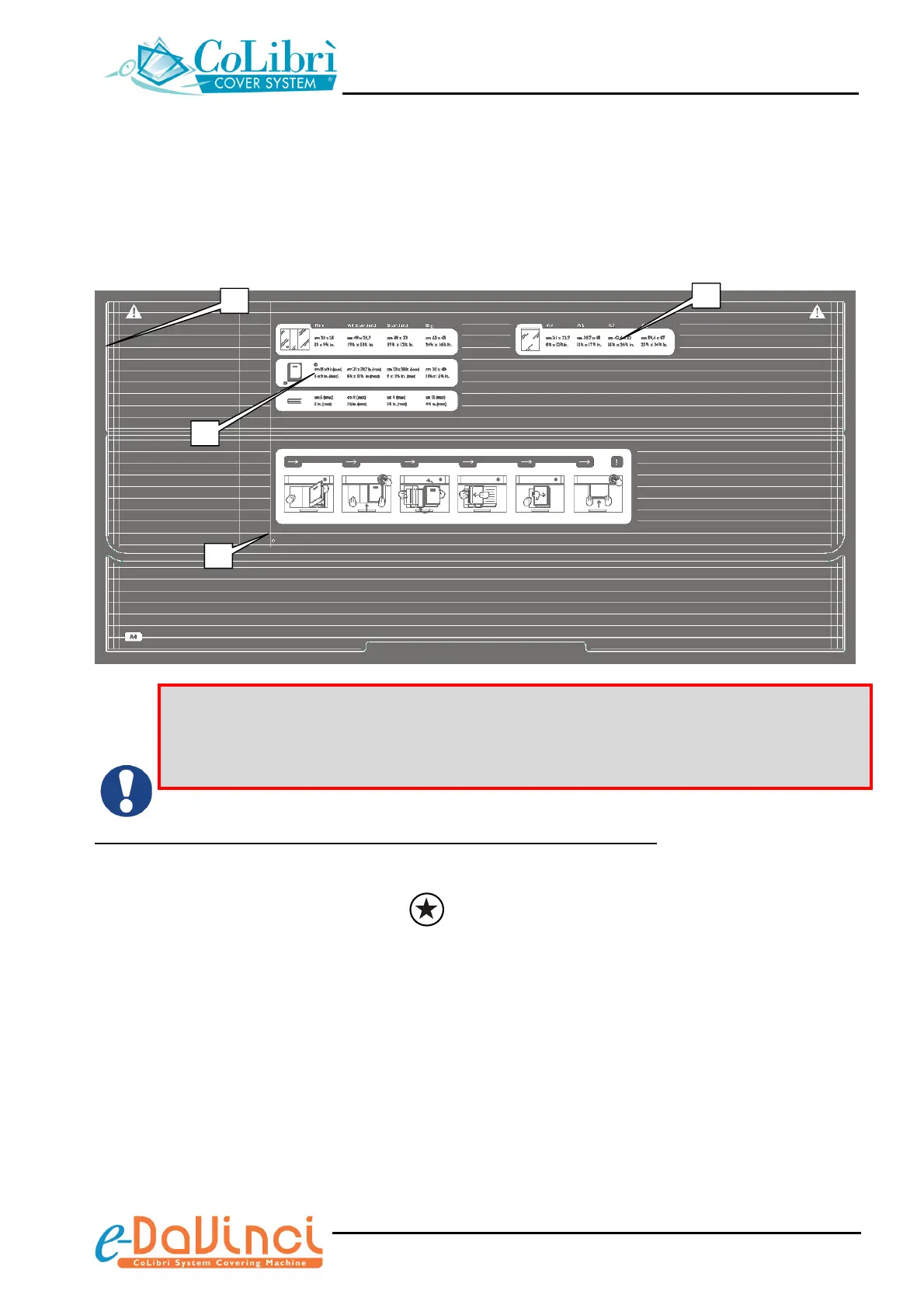
The guide on the work surface of the CoLibrì e-DaVinci book covering machine helps you to
quickly and easily select the size of the cover/document pocket to be used to cover/wrap the
relevant document/object:
The CoLibrì
e-DaVinci
book covering machine has been designed for exclusive use
with original CoLibrì material. The use of non-original CoLibrì material causes
malfunctioning and possible serious damages to the machine and voids the warranty on
the machine itself
CoLibrì Covers for either Hard or Softcover Books/Magazines/Publications
Align the spine of the publication with the vertical reference line (a), then check the visibility of the
other reference lines to select the cover size:
9 If the line (b) identified by the symbol is visible: then use a CoLibrì “MINI” size cover
9 If the line (b) is NOT visible: then use a CoLibrì “STANDARD”, “A4 STANDARD” or “BIG” size
cover
A summary of the available cover sizes including the dimensions of both covers and
publications that can be used (expressed in mm and inches) is illustrated on section (c).
a
b
c
d


 To Next Page