User Manual
23
4.2.4 How to Encapsulate/Wrap Documents
or Small Objects
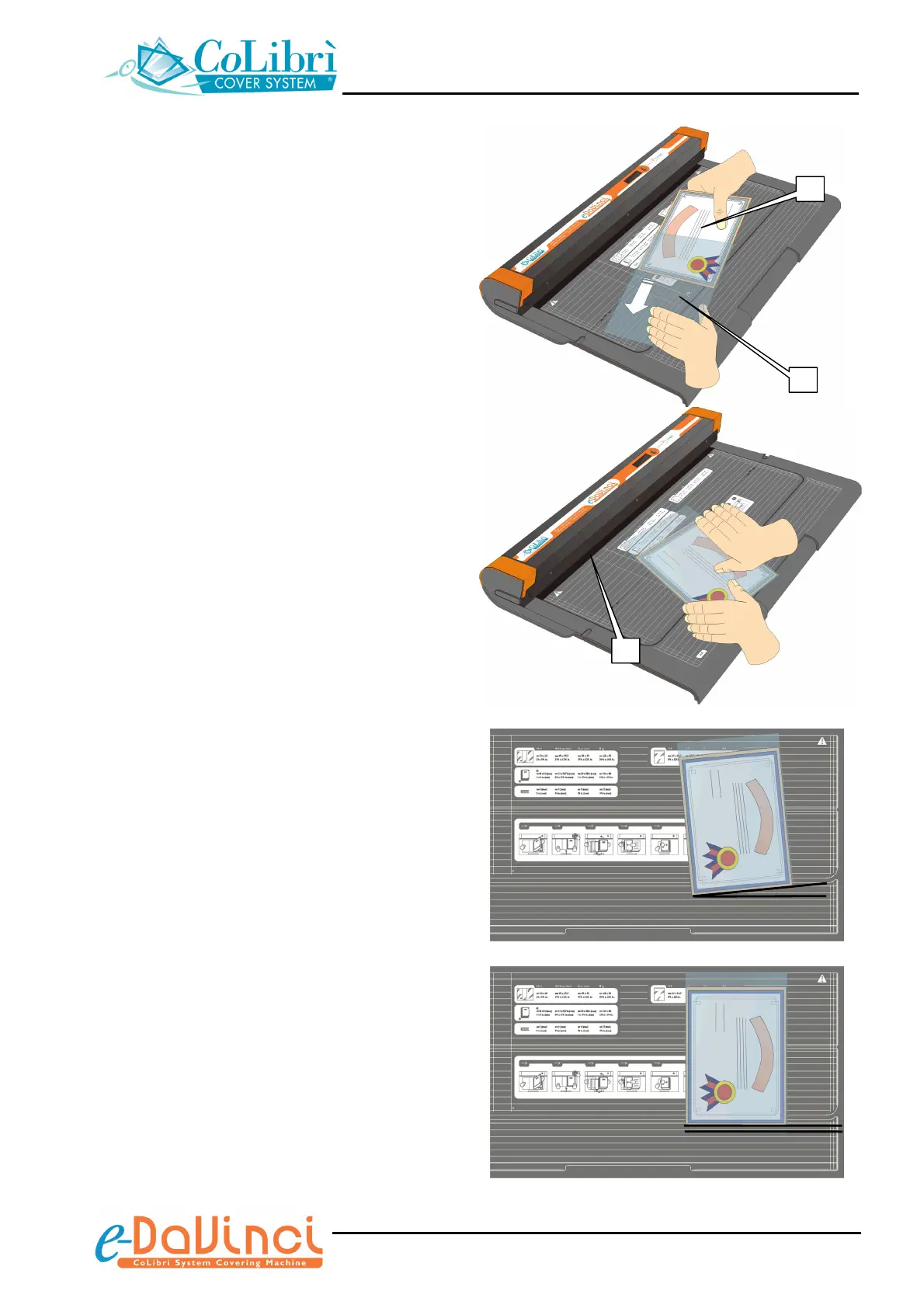
1. Choose the size of the document pocket
(A4 / A3 / A2 or A1) suitable to the size of
the document, operating as described on
section 4.1, “Choosing the size of the
cover/document pocket”.
2. Insert the document (a) into the document
pocket (b), sliding it down flush with the
bottom edge of the pocket.
3. Insert the part of the document pocket to be
trimmed (min. 15 mm [5/8”]) into the
trimming/welding slot (c) of the unit.
Before trimming, check that the bottom
edge of the CoLibrì document pocket is
parallel with the horizontal reference lines
on the work surface of the unit.
a
b
c
NO!
OK


 To Next Page