22
User Manual
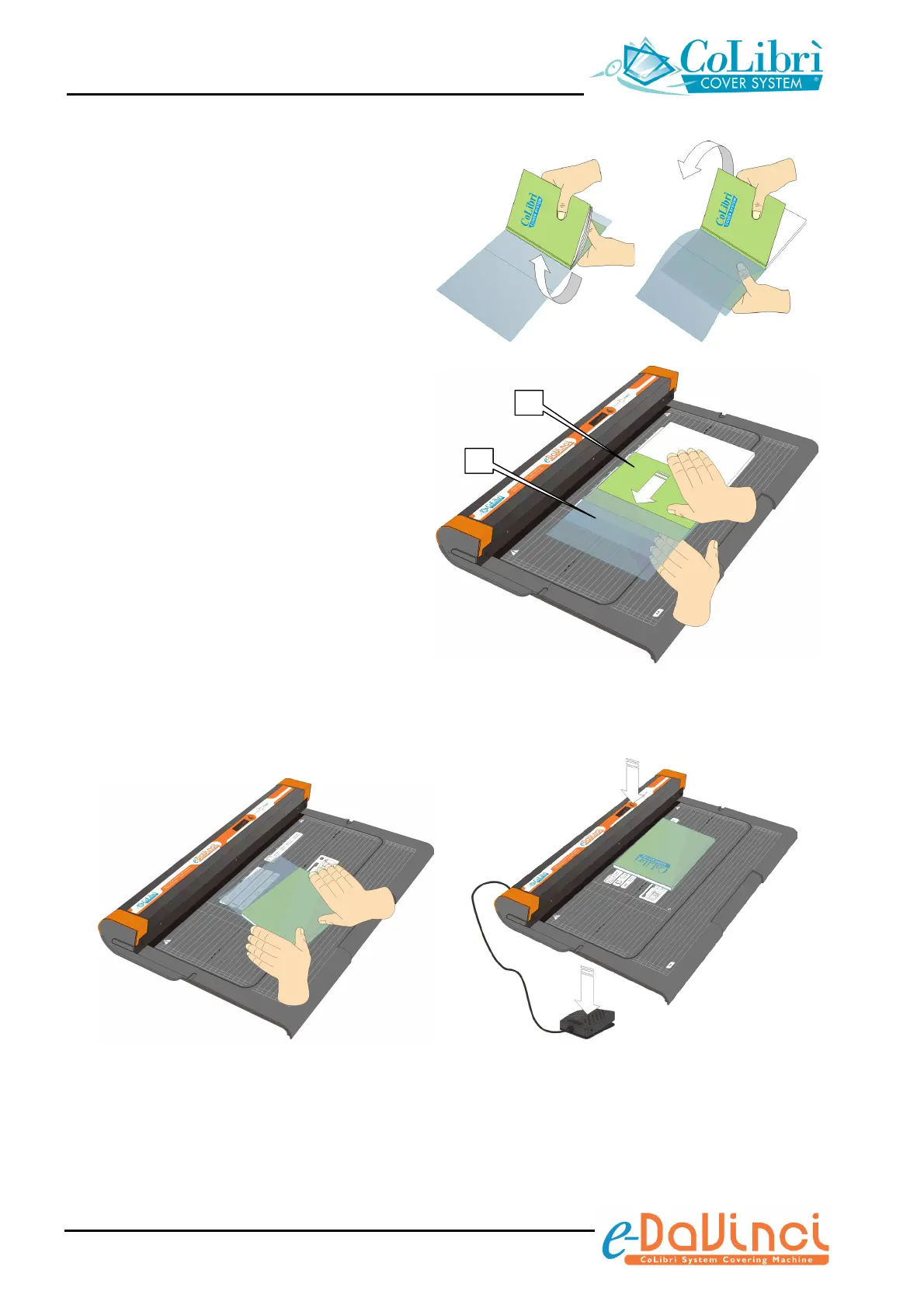
Open the book and completely rotate the
back cover as shown, then lay the book
completely open on the work surface of
the unit.
Insert the front cover of the book (f) into
the left pocket of CoLibrì cover (g)
(already trimmed to the required length).
To make the insertion easier, pull the
CoLibrì cover out slightly from the back
cover of the book.
5. Close the book and trim the excess part
of one or both sides of the CoLibrì cover
working as described in step “3” of this
procedure.
The book has now been covered with a resistant, tailor-made and ease to remove cover.
f


 To Next Page