30
User Manual
6.3 Machine setting change
This operation must be carried out only in case of constant defect of the welding/trimming
operation.
The machine has been designed in such a way as to request the setting of just one
numeric parameter which affects in an optimized way all the software algorithms that
control the operating variables: (welding time, welding temperature, welding bar pressure,
trimming time, etc.).
Changing this parameter (Cut Adjust), all these operating variables will change
accordingly.
If the unit is currently powered, switch it
off through the main switch.
1) Switch-on the book covering machine through
the main switch, keeping pressed at the same
time the cycle start push-button for a few
seconds.
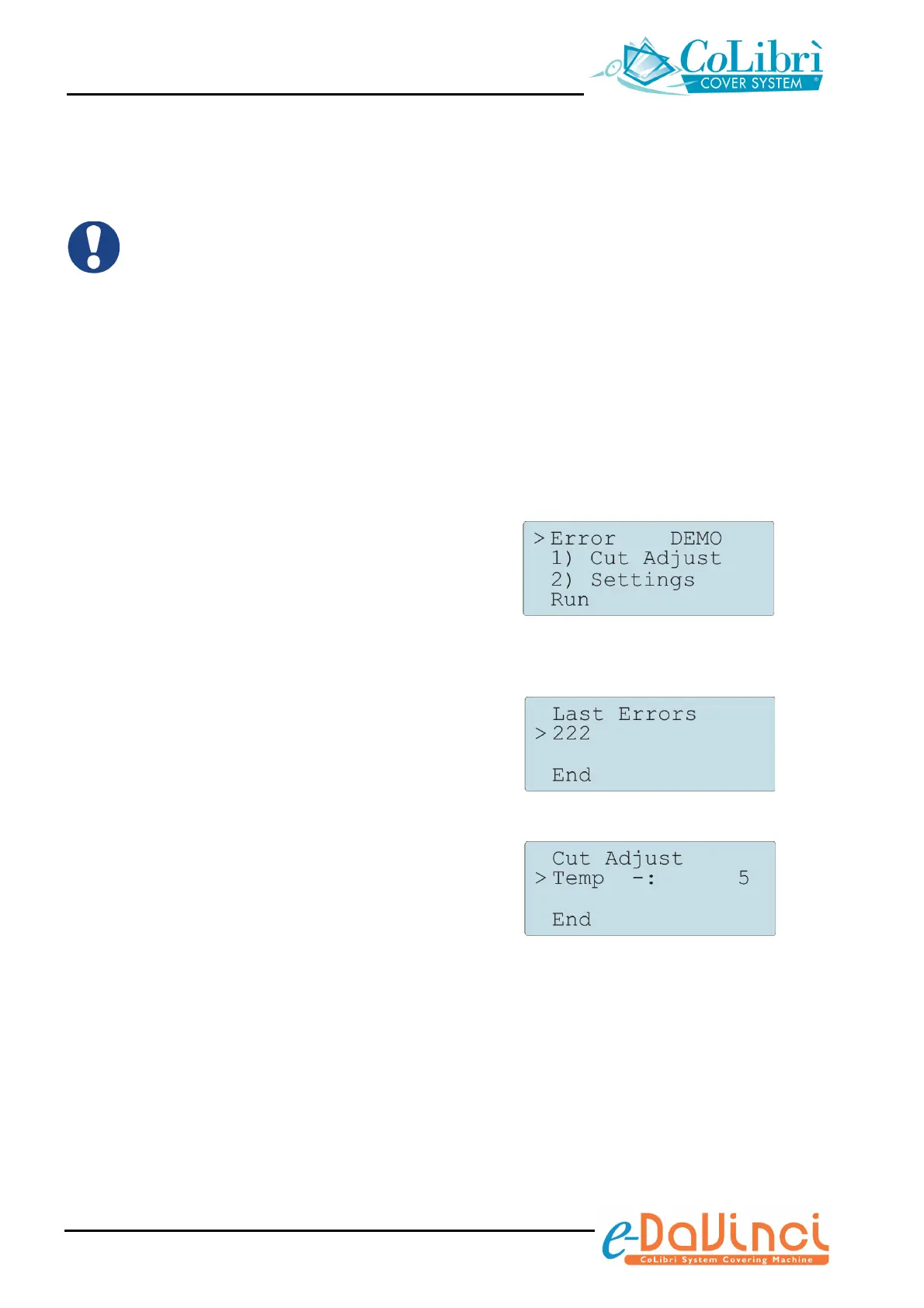
The menu shown to the right will appear.
2) Press repeatedly the cycle start push-button, in
pulse mode, to point the various menu items.
Keep the button pressed for a few seconds to
enter the selected menu.
Error: it provides the list of the errors
detected by the unit (in this example: error
no. 222*)
DEMO: function reserved to the CoLibrì
Service Personnel
Cut Adjust: it allows you to change
the unit setting. Move the cursor to the
Temp item and keep the push-button
pressed for a few seconds to increase the
setting parameter value; move the cursor to
the – item and keep the push-button
pressed for a few seconds to decrease it.
Allowable values: 0 ÷ 10. Increasing the
parameter, pressure, temperature and
trimming cycle time will increase
accordingly.
Settings: function reserved to the
CoLibrì Service Personnel
* The error identification numbers are significant only to Service Personnel


 To Next Page