User Manual
17
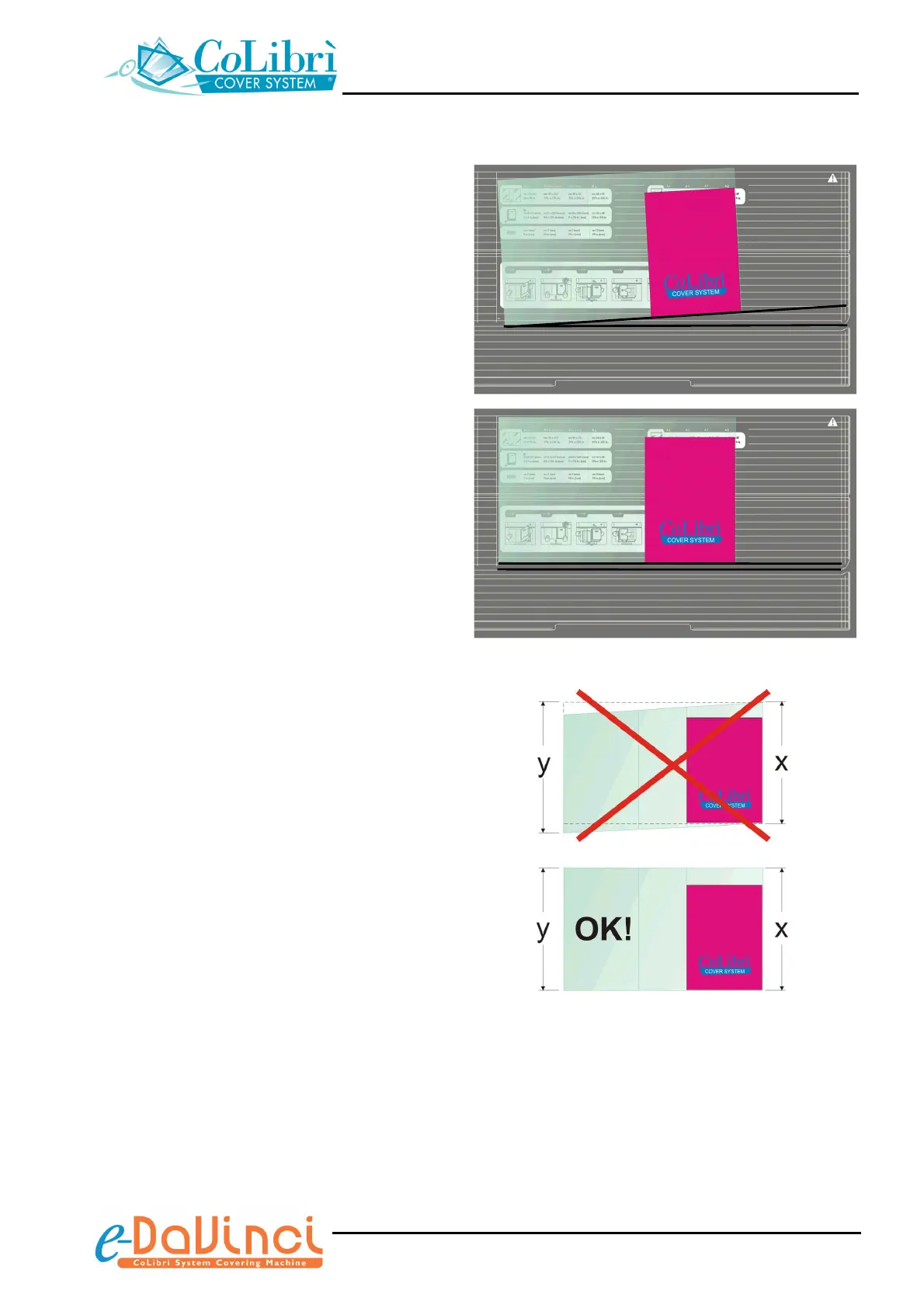
3. Close the book and insert the part of cover
to be trimmed (min. 15 mm [5/8”]) on the
top side into the trimming/welding slot of
the unit. Before trimming, check that the
bottom edge of the CoLibrì cover is
parallel with the horizontal reference lines
on the work surface of the unit; if
necessary adjust the position of the pocket.
If the cover is not perfectly parallel, it could
be too narrow or too wide
Make sure that the left pocket (y) of the
cover has the same “height” of the right
pocket (x), i.e. that the book is perfectly
aligned on the bottom with the cover.
NO!
OK!


 To Next Page