5
2.3 Software Control
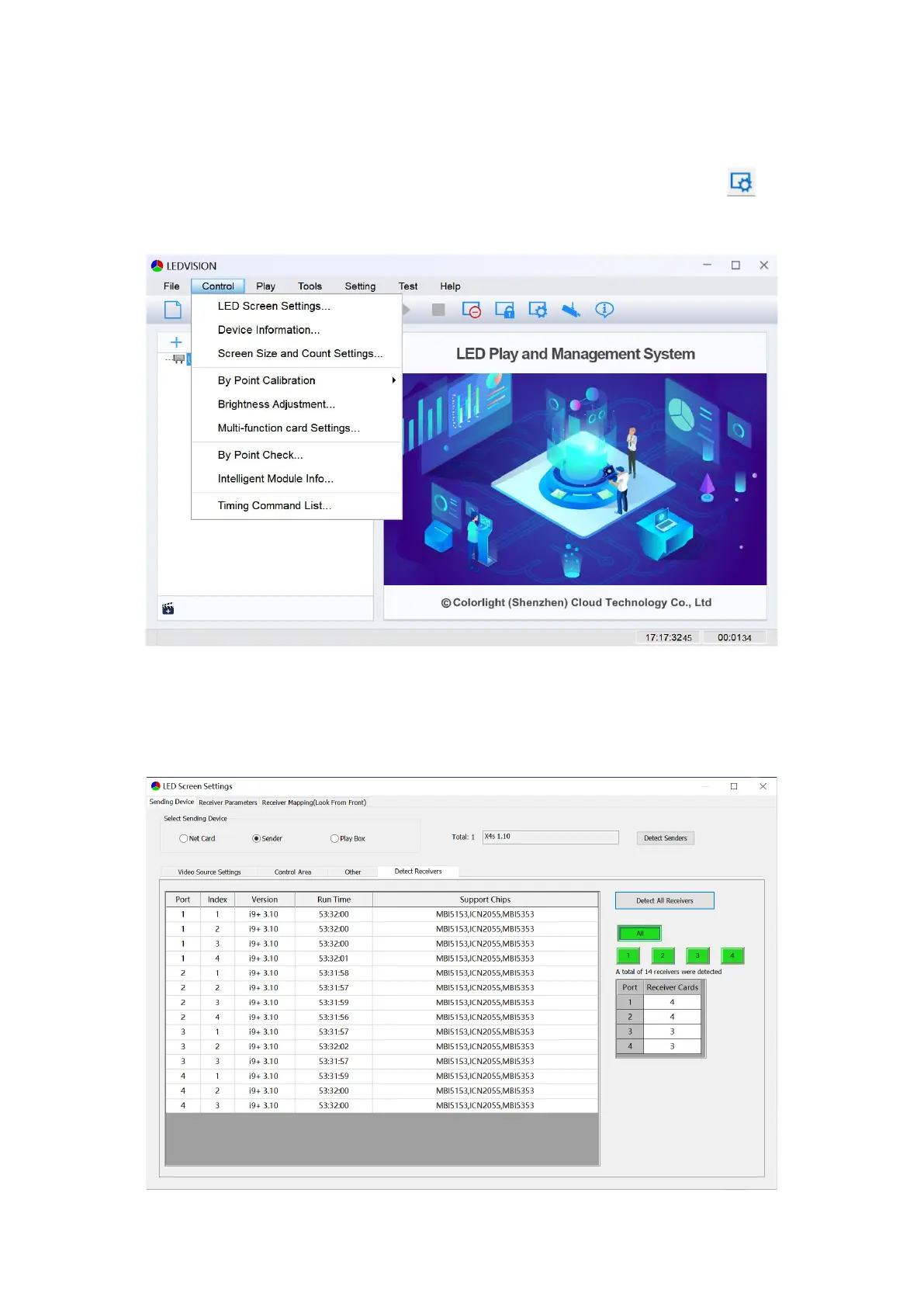
1. Open LEDVISION software,click Control > LED Screen Settings, or click to enter
the LED Screen Settings window. The authorized password is “168”.
2. Click Sending Device > Sender > Detect Senders > Detect Receivers > Detect All
Receivers. Please check the corresponding cable if the number of receiver cards are
inconsistent with actual status.



 To Next Page