Operation
Page 13
Table 1 Status Icons
3.4 Main operating screens
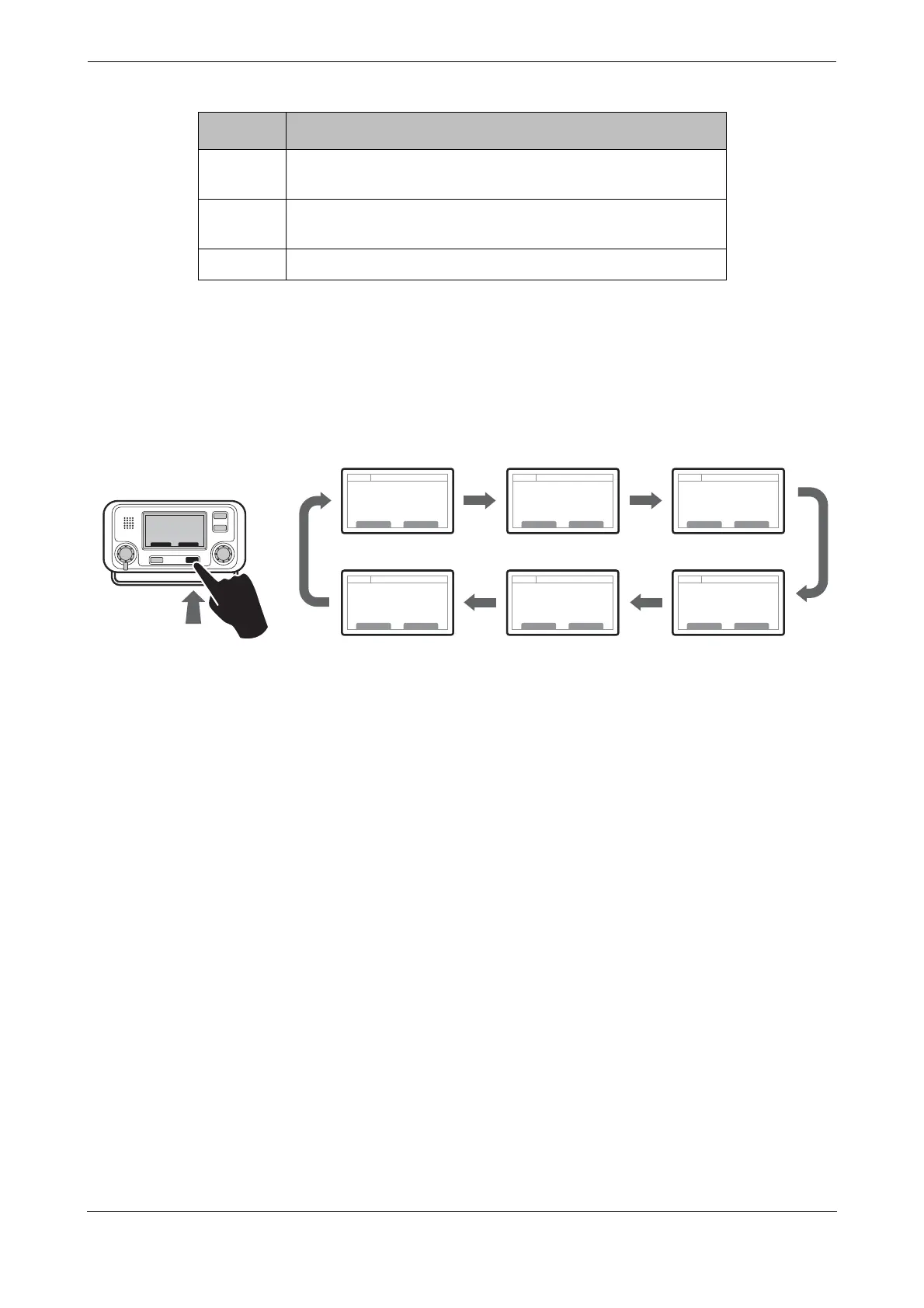
In normal operation the display shows one of six main operating screens. The next screen can be selected at
any time by pressing the ‘Screen’ function key as shown in
Figure 4. The following subsections describe each
of the operating screens in more detail.
Figure 4 Selection of main operating screen
Shown when unread AIS safety related text messages are
available.
Shown flashing when an alarm is active, shown constantly
when an alarm is active, but acknowledged.
1W Shown when the transmitter is set to 1W mode.
Icon Description
Target list Own vessel &
voyage data
Own dynamic
data
AlarmsTarget plot Received
messages


 To Next Page