Operation
Page 16
3.8 Received messages
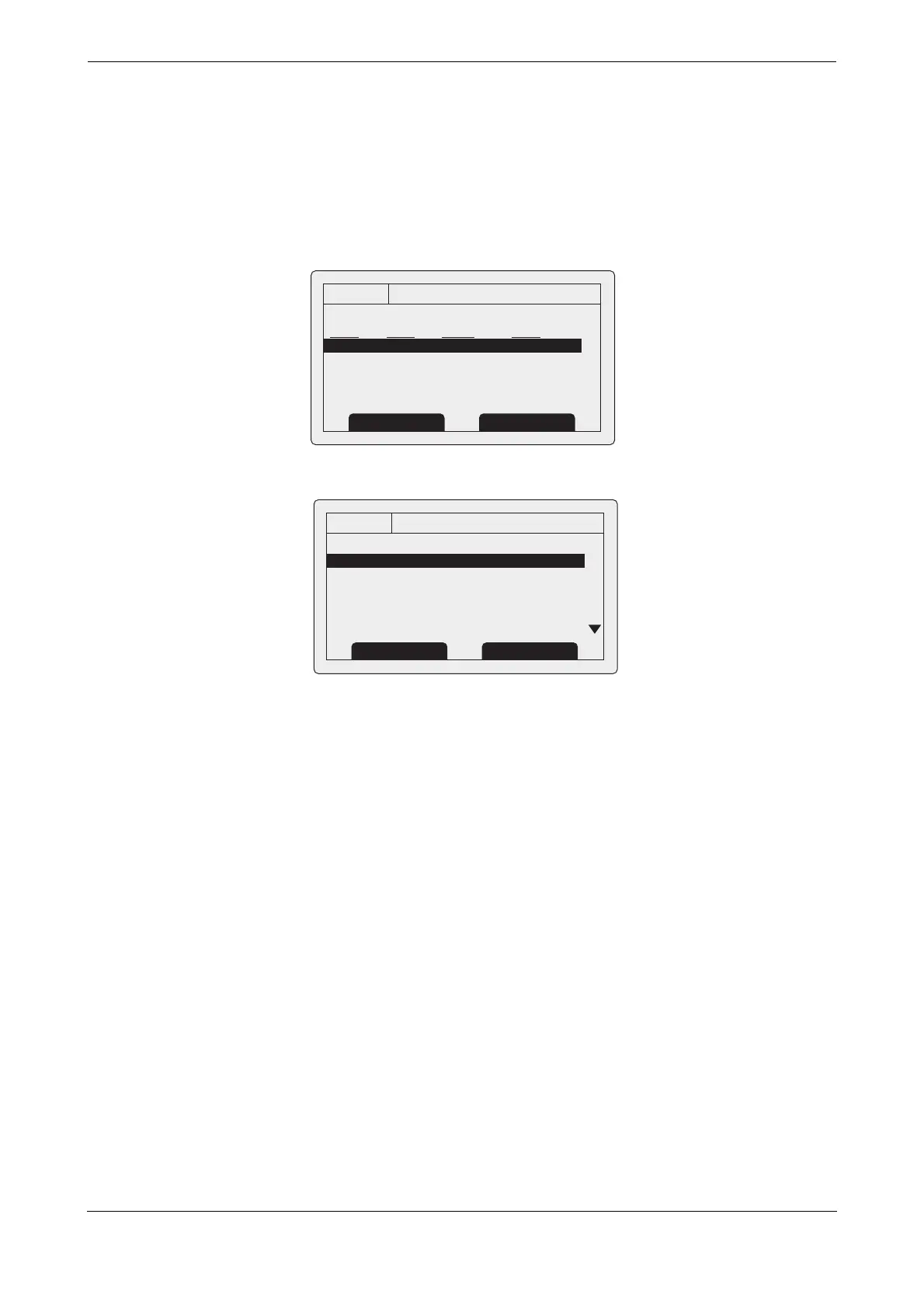
This screen shows AIS text and Safety Related Messages (SRM) received from other AIS stations. The most
recently received message is shown at the top of the list. The date and time of reception, name or MMSI of the
sending station and type of message (text or SRM) are shown in the message list. To view the message content
select the required message using the scroll wheel, then either press the scroll wheel or the “View” function key.
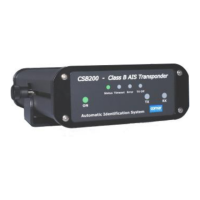
The received messages screen is shown in Figure 8 and the message details screen in Figure 9. When unread
messages are available to view the message icon is shown in the status bar as described in section 3.3.1.
Figure 8 Received messages screen
Figure 9 Message details view
13:20:47
RECEIVED MESSAGES:
DATE TIME FROM TYPE
29/01 10:00 MARY R... B R Safety
29/01 09:55 556444321 AD Safety
28/01 21:45 REGENT B R Binary
OK
GPS
INT
View Screen
13:20:47
MESSAGE DETAILS:
Type: Broadcast SRM
MMSI: 235687901
NAME:
>>MARY ROSE
Channel: A
Date: 29/01/2010
OK
GPS
INT
Back Reply


 To Next Page