Operation
Page 28
3.16.4 Installation menu
The installation menu provides access to settings that are required during installation of the CSA-300
transceiver. Please refer to the installation section of this manual for more detailed information on installation
settings and requirements. Some settings in the installation menu are password protected and should only be
adjusted by authorised personnel.
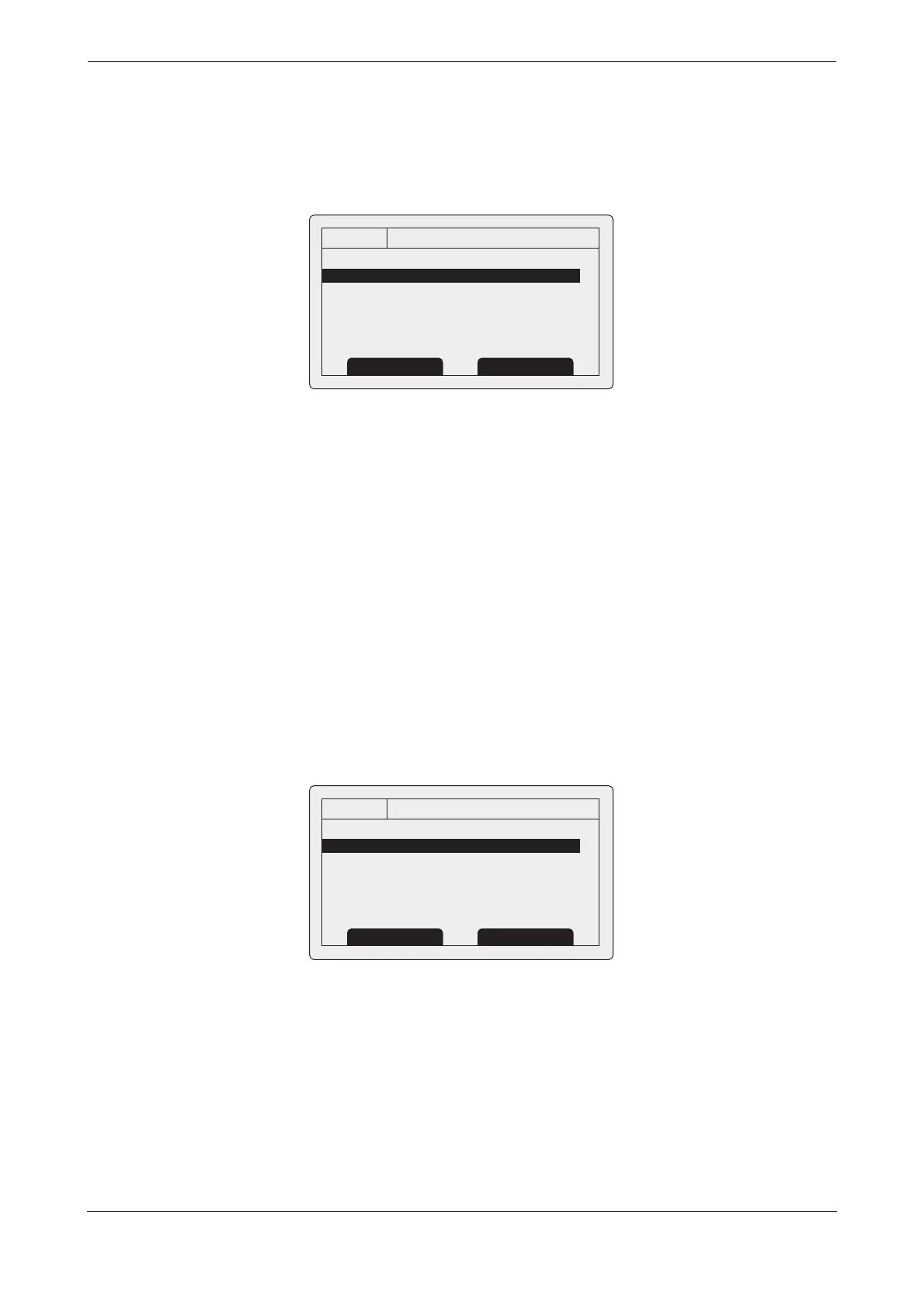
Figure 27 The installation menu
The available settings and options are:
● Set identification - entry of vessel identification information including MMSI number, name, call sign,
vessel type and IMO number. This menu is password protected.
● Dimensions - entry of vessel dimensions and location of internal and external GNSS antennas. This
menu is password protected.
● Change password - entry of a new password to protect installation settings. This menu is password
protected.
● Regional areas - through this menu option the user can list, edit and add regional area definitions.
See section
4.8. This menu is password protected.
● Sensor configuration - this sub menu allows the communication speed of the three sensor data input
ports. See section
4.4.3. This menu is password protected.
3.16.5 Maintenance menu
The maintenance menu provides access to CSA-300 system information and operating diagnostics. These
features are intended for use by authorised installers and service agents only. Access to some maintenance
features are protected by the password.
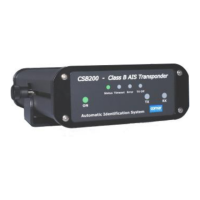
Figure 28 The maintenance menu
The available settings and options are:
● System information - selecting this item will display internal configuration information.
● Diagnostics - selecting this item will display internal diagnostic information. See section 3.16.6.
● Sensor status - will display the status of external sensors.
13:20:47
INSTALLATION:
SET IDENTIFICATION
DIMENSIONS
CHANGE PASSWORD
REGIONAL AREAS
SENSOR CONFIGURATION
OK
GPS
INT
Back Select
13:20:47
MAINTENANCE:
OK
GPS
INT
Back Select
SYSTEM INFORMATION
DIAGNOSTICS
SENSOR STATUS


 To Next Page