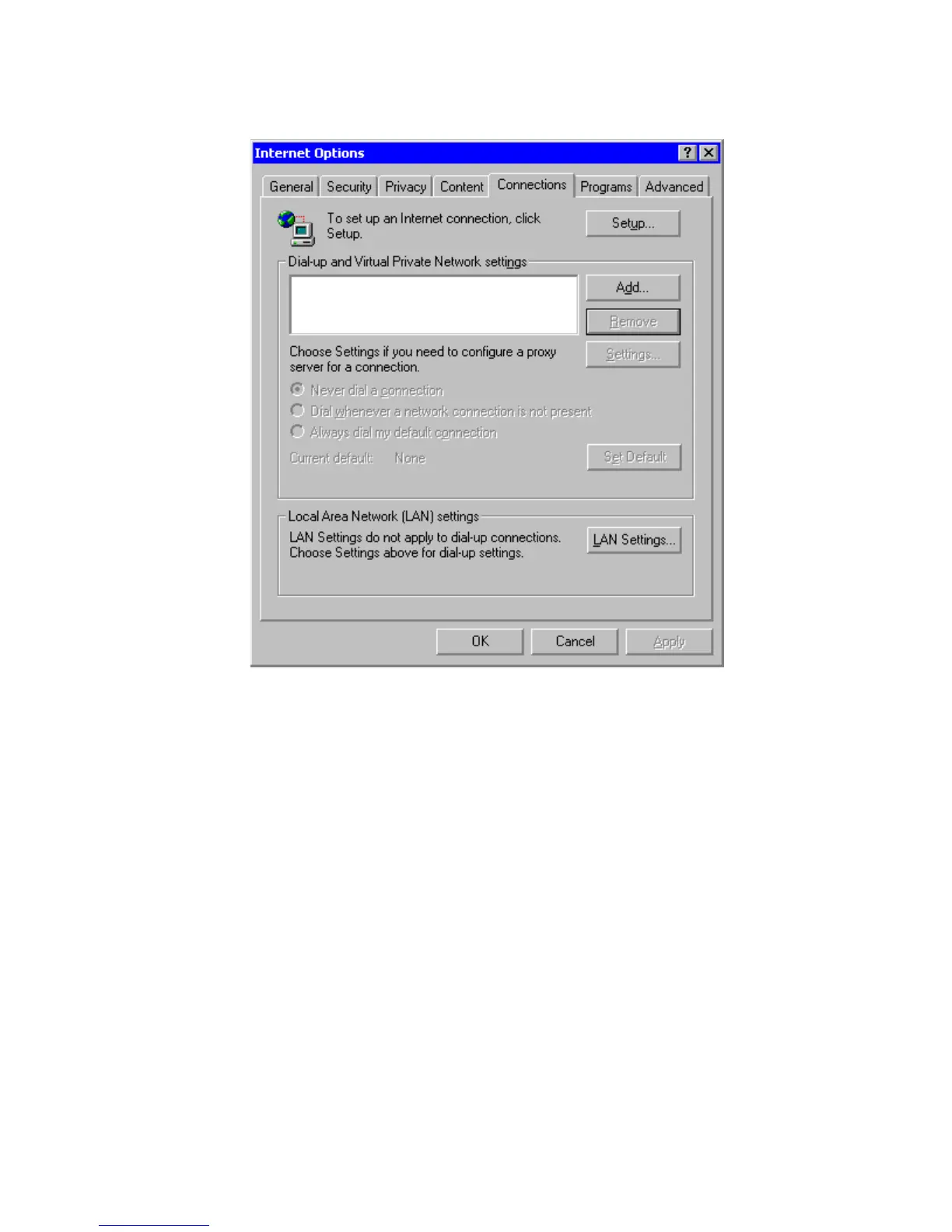
Figure 10 - Internet Options
1. Start Internet Explorer.
2. From the menu bar click Tools then Internet Options…
3. In the Connections Tab click the Add button.
4. Using the “Network Connection Wizard”, follow the steps, entering the information below.
5. Select the “Dial-up to private network” option.
6. In “Phone Number to Dial” enter the phone number of the socket into which you plugged
the Gateway. If you are using an exchange line to dial out, a prefix may be required.
7. In “Connection Availability” – Create this connection “For all users”.
8. In “Finished” – Type a “Connection Name” for example “MyRF500” and click the Finish
button.
9. Click the “Finish” button to close the Wizard.



 To Next Page