Optional Accessories
RF520 Dc mains adaptor for RF512 and RF513
RF502 Bridge. 0.5m lead to enable transmission through RF
resistant barriers.
RF503 Bridge. 1.0m lead to enable transmission through RF
resistant barriers.
RF500BACKUP RF500 Backup Server Software
Know your Gateway
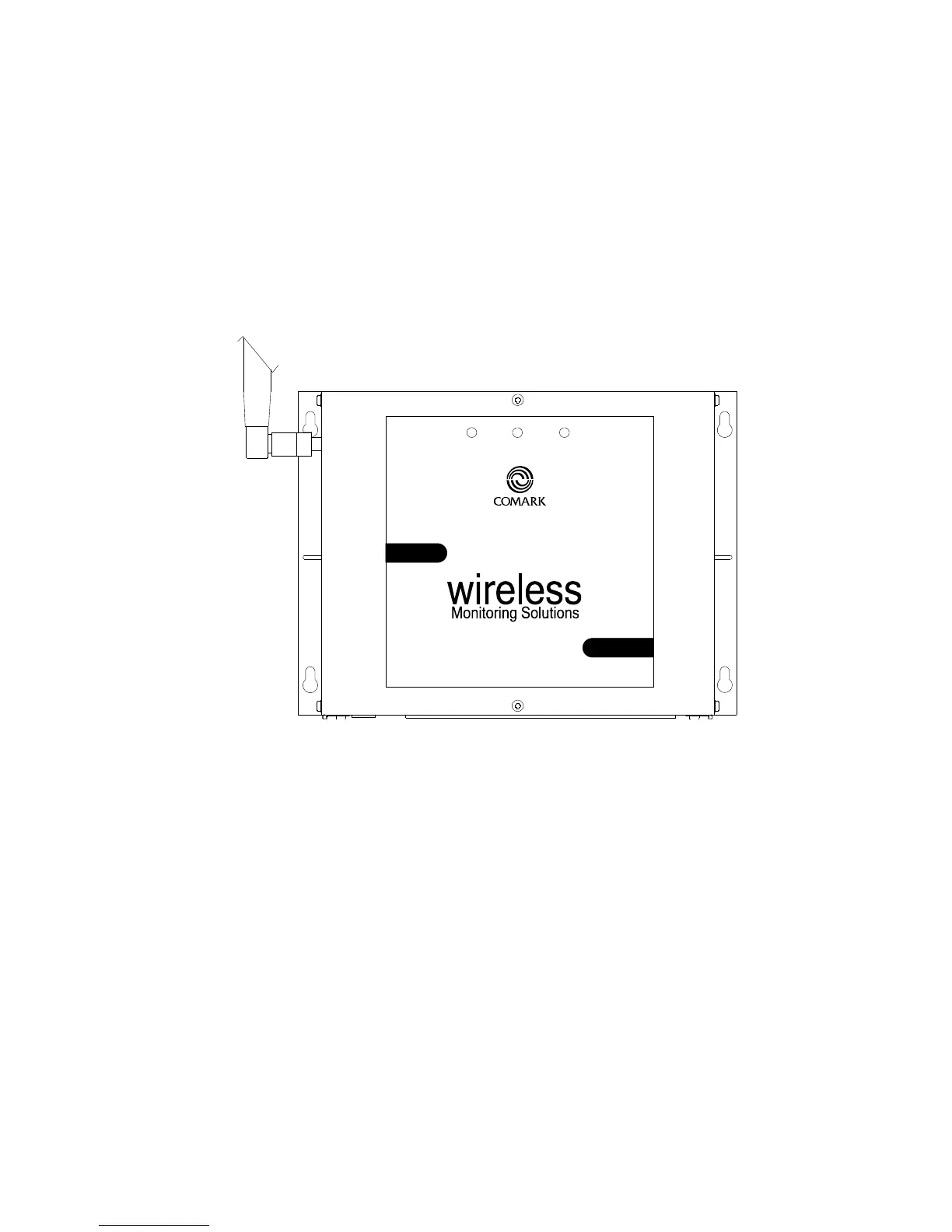
Figure 1 - Front view of RF500 Gateway
RF
500
Gateway
ALARM
FAULT
MAINS/BATTERY
There are three LEDs on the front of the Gateway:
ALARM Flashing Red An enabled alarm event has occurred.
FAULT Flashing Yellow Contact technical support from your local
distributor or Comark Limited. The Home Page
may provide more information on possible faults.
MAINS/BATTERY Constant Green Dc power is available and the Gateway is
switched on.
Constant Amber Dc power is available and the Gateway is
switched off.
Flashing Green Gateway is on and running off battery packs,
no dc power available.
Amber/Green Gateway is shutting down.
Off Gateway is off and dc power is not available.



 To Next Page