Atena Easy Addressable Fire Alarm Panel – Installation and Programming Manual
41
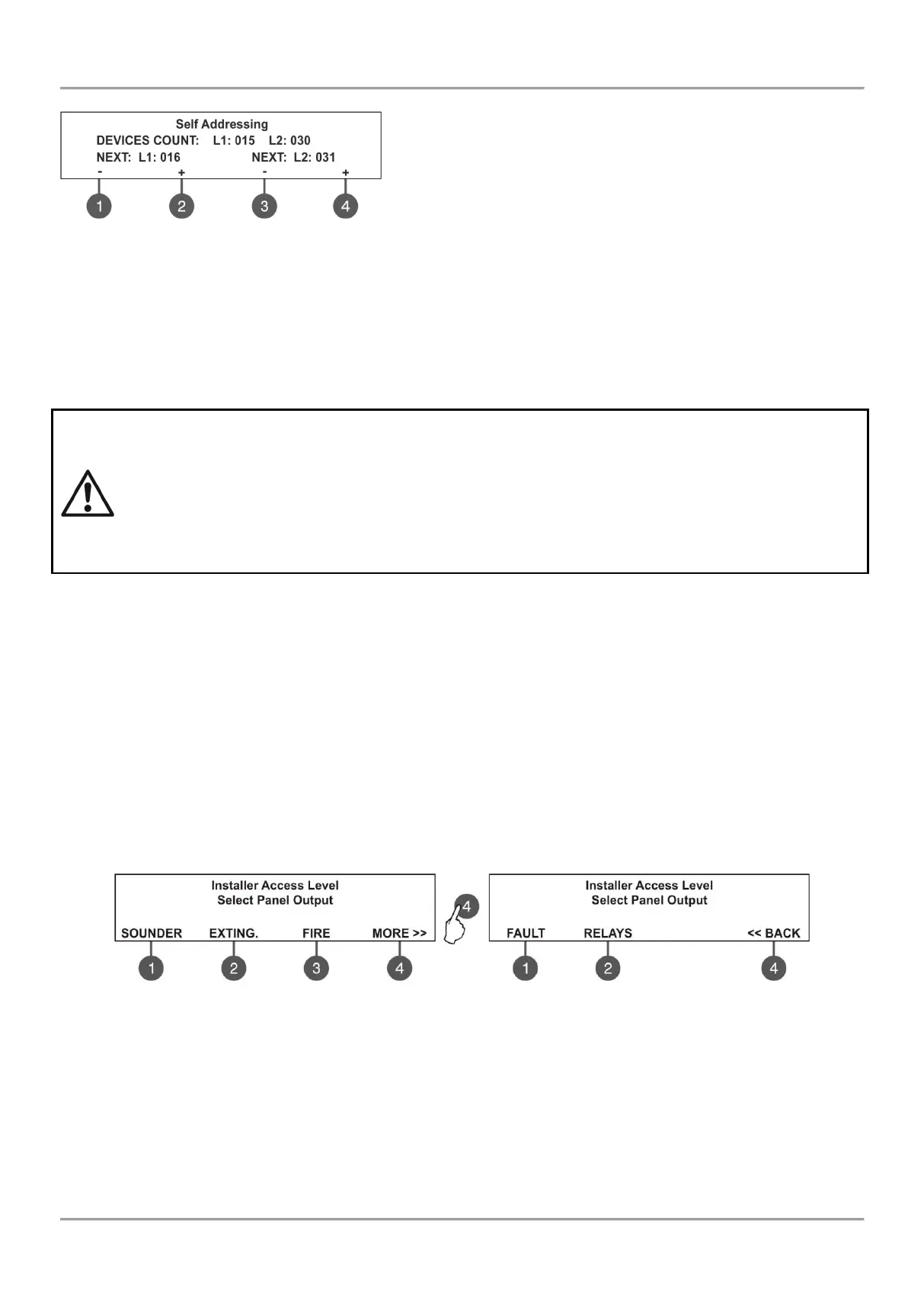
The self-addressing menu shows information about the total number
of devices connected to every loop.
On the third row the panel shows the first free address for every of
the loops. The panel skips all already set address numbers and will
jump to the next free address number.
The installer also can set manually the next address using the
functional buttons from 1 to 4. The ‘-’ will decrease the address
number and the ‘+’ will increase it. If by mistake the set address is not free, during the self-addressing procedure the
panel will skip it and will jump to the next free address number.
In self-addressing mode the panel waits for connecting the device to the loop, automatically sets the current address to
the device and moves to the next free address number. With every one added device to the system configuration the
address count will increasing to show the total number of devices connected to the respective loop.
The exit of the menu is with pressing the ‘CANCEL’ button.
IMPORTANT NOTES!
1. During the self addressing procedure leave minimum 10 sec time interval between connecting the
next device to the loop.
2. NEVER connect devices to both loops at the same time. Connect all devices to loop 1 first and
after that proceed with loop 2.
3. After completing the self addressing procedure test the devices with LED indication on.
7.5. Panel Outputs Menus
This menu allows the installer to disable/ enable and to set time delay for some of the outputs of the control panel:
- Sounder Outputs (SND 1, SND 2)
- Extinguish Output (EXT)
- Fire Output (FIRE)
- Fault Output (FAULT)
- Four Relay Outputs
The menu is accessible from access levels 2 and 3.
To set outputs parameters, enter in the installer’s menu - 5. PANEL OUTPUTS. The submenus are allocated in two
screens.



 To Next Page