Basic user – Web interface Symphony BF
14 1.4/0222
Mic Input Sensitivity: Shift the slider to change the sensitivity of the (connected) microphone of
the Symphony BF device. Changes are applied immediately during a running conversation. de-
fault: “8 (+0dB)”
Audio Output Volume: Shift the slider to change the volume level of the (connected) loudspeaker
of the Symphony BF device. Changes are applied immediately during a running conversation.
default: “8 (+0dB)”
mute: “-1” (-∞dB
)
International Tone Plans: In this drop-down list, the respective tone plan specification for several
countries can be selected.
In / Out
In
Internal Microphone: Select this radio button to feed-in audio via the internal microphone. I.e. the
terminals “EM+” and “EM–” for the microphone of the handset/headset are deactivated).
Handset Microphone (EM): Select this radio button to feed-in audio via the terminals “EM+” and
“EM–”, i.e. via the handset/headset (the internal microphone is deactivated).
Out
Internal Loudspeaker: Activate this checkbox to put out the audio signal via the internal loud-
speaker.
Handset Loudspeaker (EP): Activate this checkbox to put out the audio signal via the terminals
“EP+” and “EP–”, i.e. via the loudspeaker of the handset/headset.
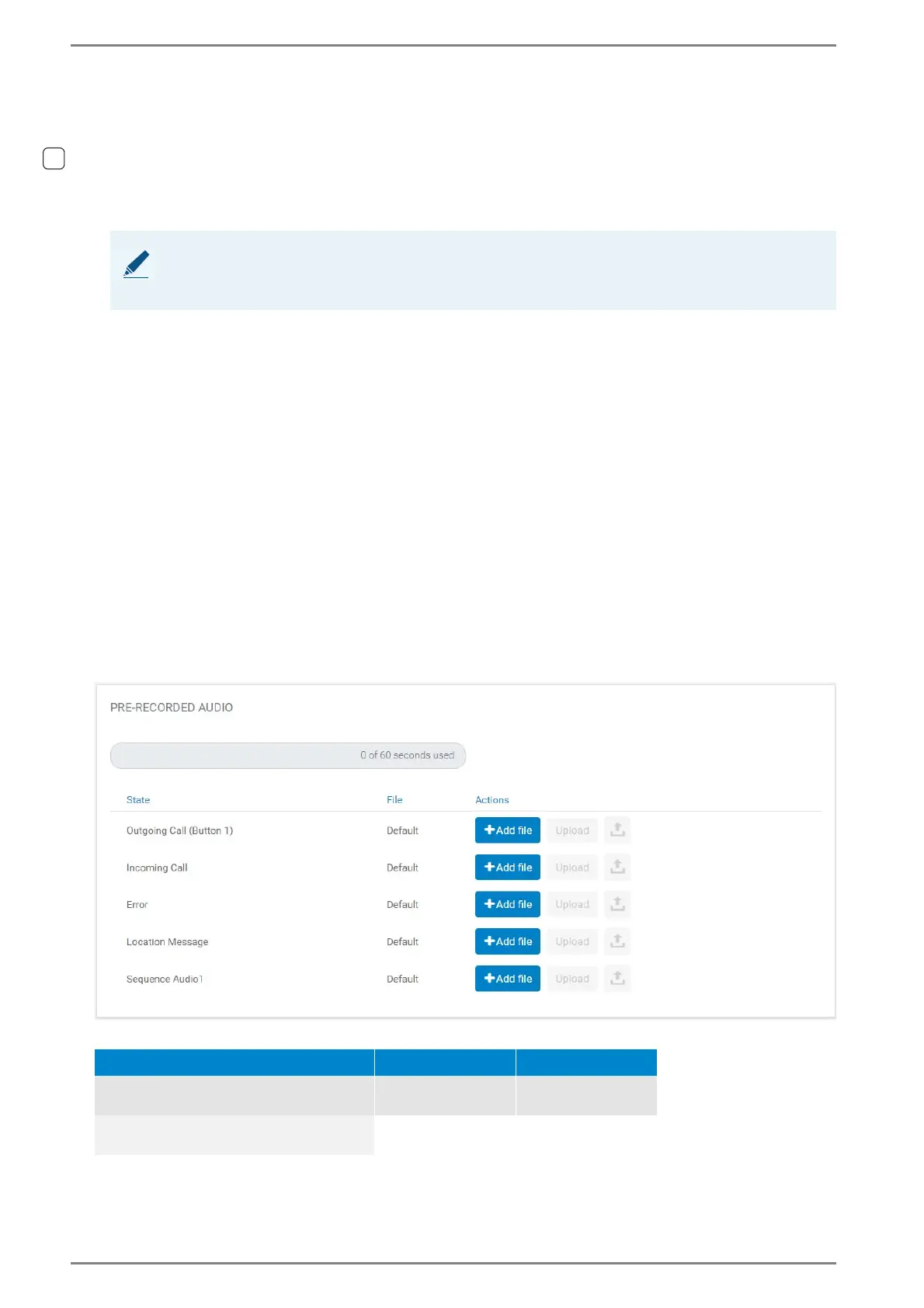
Pre-Recorded Audio
In this section, pre-recorded audio files can be loaded into the memory of the Symphony BF device.
See the following requirements:
NOTE:
The configured level defines the volume of the pre-recorded audio (for an incoming call) as well as
the volume of the different signal tones.
Audio format Memory File size
Accepted WAV:
Min. 8 kHz, 8 or 16 bit, mono or stereo
Max. 60 seconds in
total
2 MB per file
Recommended WAV:
16 kHz, 16 bit, mono













 To Next Page