Symphony BF Basic user – Web interface
1.4/0222 7
Basic user – Web interface
User interface overview
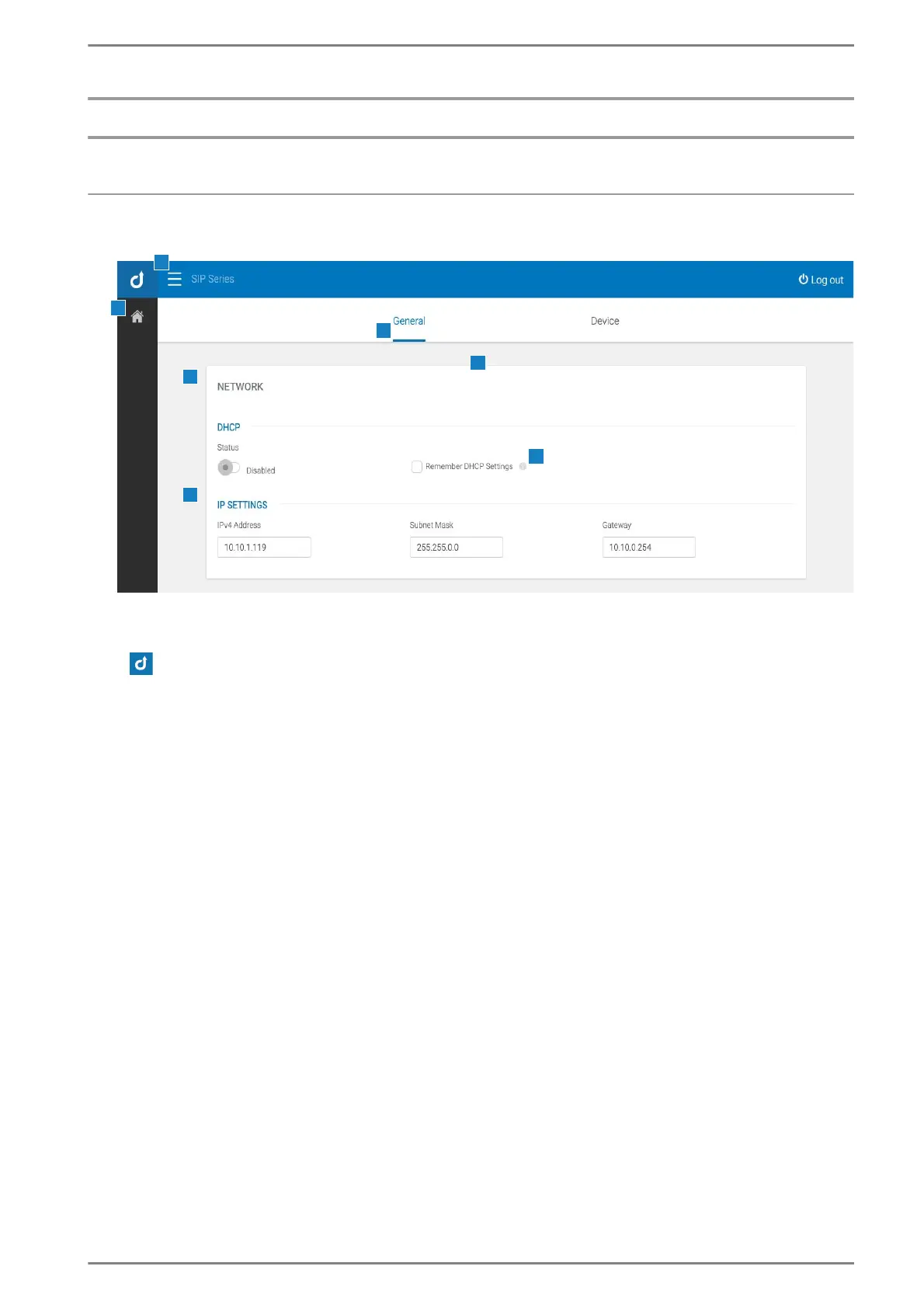
After a successful login, the home page of the user interface appears:
User interface – web interface
a Navigation bar
: Opens the login menu.
Breadcrumbs: Shows the current location in the web interface.
b Menu (Basic user view)
c Tabs
A page can be subdivided into different tabs. The blue bar shows the currently open tab. Tabs can con-
tain various cards.
d Cards
Cards can contain various section and web interface functions. Cards can be expandable.
e Sections
Sections can contain various subsections and web interface elements. Sections can be expandable.
f Subsections
Subsections can contain various web interface elements.














 To Next Page