Symphony BF Basic user – Web interface
1.4/0222 9
Basic user – General network settings
SIP Series > General Settings
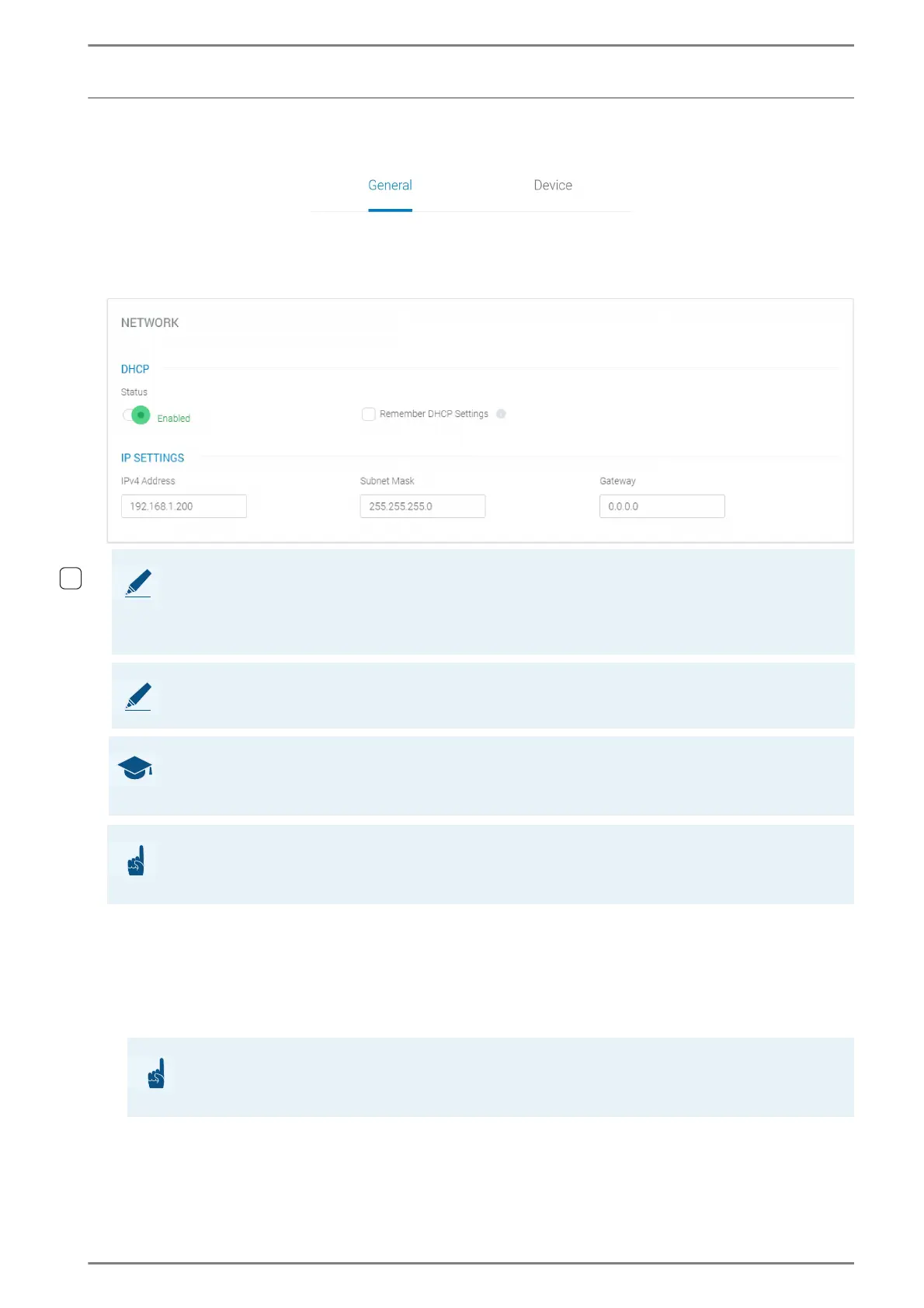
Network
DHCP
Status: Activate this toggle button to automatically request the required IP settings (subnet mask
and IPv4 addresses for the Symphony BF device, gateway and DNS) from a DHCP server after a re-
boot. If the toggle button is activated and an a DHCP server is reachable, the settings in the fields IP
Address, Subnet Mask, Gateway and DNS have no effect on the running configuration of the
Symphony BF device.
NOTE: IPv6
IPv6 addresses are supported as of SIP firmware version 3.8 or higher. By default, IPv6 is enabled and
global IPv6 addresses are assigned by auto configuration using the “neighbour discovery protocol”
according to RFC 4861.
NOTE: DHCPv6 Fully Qualified Domain Name (FQDN)
The DHCPv6 Fully Qualified Domain Name (FQDN) according to RFC 4704 is not supported.
GOOD TO KNOW:
If web interface settings are changed, the box that appears offers the possibility to save changes. Click
on the button Save to apply changes to the running configuration. This takes a couple of seconds.
ATTENTION: Network instabilities caused by incorrect network settings
Incorrect IP settings may lead to network instabilities! Changes of the following settings may only be ap-
plied by the system administrator!
ATTENTION:
If DHCP is disabled, the automatic provisioning feature cannot be used. In combination with a static
IPv4 device, only manual provisioning (TFTP server has to be configured manually) can be used.













 To Next Page