EasyManua.ls Logo

Commodore 1541 - Contents of Box; Unpacking and Connecting

Commodore 1541
80 pages
Print Icon
To Next Page IconTo Next Page
To Previous Page IconTo Previous Page
Loading...
2.
UNPACKING
AND
CONNECTING
CONTENTS
OF
BOX
Included
with
the
154] disk
drive
unii,
you
should
find
a
gray
power
cable,
black
serial
bus
cable,
this
manual,
and
a
demonstration
diskette.
The
power
cable
has
a
con
nection
for the
back of
ihc disk
drive
on
one
end,
and
for
a
grounded
(three-prong)
electrical
outlet
on
the
other.
The
serial
bus
cable
is
exactly
the
same
on
both
ends.
H
has
a
6-pin
DIN
plug
which
attaches
to
the
VIC
20,
Commodore
64
or
another
disk
drive.
Please,
don't
hook
up
anything
until
you've
completed
the
following
section!
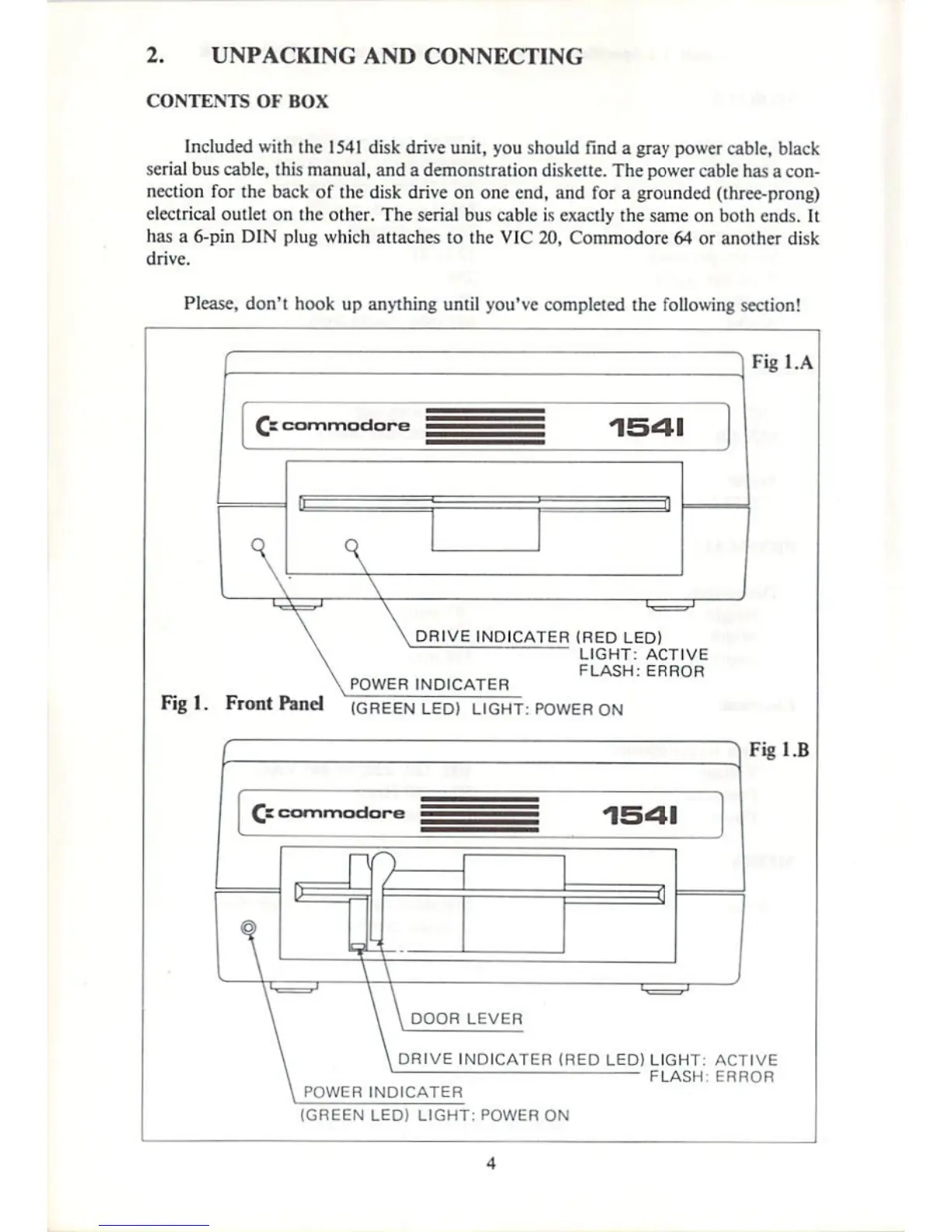
iFigl.A
£i
commodore
1541
1
DRIVE
JNDICATER
(RED
LED)
LIGHT:
ACTIVE
FLASH:
ERROR
POWER
INDICATER
Fig
!.
Front
Panel
]green
LED)
LIGHT:
POWERQN
}
Fig
13
DRIVE
INDICATOR
(RED
LED)
LIGHT:
ACTIVE
FLASH
ERROR
POWER
JNDICATEP
(GREEN
LED)
LIGHT:
POWER
ON

Other manuals for Commodore 1541

Related product manuals