EasyManua.ls Logo

Commodore 1541 - Page 12

Commodore 1541
80 pages
Print Icon
To Next Page IconTo Next Page
To Previous Page IconTo Previous Page
Loading...
POWERING
ON
When
you
have
all
the
devices
hooked
together,
it's
time
to
start
turning
on
the
power.
II Is
important
Ihnl
you
turn
on
the
devices
in
the
correct
order.
The
computer
should always be
turned
on
last.
As
long
as
the
computer
is
the
last
one
to
be
turned
on,
everything
will
be
OK.
First,
make
sure that
you've
removed
all
diskettes
from
the disk
drives
before
powering
on.
After
all
the
other
devices
have been
turned
on,
only then
is
it
safe to
turn
on
the
computer.
All the
other
devices
will
go
through
their
starting
sequences.
The
printer's
motor
goes
on,
with
the
print
head
moving
halfway
across the
line
and
back
again.
The
1541
disk
drive
will
have
its
green
light
on,
and
then
the
red
drive/error
light
will
blink,
while
your
TV
screen
forms
the
starting
picture.
Once
the
red
drive/error
light
has
stopped
flashing
on
the
drive,
it
is
safe
to
begin
working
with
it.
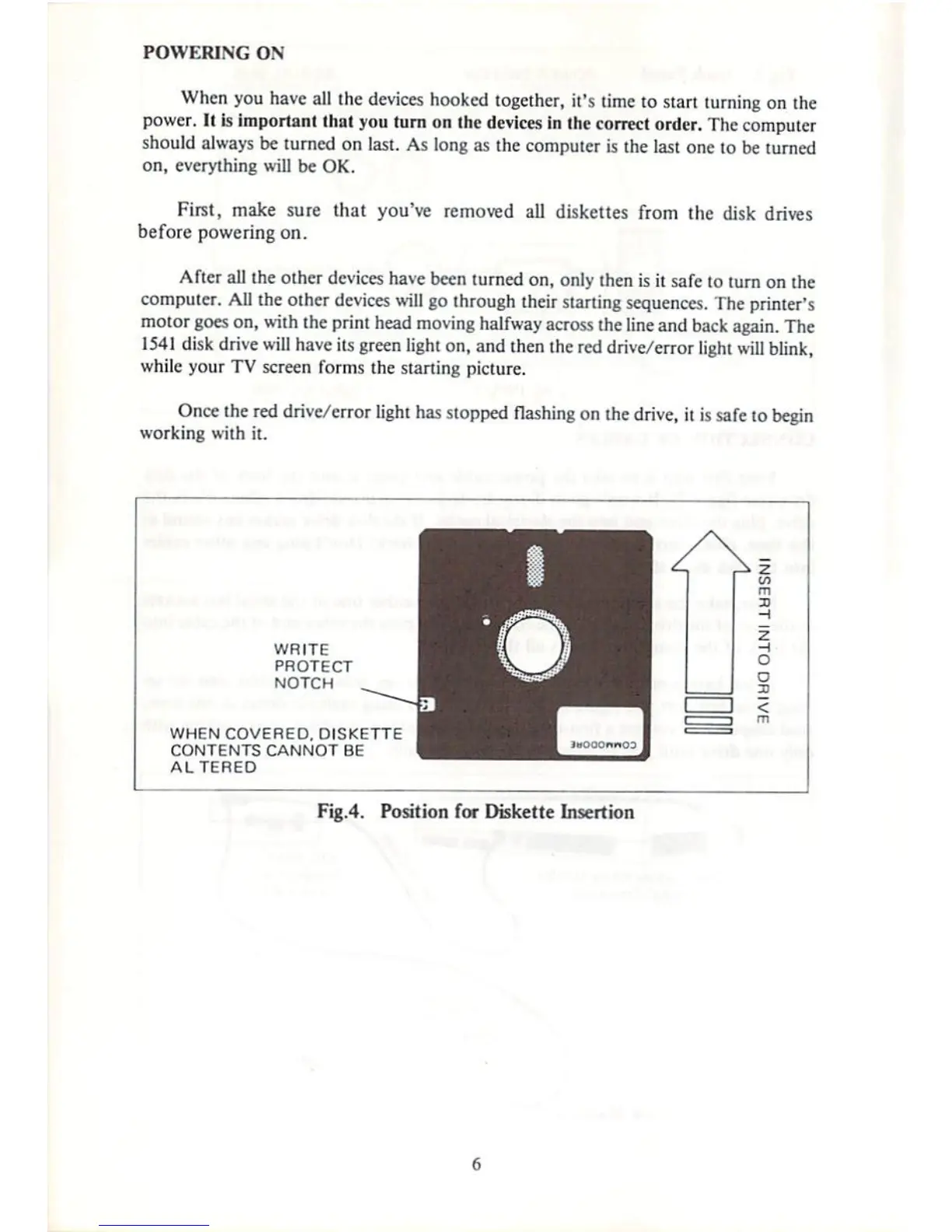
WRITE
PROTECT
NOTCH
WHEN
COVERED,
DISKETTE
CONTENTS
CANNOT
BE
ALTERED
Fig.4.
Position
for
Diskette
Insertion

Other manuals for Commodore 1541

Related product manuals