EasyManua.ls Logo

Commodore 1541 - Page 35

Commodore 1541
80 pages
Print Icon
To Next Page IconTo Next Page
To Previous Page IconTo Previous Page
Loading...
OPENING
A
DATA
CHANNEL
FOR
RANDOM
ACCESS
When
working
with
random
access
files,
you
need
to
have
2
channels
open
to
the
disk:
one
for the
commands,
and
the
other
for the
data.
The
command
channel
is
OPENed
to
channel
15,
just
Uke
other
disk
commands
you've
encountered
so
far.
The
data
channel
for
random
access
files
is
OPENed
by
selecting
the
pound
sign
(#)
as
the
file
name.
FORMAT
FOR
OPEN
STATEMENT
FOR
RANDOM
ACCESS
DATA:
OPEN
fileS,
device*,
channel*.
"#"
or
optionally
OPEN
file#,
devke#,
channel*,
"#buffer#"
EXAMPLES
OF
OPENING
RANDOM
ACCESS
DATA
CHANNEL:
OPEN
5, 8,
5,
"#"
^(dON'T
CARE
WHICH
BUFFER
OPEN
A,
B,
C,
"#2"
_^/F
BLOCK-READ
FORMAT
FOR
BLOCK-READ
COMMAND:
PRINTSfiktf,
"BLOCK-READ:"
channel;
drive;
track;
block
or
abbreviated
as
PRINT#file#,
"B-R:"
channel;
drive;
track;
block
This
command
will
move
one
block
of
data
from
the
diskette into
the
selected
channel.
Once
this
operation
has
been
performed,
the
INPUTS
and
GET#
statements
can
read
the
information.
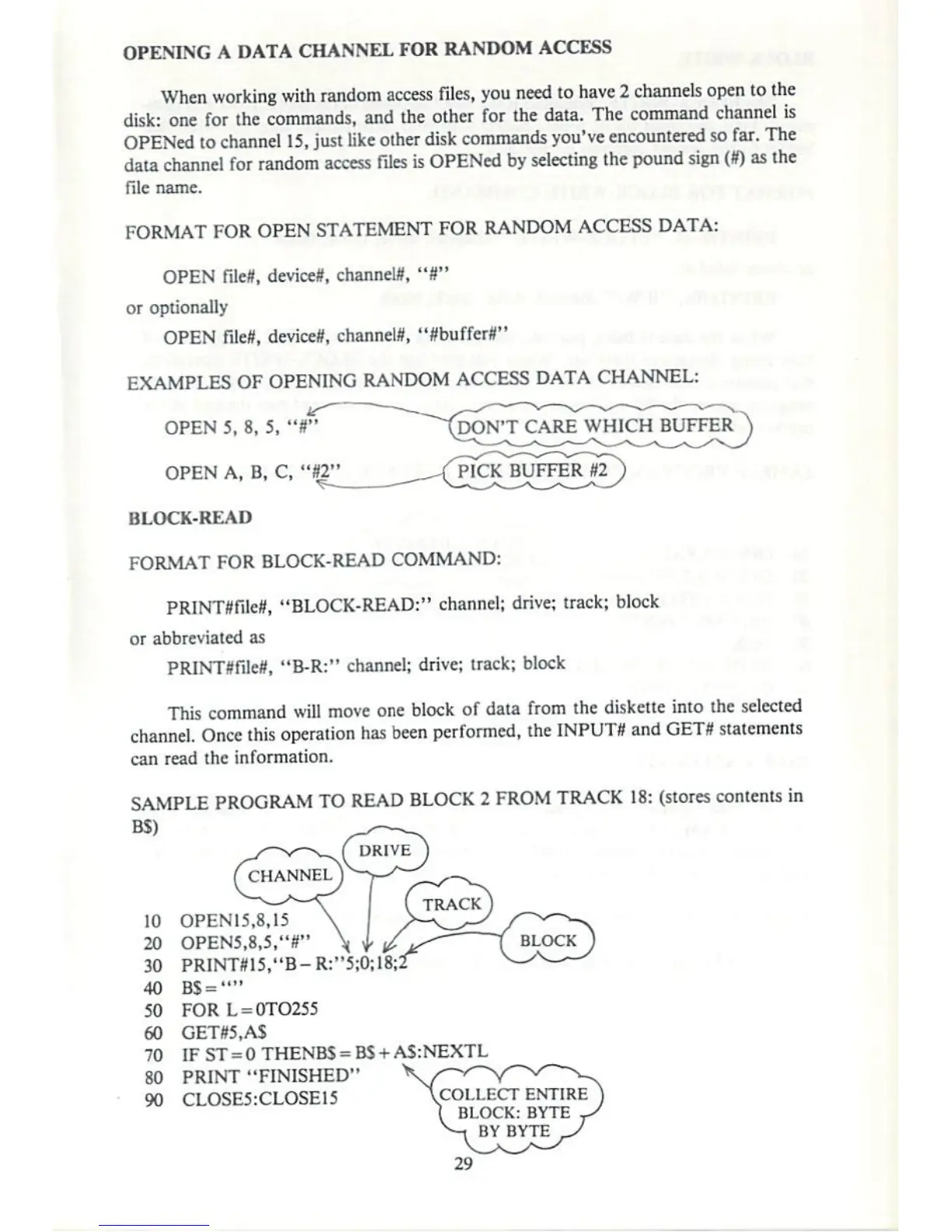
SAMPLE
PROGRAM
TO
READ
BLOCK
2
FROM
TRACK
18:
(stores
contents
in
BS)
DRIVE
(track)
10
OPEN15.8.15
\
>—ZLs-S
/~^~^
20
OPEN5,8,5,"r
\b/jS^
f
BLOCK J
30
PRINT#15."B-R:"5;O;18;2
V^v_—-
40
BS-""
50
FOR
L
=
0TO255
60
GET«,AS
70
IF
ST
=
0
THENBS
-
BS
+
AS:NEXTL
SO
PRINT
"FINISHED"
90
CLOSES:CLOSE
15
\COLLECT
ENTIRE
BLOCK:BYTE
BY
BYTE

Other manuals for Commodore 1541

Related product manuals