3-2
Installing the ROM Upgrade
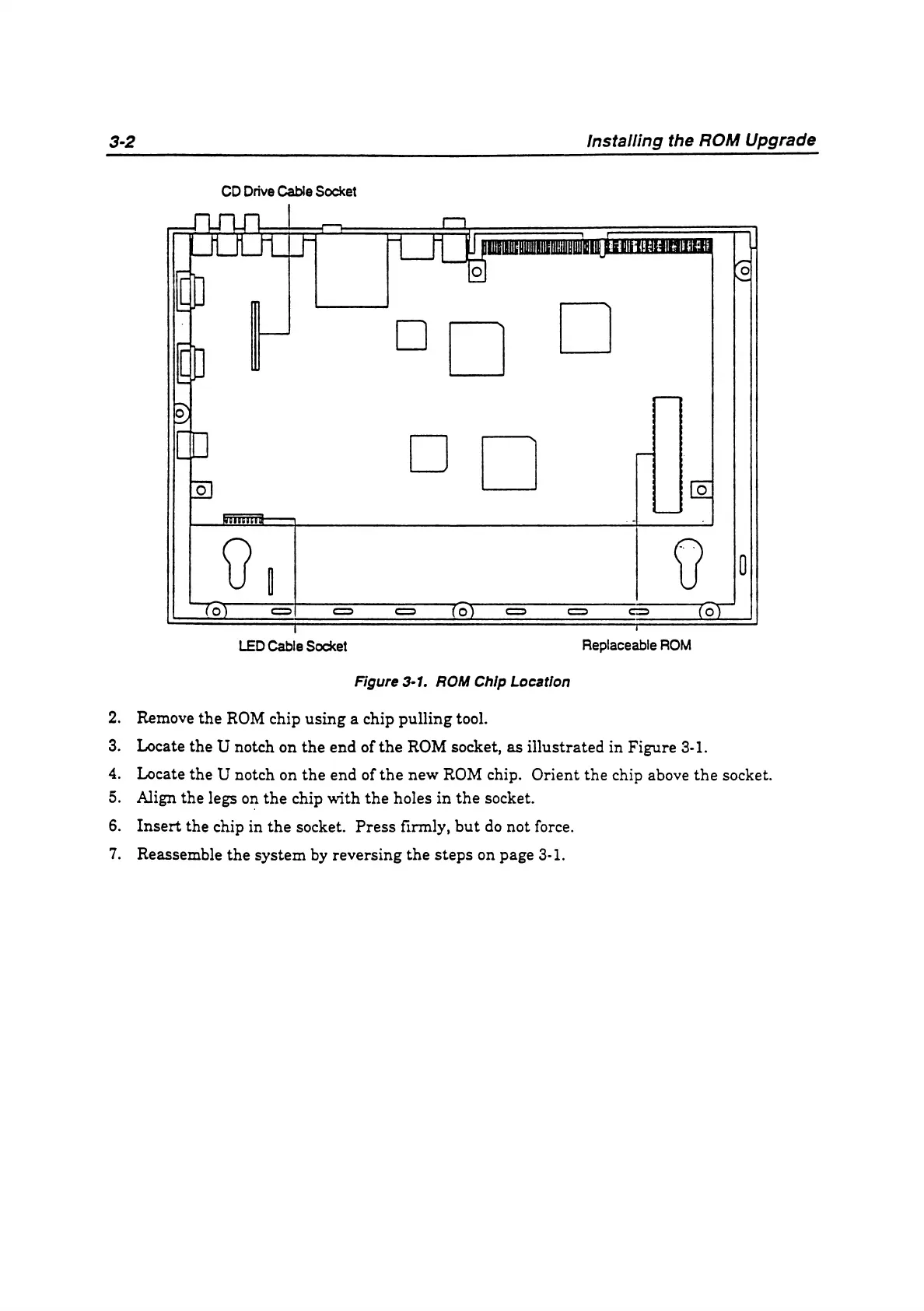
CD Drive Cable Socket
Figure 3-1. ROM Chip Location
2. Remove the ROM chip using a chip pulling tool.
3. Locate the U notch on the end of the ROM socket, as illustrated in Figure 3-1.
4. Locate the U notch on the end of the new ROM chip. Orient the chip above the socket.
5. Align the legs on the chip with the holes in the socket.
6. Insert the chip in the socket. Press firmly, but do not force.
7. Reassemble the System by reversing the Steps on page 3-1.



 To Next Page