EasyManua.ls Logo

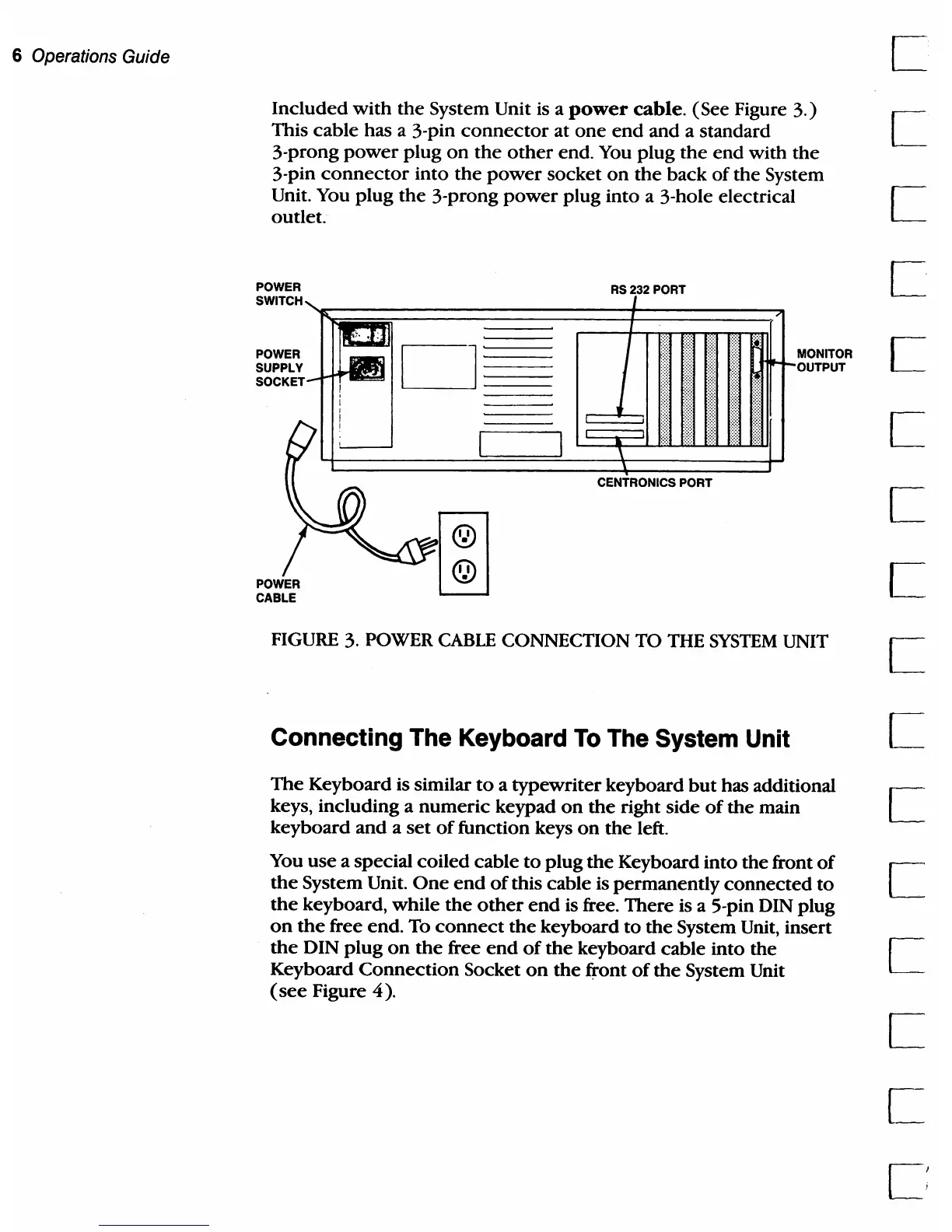
Commodore PC 20 - Connecting the Keyboard to the System Unit; FIGURE 3. Power Cable Connection to the System Unit

Commodore PC 20
494 pages
Print Icon
To Next Page IconTo Next Page
To Previous Page IconTo Previous Page
Loading...
6 Operations Guide C
Included
with
the
System Unit is a
power
cable.
(See Figure
3.)
I
This
cable
has a 3·pin
connector
at
one
end
and
a standard L
3-prong
power
plug
on
the
other
end. You
plug
the
end
with
the
3-pin
connector
into
the
power
socket
on
the
back
of
the
System
Unit. You
plug
the
3-prong
power
plug
into
a 3-hole electrical I
outlet. L
POWER
SWITCH
POWER
SUPPLY
SOCKET
POWER
CABLE
RS232
PORT
CENTRONICS PORT
MONITOR
OUTPUT
FIGURE 3. POWER
CABLE
CONNECTION TO THE
SYSTEM
UNIT
Connecting The Keyboard
To
The System Unit
The
Keyboard is similar
to
a
typewriter
keyboard
but
has additional
keys, including a
numeric
keypad
on
the
right side
of
the
main
keyboard
and
a
set
of
function keys
on
the
left.
You
use
a special
coiled
cable
to
plug
the
Keyboard
into
the
front
of
the
System Unit.
One
end
of
this cable is permanently
connected
to
the
keyboard,
while
the
other
end
is free.
There
is a 5-pin DIN plug
on
the
free
end.
To
connect
the
keyboard
to
the
System Unit, insert
the
DIN
plug
on
the
free
end
of
the
keyboard cable
into
the
Keyboard
Connection
Socket
on
the
front
of
the
System Unit
(see
Figure
4).

Table of Contents

Related product manuals