106 MS-DOS User's Reference
Using replaceable
parameters
How to Create a Batch File
with Replaceable Parameters
There
may
be
times
when
you
want
to
create
a
program
and
run
it
with
different sets
of
data. These data may
be
stored
in various
MS·
DOS files.
With
MS·DOS
you
can
create
a batch (.bat) file
with
replaceable
(
dummy)
parameters,
where
a parameter is a
command
option
that you define. These parameters, named
%0-%9,
hold
the
places
for
the
values that you supply
when
you give
the
batch
command.
Replaceable parameters make
batch
files
more
flexible and easy
to
use. For example, you can
create
a batch file called sorter.
bat
that
sorts a file containing a specific
sequence
of
characters
or
strings.
Each time you
execute
the
sorter batch file,
you
tell MS-DOS
which
string you want, which file
to
search
to
find
that
string, and
which
temporary file
to
use for sorting. Sorter
would
then
print
the
resulting list
on
the
printer.
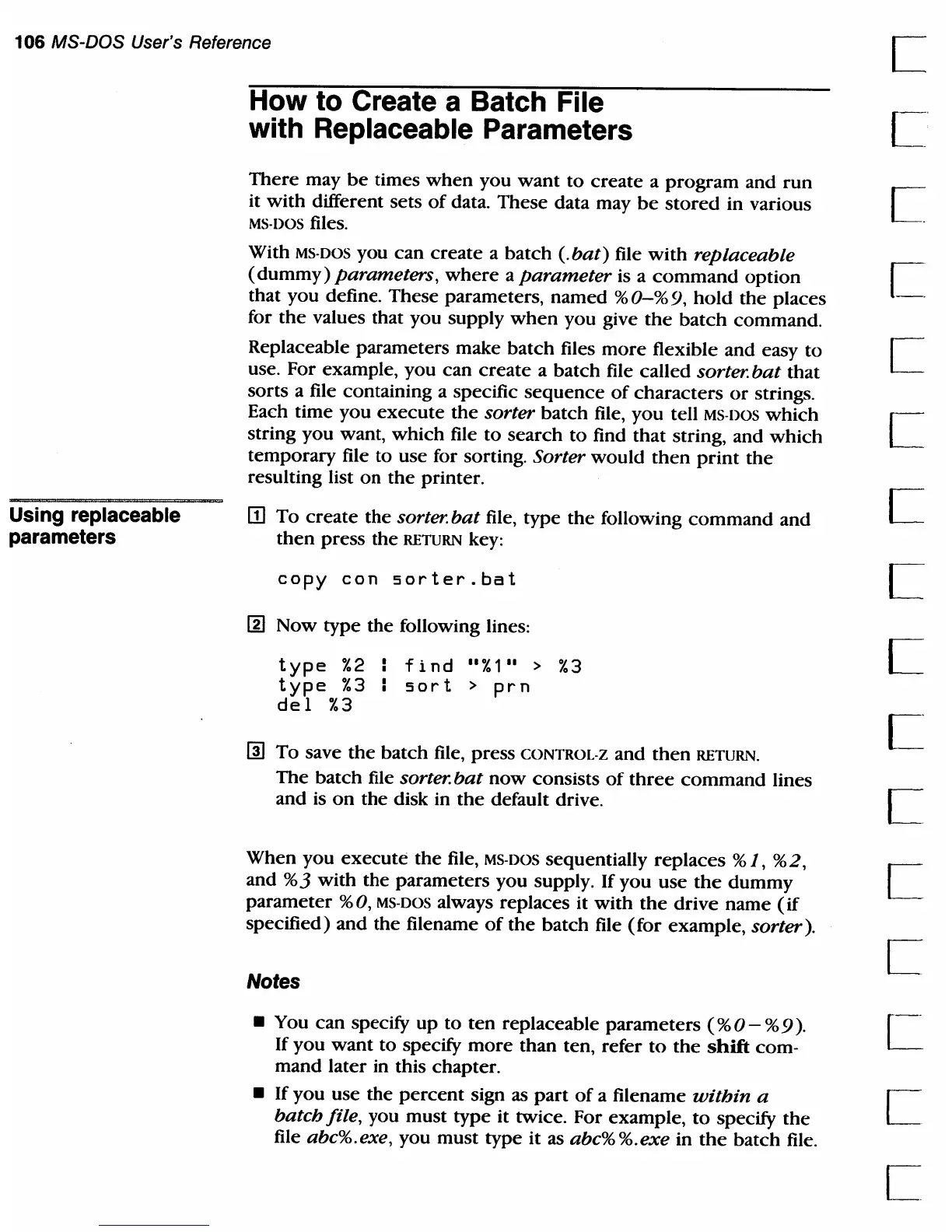
m
To
create
the
sorter.
bat
file, type
the
following
command
and
then
press
the
RETURN key:
copy
con
sorter.bat
I]]
Now type
the
following lines:
type
%2
type
%3
de
1
%3
find
"%1"
>
%3
:
sort
>
prn
~
To
save
the
batch file, press CONTROL-Z and
then
RETURN.
The
batch file sorter.
bat
now
consists
of
three
command
lines
and is
on
the
disk in
the
default drive.
When
you
execute
the
file, MS-DOS sequentially replaces % 1, %2,
and
%3
with
the
parameters you supply. If you use
the
dummy
parameter
%0, MS-DOS always replaces it
with
the
drive
name
(if
specified)
and
the
filename
of
the
batch file
(for
example, sorter).
Notes
• You can specify
up
to
ten
replaceable
parameters
(%
0 - % 9
).
[.
If you
want
to
specify
more
than ten, refer
to
the
shift
com-
mand later in this chapter.
• If you use
the
percent
sign as
part
of
a filename
within
a I
batch file, you must
type
it twice. For example,
to
specify
the
L
file abc%.exe, you must type it as abc%%.exe in
the
batch file.



 To Next Page