EasyManua.ls Logo

Commodore PC 20 - Connecting an External Modem

Commodore PC 20
494 pages
Print Icon
To Next Page IconTo Next Page
To Previous Page IconTo Previous Page
Loading...
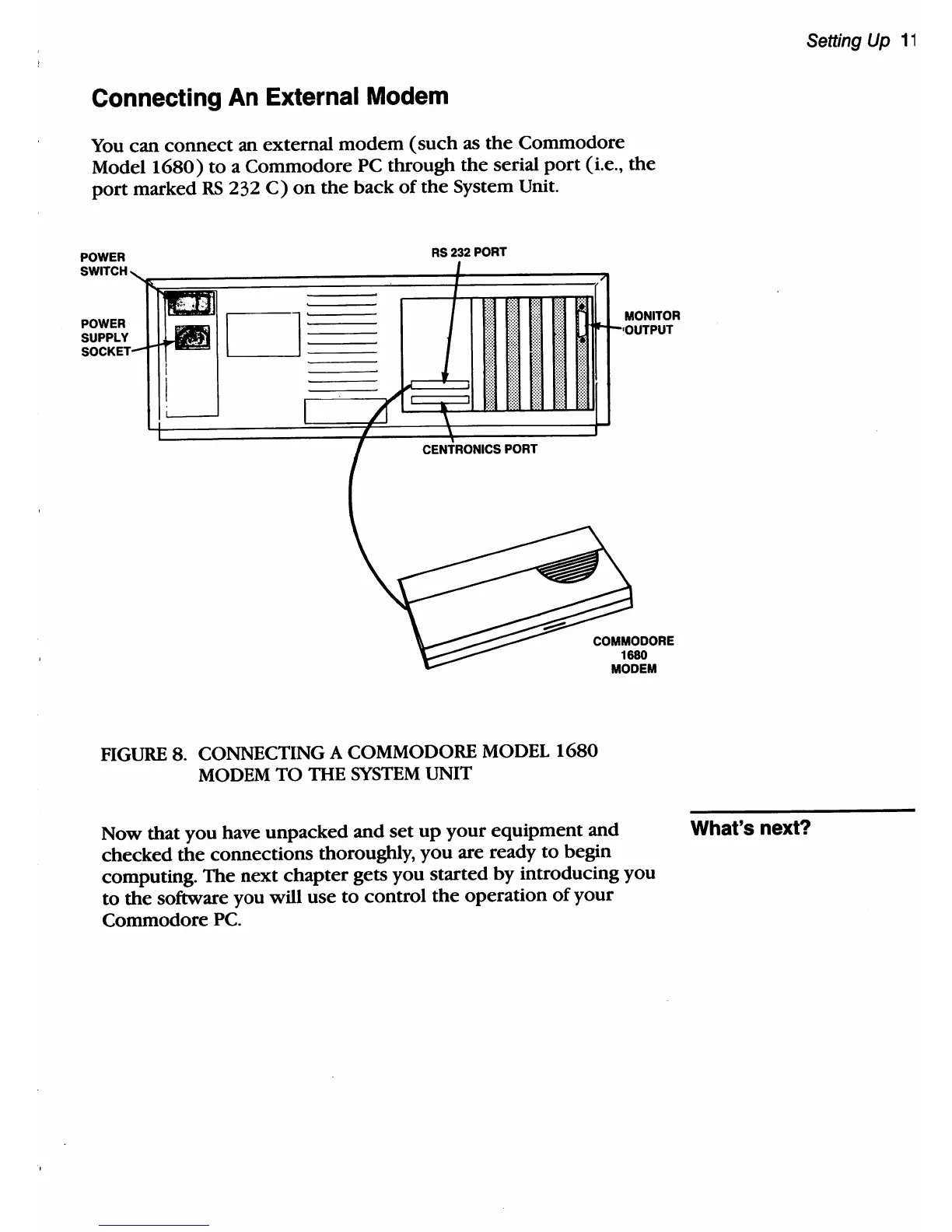
Connecting An External Modem
You
can
connect
an
external
modem
(such
as
the
Commodore
Model
1680)
to
a
Commodore
PC through
the
serial
port
(i.e.,
the
port
marked
RS
232
C)
on
the
back
of
the
System Unit.
POWER
SWITCH
POWER
SUPPLY
D
RS232
PORT
PORT
MONITOR
COMMODORE
1680
MODEM
FIGURE
8. CONNECTING A COMMODORE
MODEL
1680
MODEM
TO THE
SYSTEM
UNIT
Now that
you
have unpacked and set
up
your
equipment
and
checked
the
connections thoroughly,
you
are ready
to
begin
computing. The
next
chapter
gets
you
started
by
introducing you
to
the
software you will use
to
control
the
operation
of
your
Commodore
Pc.
Setting Up
11
What's
next?

Table of Contents

Related product manuals