10
3.3 Installation of the CPRog Software
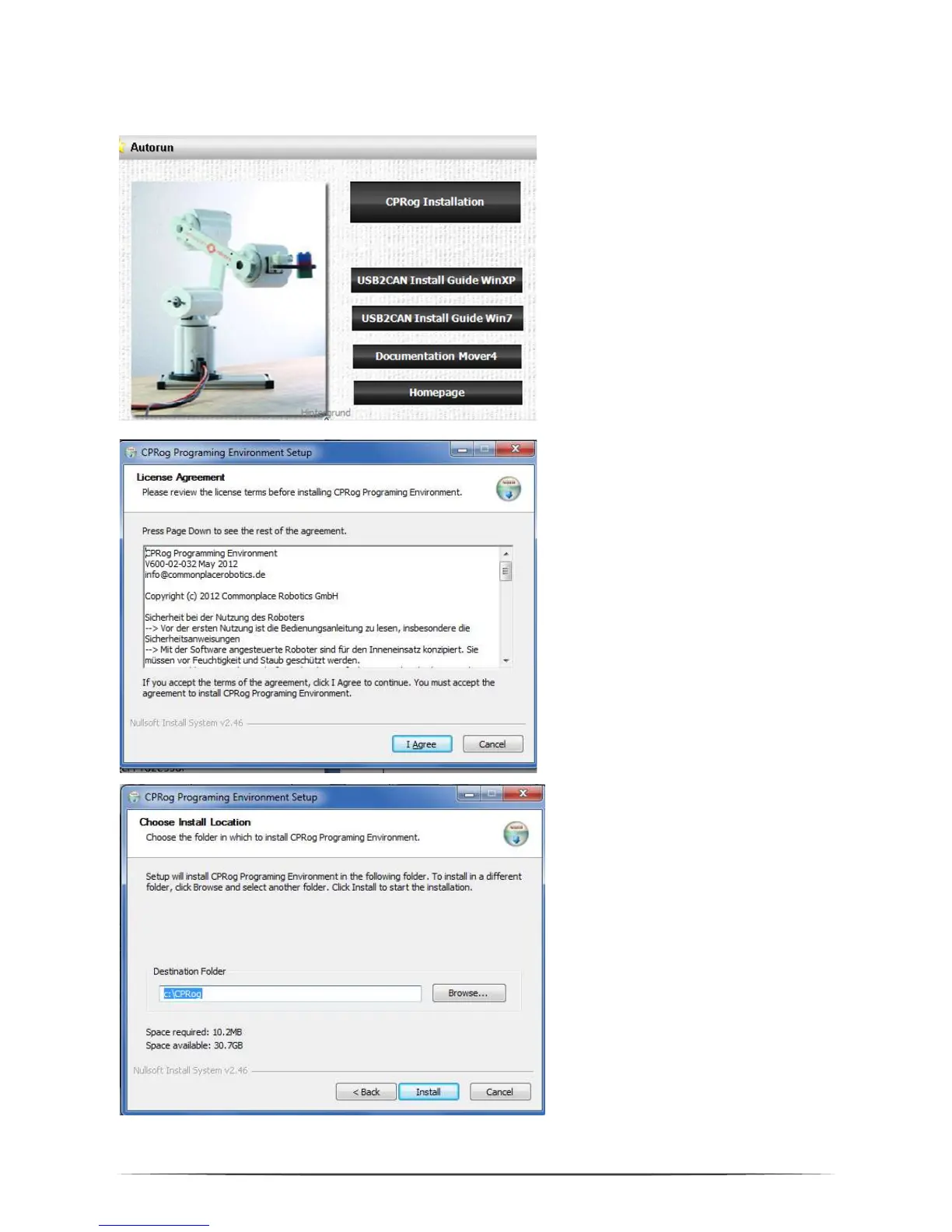
Insert the CPRog CD into the drive
Depending on your systems
configuration the CD menu will open
automatically, or you have to start it
manually:
D:\.autorun\autorun.exe
Choose the first button „CPRog
Installation”
be made on your system.
After the installer has started you
need to choose between English
and German as language.
Then you need to confirm the
license agreement.
where to install CPRog. The
recommended directory is
c:\CPRog.
When installing in a Windows
program directory like
c:\Programme it is possible that
CPRog can only be started as
administrator.


 To Next Page