17
5. Moving the Robot Arm with CPRog
5.1 Introduction
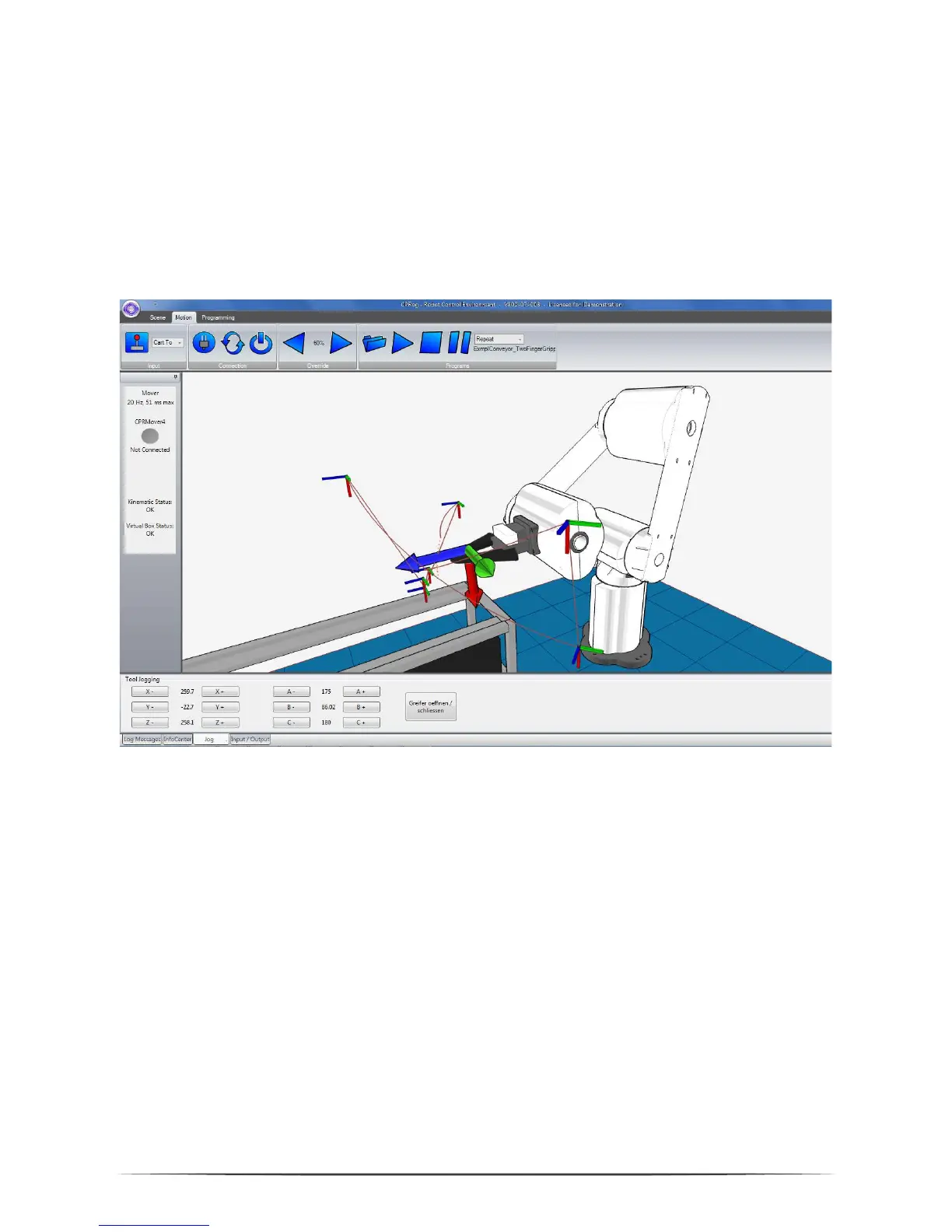
The CPRog programming environment allows to control and program the Mover
robot. Both online and offline working is possible.
In the upper area the three ribbons “Scene”, “Motion” and “Programming” provide
access to the main functionalities.
On the left corner information on the robots current state are provided.
On the lower side four sections are found:
„Log Message“: Messages regarding the programs state
„Info Center“: Shows joint values, the Cartesian position and the motor
currents
„Jog“: Buttons to move the robot
„Input / Output“: View and set digital IOs


 To Next Page