25
The buttons in the area Motion/Programs allow to replay, pause and stop a program.
The replay can be done in single, repeat or step mode.
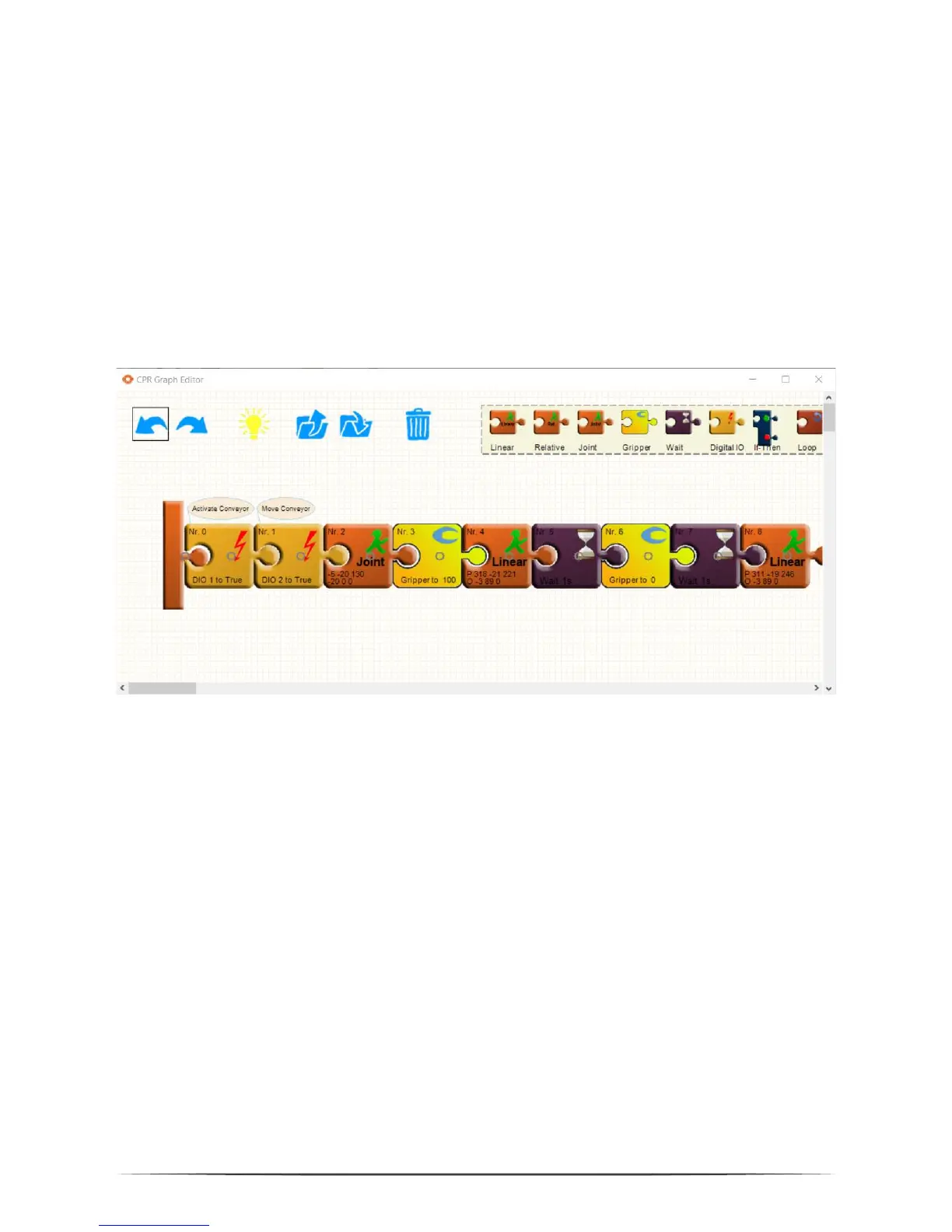
6.5 Editing a Program with GraphEdit
The button Programming/Editor opens a graphical program editor. This editor
allows in a puzzle visualization to adapt and create programs.
In the upper left area common elements are found, Undo/Redo and Load/Save. Two
further buttons need explanation:
The dust bin deletes the selected puzzle piece
The light bulb updates the program on the current robot to the updated
version. It also saves the program.
New commands can be dragged from the shelf on the upper right corner. They are
initialized with the current robot position.
Commands can be copied by dragging them with the CTRL key pressed.
6.6 Editing a Program with TextEdit


 To Next Page