Section 8: Creating Machines
118
Erasing a Point, Direction/Axis or Parameter Set
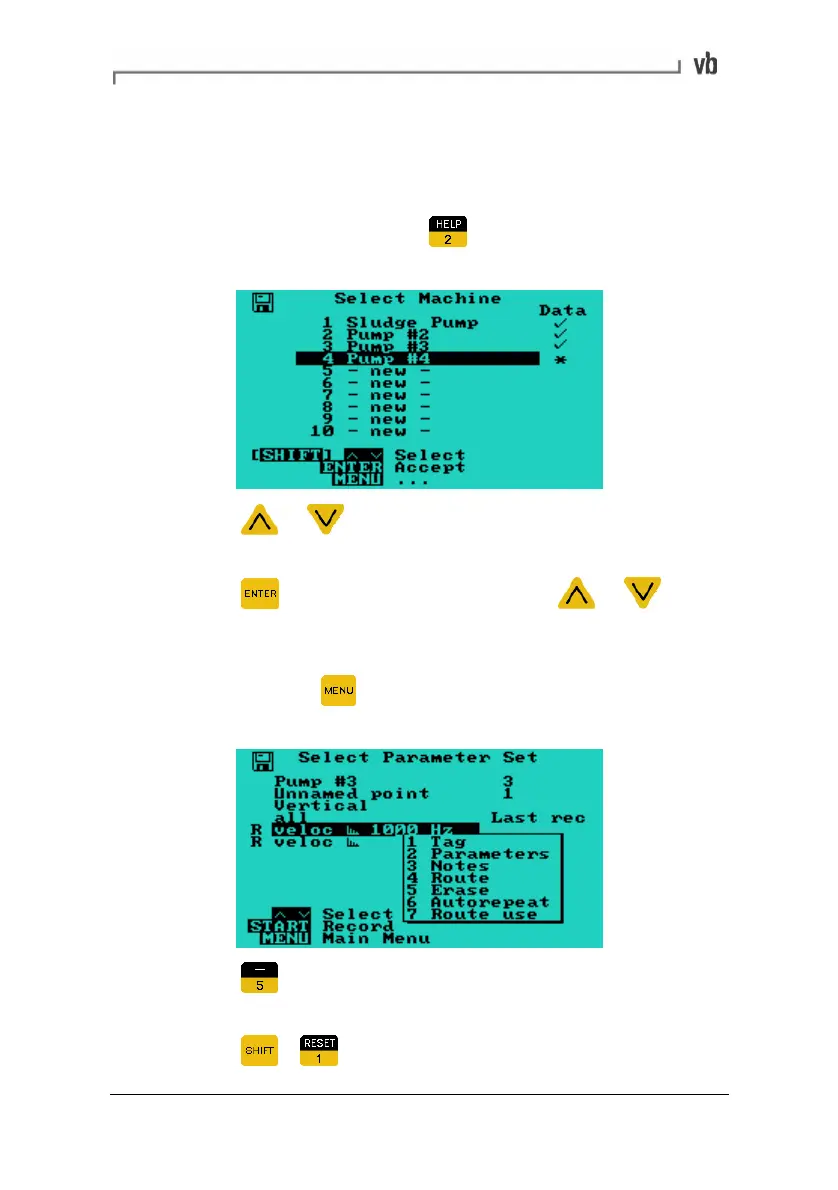
Erasing points and other items is performed in the same manner as
erasing machines.
• From the Main Menu press
to display the Select
Machine Menu.
• Press or to highlight the machine containing the
item to be erased.
• Press
repeatedly in combination with or to
navigate to the menu containing the item to erase.
• Once you have the correct menu displayed, highlight the
item and press
to display a pop-up menu containing the
erase option.
• Press to select the erase option. You will be prompted
to confirm.
• Press
+ to erase the item.
Artisan Technology Group - Quality Instrumentation ... Guaranteed | (888) 88-SOURCE | www.artisantg.com



 To Next Page