Section 4: Manual Setup Measurement Parameters
76
• Press to change the Source between Internal and Tach.
• Press
to change the trigger Mode between Free Run
and Single.
• Press
to close this menu and continue.
Selecting the Channel(s) for Taking
Measurements
• From the Set Parameters Menu press to cycle through
the channel(s) to be used, CH1, CH2 or CH1 & CH2.
If both channels are selected (in vb2000/vb3000), channel 1 data will
be displayed by default. The display can however be toggled
between the channels by pressing
once the measurement has
started.
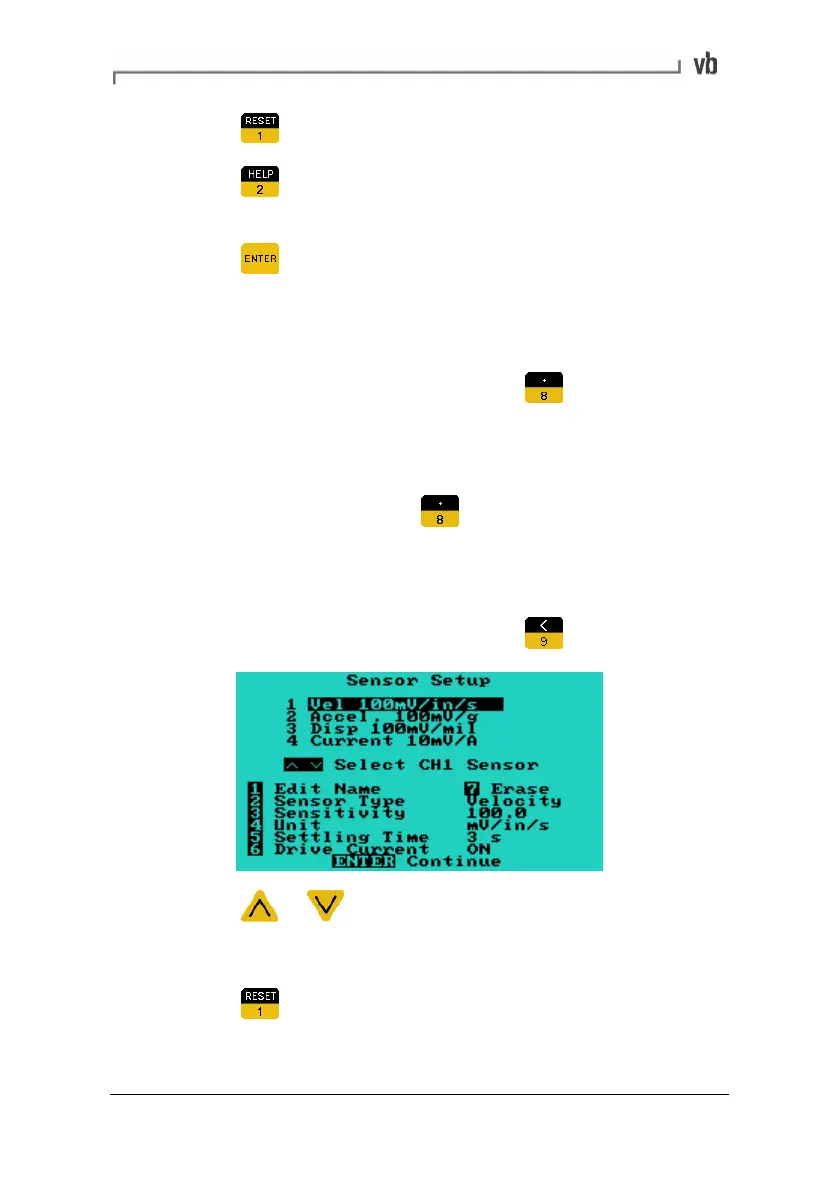
Specifying Sensor Settings
• From the Set Parameters Menu press
• Press or to select the sensor to edit.
Once the desired sensor has been selected:
• Press
to edit the Name of the sensor.
Artisan Technology Group - Quality Instrumentation ... Guaranteed | (888) 88-SOURCE | www.artisantg.com



 To Next Page