Section 4: Manual Setup Measurement Parameters
78
Setting Waveform Parameters
A vibration waveform is a chart of how vibration level changes with
time. A vibration waveform shows the vibration level at any particular
time during the measurement period.
vb waveforms are discrete charts represented by a series of equally
spaced discrete sample points connected by straight lines. The more
sample points in a spectrum the higher the resolution of the
waveform (but the more memory used).
To ensure a waveform is as informative as possible the
measurement parameters used to obtain the waveform must be set
appropriately.
• To begin setting measurement parameters, from the Main
Menu press
then press to display the Set
Parameters Menu.
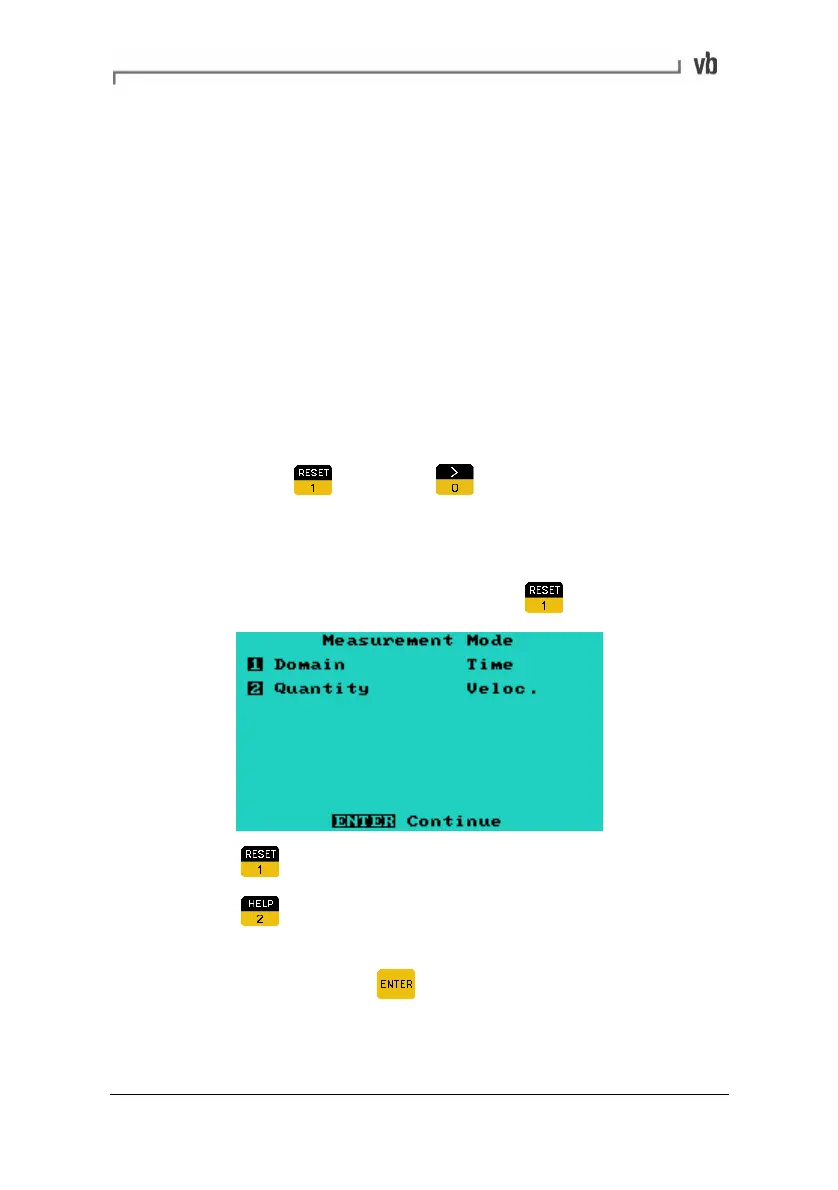
Setting the Measurement Mode
• From the Set Parameters Menu press
• Press to change the Domain to Time.
• Press
to toggle the Quantity to be measured between
acceleration, displacement, velocity and current.
• When finished, press
to return to the Set Parameters
Menu.
Note: Option 3: Window, is not available with waveforms.
Artisan Technology Group - Quality Instrumentation ... Guaranteed | (888) 88-SOURCE | www.artisantg.com



 To Next Page