Section 4: Manual Setup Measurement Parameters
66
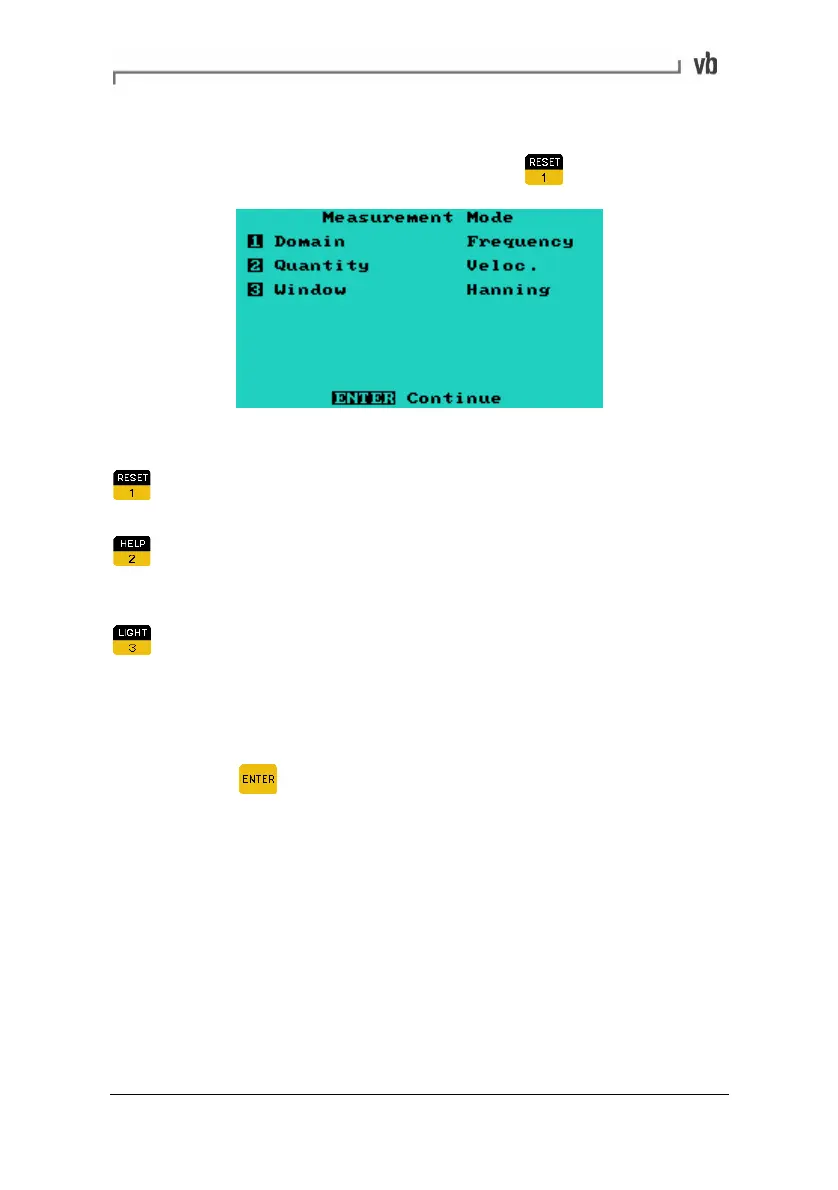
Setting the Measurement Mode
• From the Set Parameters Menu press
When in the Measurement Mode Menu:
Domain toggles the Domain between Frequency (spectra),
Time (waveform) and Demod (demodulation).
Quantity toggles the amplitude quantity between
Displacement, Velocity, Acceleration and Current (Acceleration
is the only option available when the Domain is set to Demod).
Window toggles the type of window between Hanning and
Rectangular. This is not available when the Domain is set to
Time.
• To change any of the options press the number key that
corresponds to that menu item. When you have finished
press
to return to the Set Parameters Menu.
Domain
When Domain is set to Frequency the instrument displays spectra
rather than waveforms.
Quantity
Measuring velocity is applicable for most situations. However,
displacement spectra are usually more informative for low vibration
frequencies (below 30 Hz/1800 CPM) and acceleration spectra for
high frequencies (above1 kHz/60 kCPM).
Artisan Technology Group - Quality Instrumentation ... Guaranteed | (888) 88-SOURCE | www.artisantg.com



 To Next Page