Section 5: Recording Data
88
Autorepeat
Autorepeat is used to take the same recording repeatedly with a
short, user-specified delay between recordings. This option is ideal
for taking coast-down/run-up recordings. The instrument will take
recordings continuously until you choose to stop.
• From the Main Menu press
Record then choose a
machine, point and direction.
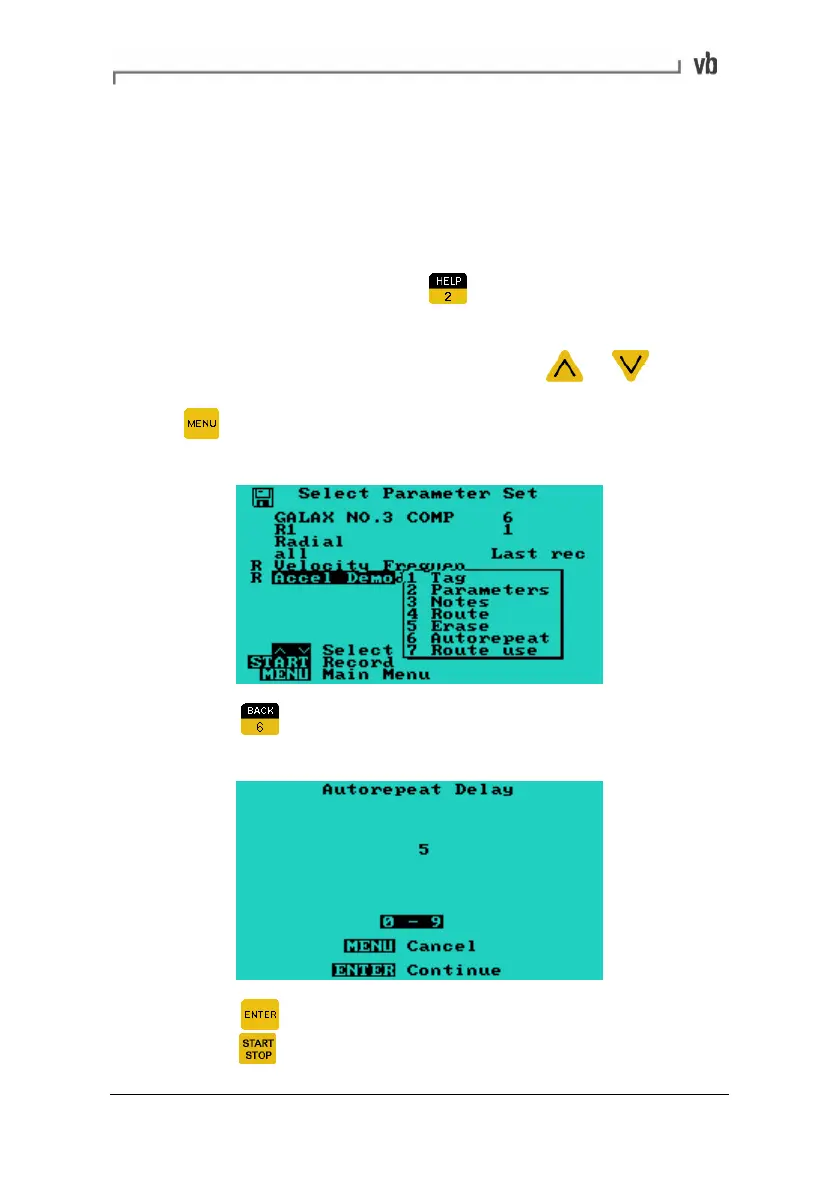
• In the Select Parameter Set Menu press
or to
highlight the parameter set you wish to record then press
to open a pop-up menu containing the autorepeat
option.
• Press Autorepeat then enter the number of seconds the
instrument should pause before repeating the recording.
• Press to return to the Select Parameter Set Menu then
press
to begin recording.
Artisan Technology Group - Quality Instrumentation ... Guaranteed | (888) 88-SOURCE | www.artisantg.com



 To Next Page