ComNav 2001 Autopilot System
P/N 29010017 V1.0 - 43-
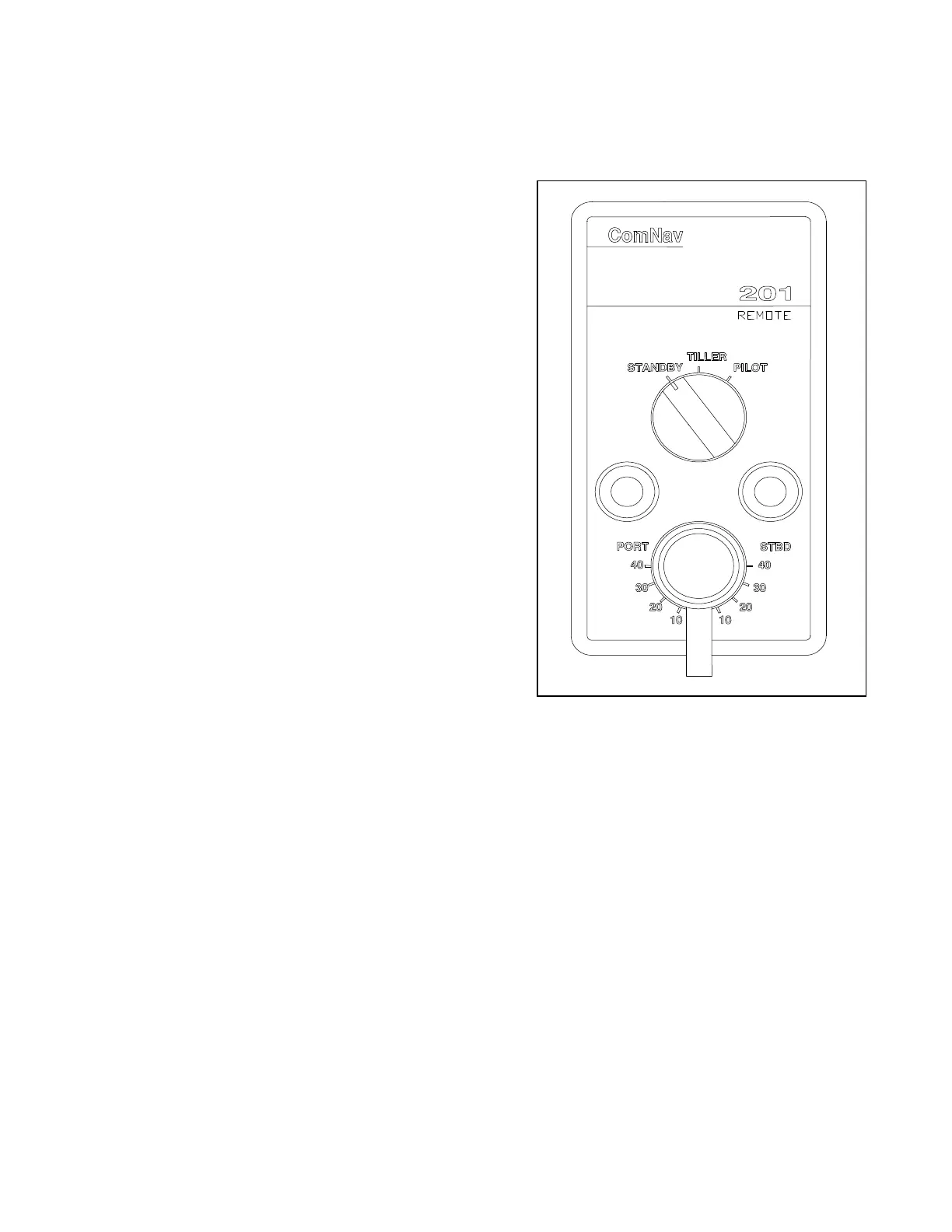
COMNAV 201 REMOTE CONTROL
This remote control plugs into either remote
receptacle on the rear of the autopilot.
If it is plugged into the REMOTE 1 receptacle,
Dip Switch 5 on the autopilot control circuit
board must be in the ON position.
If it is plugged into the REMOTE 2 receptacle,
Dip Switch 6 must be in the ON position.
Control is taken at the remote by pressing both its
pushbuttons for one second. The decimal point on
all displays will move to the REM.1 or REM.2
position. The Standby mode is a safety feature
that allows the remote station to de-activate the
autopilot output to the steering drive unit. When
the switch is in the TILLER position, the vessel's
rudder will be turned to the same angle as
indicated by the control knob.
To lock the vessel onto a heading under autopilot
control, point the vessel onto a desired heading,
and then place the switch in the PILOT position.
The pushbuttons can be used to alter the vessel's
heading in one-degree steps, or by 10 degrees per
second after holding the pushbutton for half a
second.
Figure 11 - ComNav 201 Remote



 To Next Page