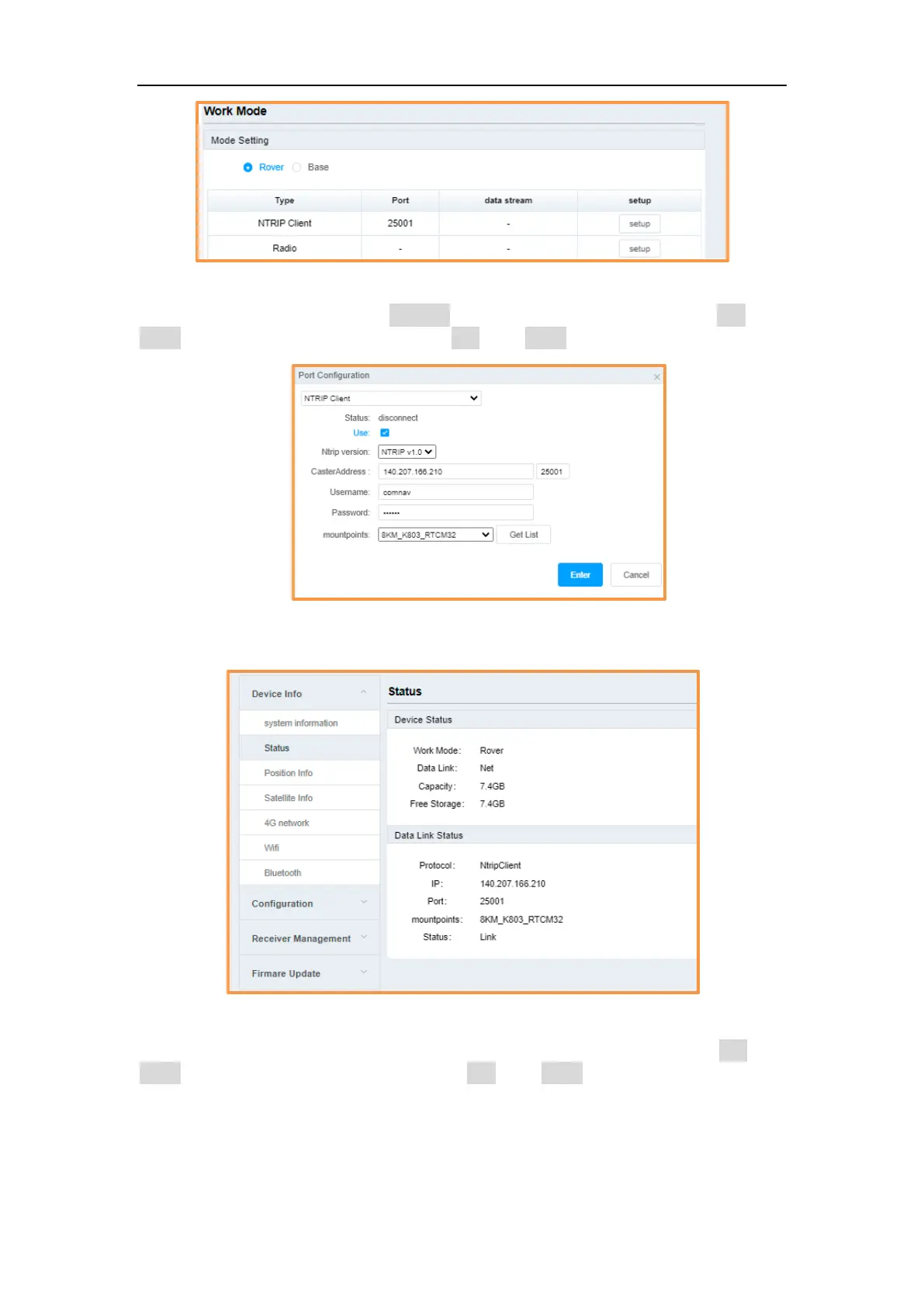
(1) Ntrip Client: Set Ntrip version, includes NTRIP v1.0 and NTRIP v2.0, IP, port,
username, password, then click Get List and select mountpoint, check on Use, click
Enter to apply the Ntrip Client; Check off Use, click Enter to cancel the work mode.
When setup the Ntrip Client, you can go to Device Info->Status to check current device
status and datalink status.
(2) Radio: The model is RX, set the frequency, minimum interval is 12.5 KHz; the
protocol is Transparent; set the power, supports 0.5w, 1w and 2w; check on Use, click
Enter to apply the internal radio; Check off Use, click Enter to cancel the work mode.



 To Next Page